Eng-18
1-4) CAMERA Composition and Connecting Method to
MONITOR
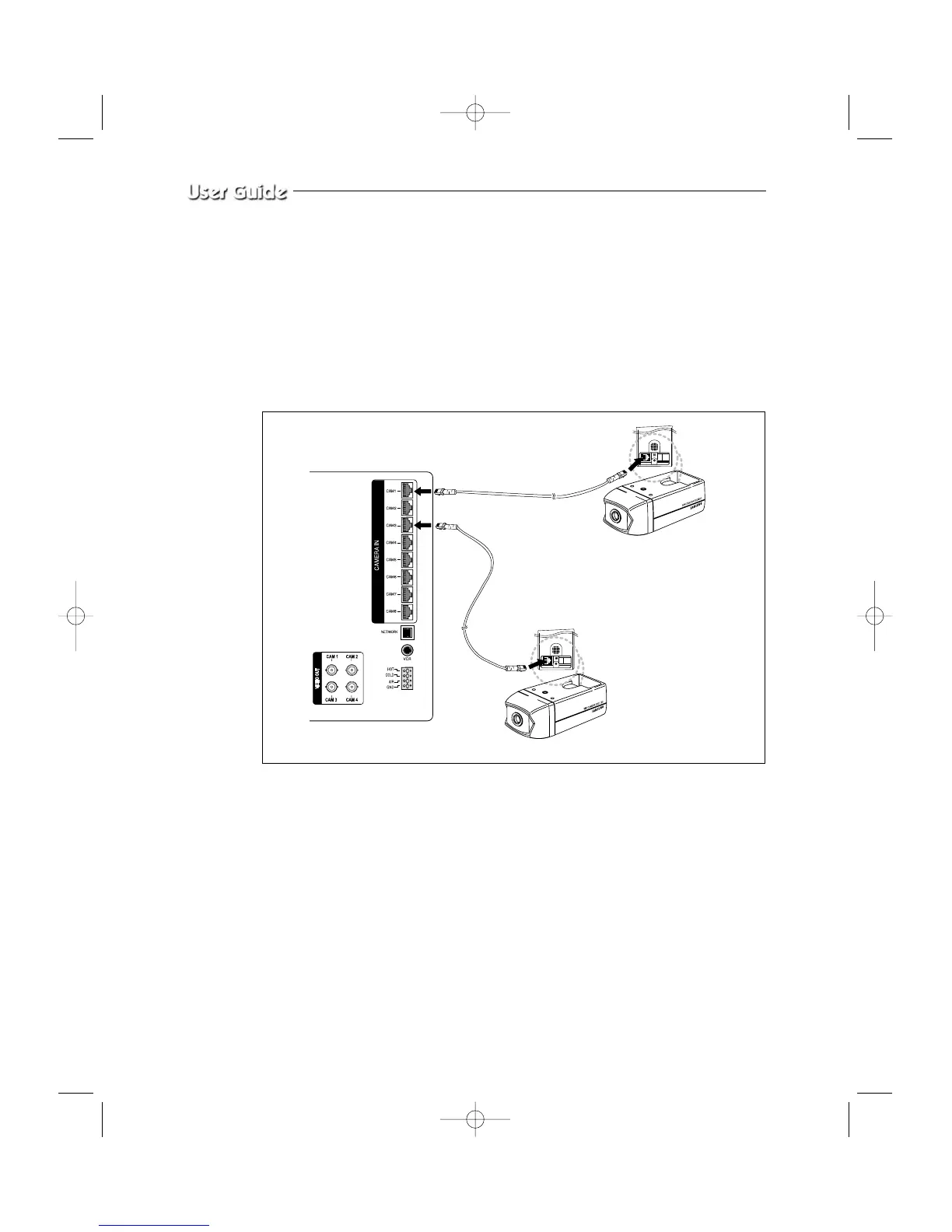
After positioning monitor and installing four cameras to a desired location, please connect
CAMERA to MONITOR through CAMERA CABLE (MCB-60) as shown in the below
figure. Please check whether or not it is properly connected.
Connection status checking method :
• Turn on the monitor after connecting cameras, and check if camera image is displayed.
The initial screen mode of monitor is quad mode.
•
In case monitor and camera is not connected, OSD ‘L’(LOSS) will be displayed on screen.



 To Next Page