Eng-61
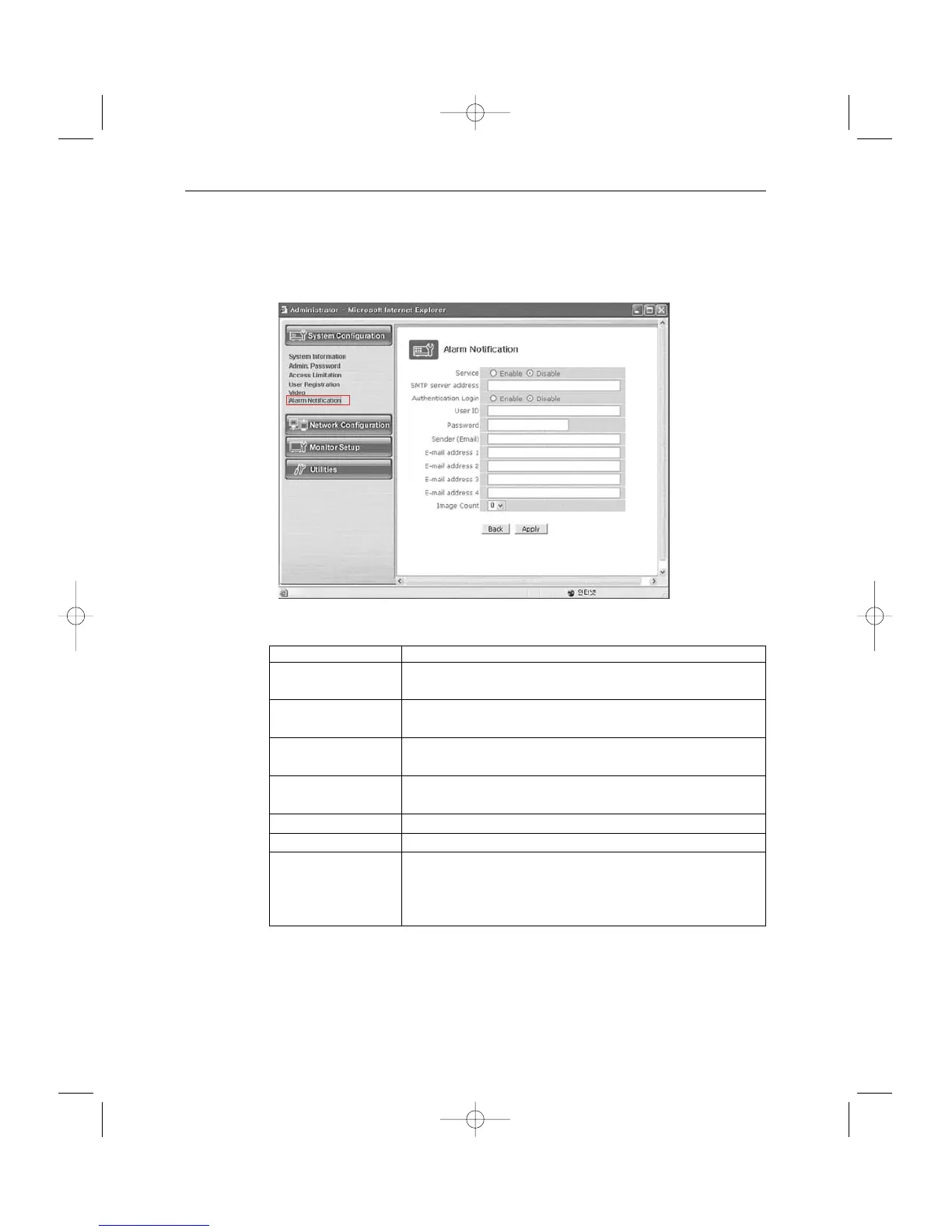
6. Alarm Notification
This notifies the registered users of an alarm arising situation through e-mails.
At this time, maximum 5 M-JPEG pictures, which were stored, can be sent together.
- Menu Configuration
Service Choose if you want to send the ALARM notifying E-MAIL.
SMTP server SMTP server of the ISP that provides SSC17WEB with
address services. ISP’s confirmation required.
Authentication Choose if you want to log in the SMTP of the ISP providing
Login SSC17WEB with services.
User ID ID for the SMTP server of the ISP that provides SSC17WEB
with services.
Password Password for the SMTP server of the ISP that provides
SSC17WEB with services.
Sender (E-mail) Register the E-mail of ADMINISTRATION of SSC17WEB
E-mail address 1 ~4 E-mail addresses you want to send the alarm notification to.
Image count M-JPEG images to send.
Up to 5 pictures can be sent at 0.5-second intervals.
* Some SMTP servers may not support M-JPEG forwarding.
Set this function after checking the SMTP server.
After completing setting, click Apply button.
If you click the back button, initial values are typed in all fields.
On this menu, you can fix the general environment related to the network of the
SSC17WEB Server and check the present status of it.



 To Next Page