Eng-38
CAUTION
The connection to SSC17WEB is unavailable for about 2~5 minutes after ADSL
Modem’s power ON.
Since the connection would not be available, as IP is not received from ADSL commu-
nications, please reboot by turning off the power of ADSL Modem and SSC17WEB for
more than 5 seconds and then try to connect again.
3-7) SSC17WEB basic setting
1) Open your Internet Explorer web browser, type in the following in the URL window and
press ENTER. -Refer 3-6) Network Installation
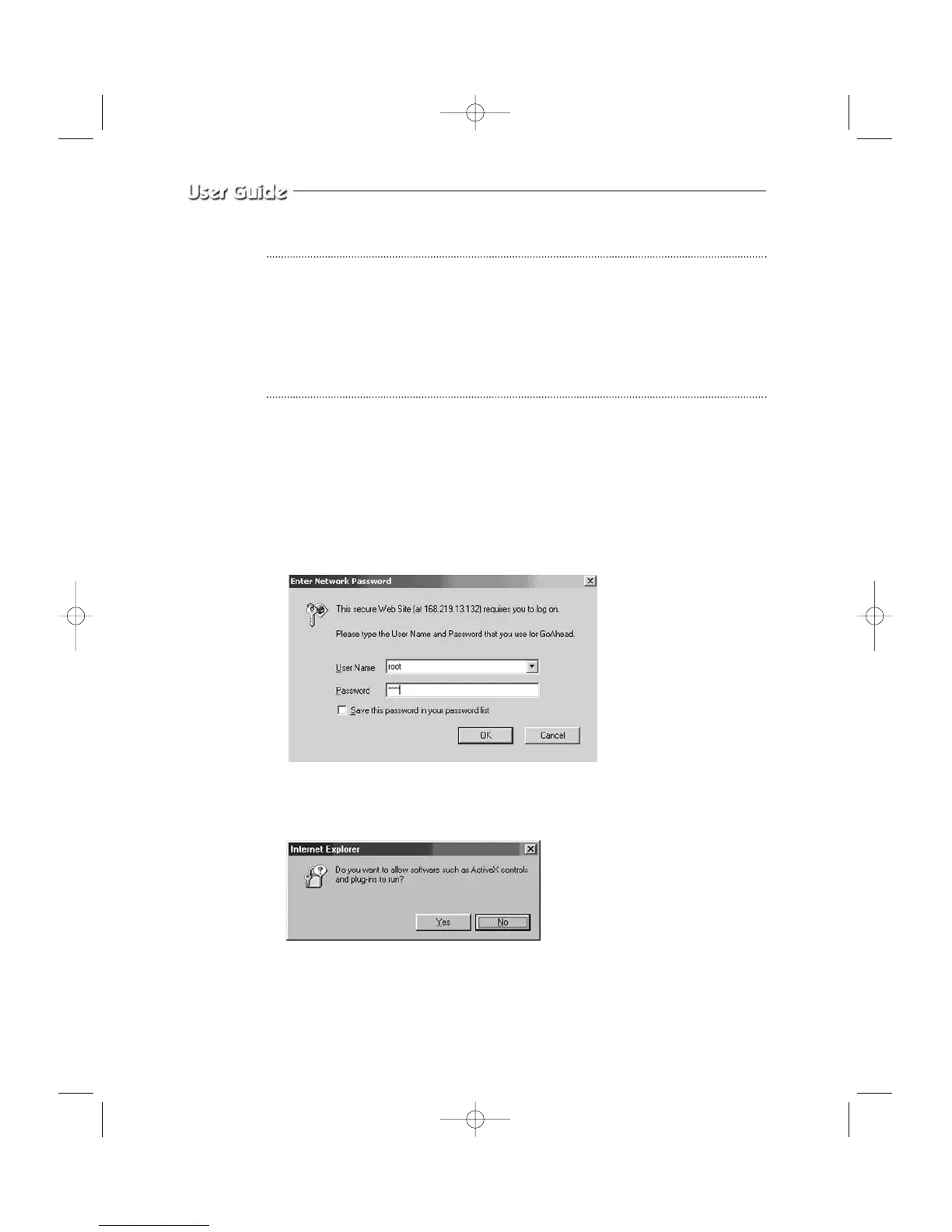
2) When you choose the Admin menu, it asks you the Admin ID and password.
3) Type in root / root. On delivery, they are “root” (administrator’s ID) / “root” (administra-
tor’s Password). The password can be changed on Admin Menu.
4) If this is the first time you run this procedure on this PC, then you will see the following
“Active X controls and plug-ins to run” screen.
5) Click “YES”. This will automatically download the necessary Active X Controls to oper-
ate the Remote Viewer.
It takes about 20 seconds at the first connection.



 To Next Page