Eng-99
Step-by-Step Setup Example of IP Router
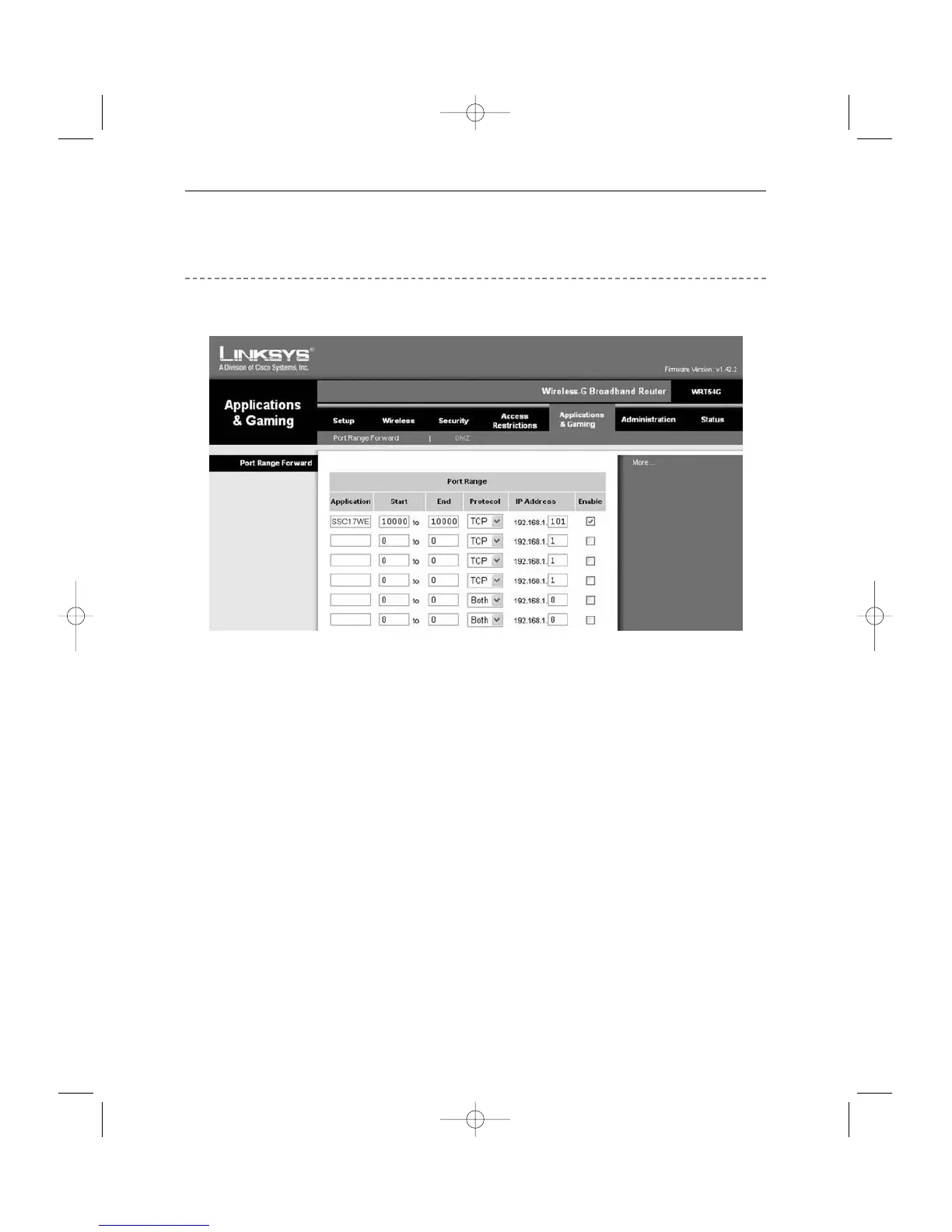
Linksys model WRT54G
1. Click the “Application and Gaming” tab.
2. Click “Port Range Forward”.
3. Port forwarding
Row #1 :
! Application : Set this to “HTTP”
@ Start and End : Set both to “From 10000 to 65535”
# Protocol : Select “TCP”
$ IP Address : SETUP MENU -> 7. NETWORK SETUP -> Check IP from network
status to apply it identically to Private IP after DHCP setup.
(Eng-32 Setup)
*
It is not in use by any other device connected to the IP Router including the Local PC.
% Enable : Leave this “checked”
4. Click “Save Settings”
5. Close browser window.



 To Next Page