Chapter Three
OPERATION
Turning the TV On and Off
Press Power button.
You can also use the Power button on the front panel.
CHAPTER THREE: OPERATION 3.1
Plug & Play Feature
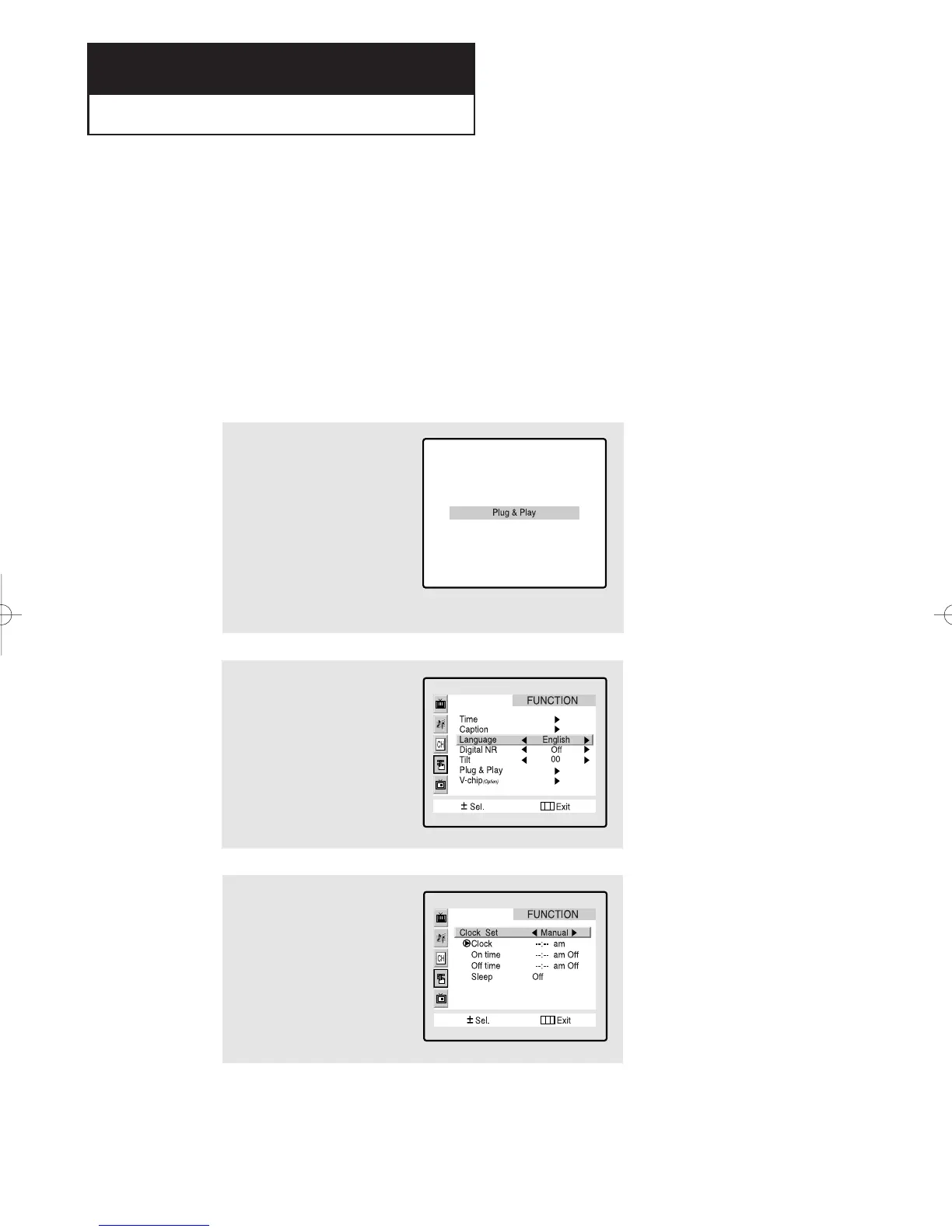
When the TV is initially powered On, five basic customer settings proceed automatically and
subsequently: Setting the language, video signal source, Ant. input check, Auto program,
Clock.
1
Press the Power button on the
remote control.
The message “Plug & Play” is
displayed.
It flickers for a little while and
then the “Language” menu is
automatically displayed.
2
Press the VOL+ or VOL- buttons
to select the desired language.
Press the Menu button to enter
the language, and then the
“Clock set” menu is automati-
cally displayed.
3
Press the VOL+ or VOL- buttons
to move to the hour or minute.
Set the hour or minute by
pressing the CH▲ or CH▼ but-
tons. (refer to “Setting the
clock” on page 3.10.)
continued...
01066D(E)-CHAPTER 3 4/12/05 9:26 AM Page 1



 To Next Page