3.2 CHAPTER THREE:OPERATION
OPERATION
5
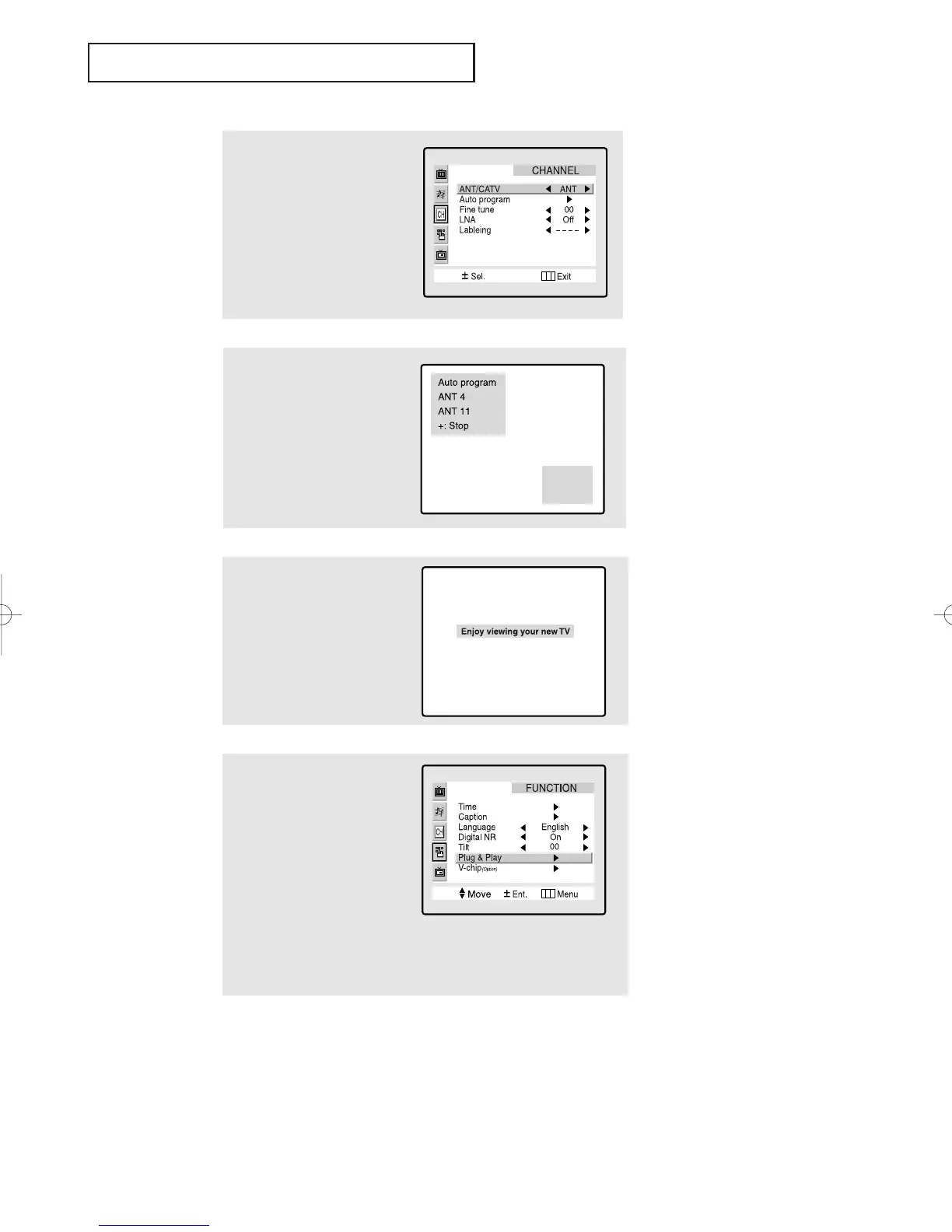
Make sure that the antenna is
connected to the TV.
Press the VOL+ or VOL- buttons.
The “Auto Porgram” is active.
Press the Menu button to skip.
(refer to “Auto program” on
page 3.6.)
6
The message “Enjoy viewing
your new TV” is displayed.
4
Press the VOL+ or VOL- buttons
to select the desired video sig-
nal source. Press the Menu
button to enter the video signal
source, and then “Ant. Input
check” is automatically dis-
played.
7
If you want to reset this feature
(1) Press the Menu button.
(2) Press the CH▼ button three
times to highlight the FUNC-
TION menu and press the
VOL+ button.
(3) Press the CH▼ button five
times to select the Plug &
Play and press the VOL+
button.
The message “Plug & Play”
is displayed.
01066D(E)-CHAPTER 3 4/12/05 9:26 AM Page 2



 To Next Page