CHAPTER FOUR:SPECIAL FEATURES 4.18 4
SPECIAL FEATURES
Viewing Picture-in-Picture
You can use the PIP feature to simultaneously to watch two video sources.
Note: The PIP feature does not work with DVD or DTV signals.
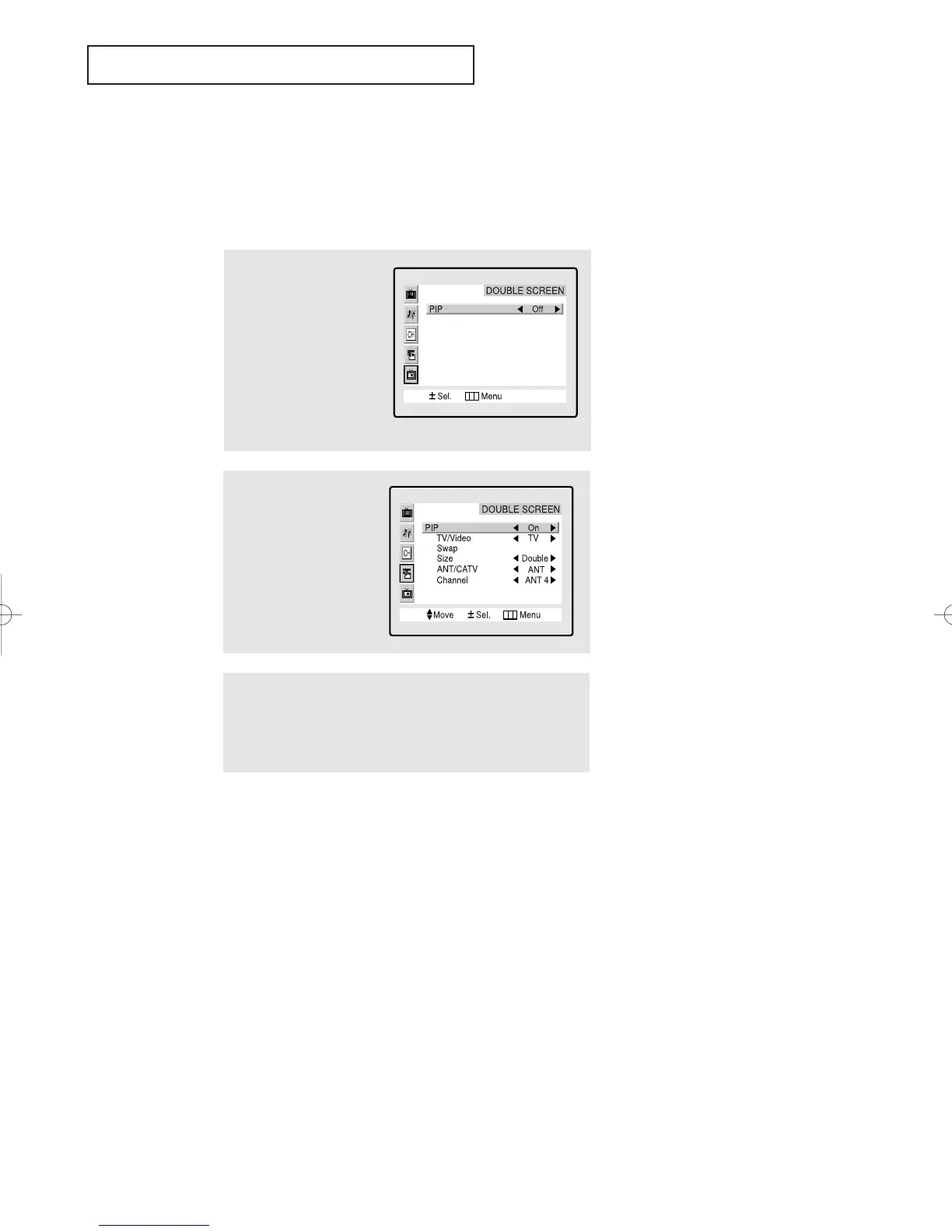
Activating Picture-in-Picture
1
Press the Menu button to
display the menu.
Press the CH▼ four times
to highlight the PIP menu.
Press the
VOL + button to
select the PIP menu.
2
Press the VOL + button
to select PIP “On.”
▼
If you turn TV off while watching
and turn it on again, the PIP window
will disappear.
3
Press the Menu button twice to exit.
Note: Picture-in-Picture does not function when the V-chip is
active.
▼
Quick way to access the PIP
menu: Simply press the PIP button
on the remote control:
01066D(E)-CHAPTER 4 4/12/05 9:29 AM Page 18



 To Next Page