EasyManua.ls Logo

Samsung Tantus TSK 3092WF - Customizing the Sound

Samsung Tantus TSK 3092WF
65 pages
Print Icon
To Next Page IconTo Next Page
To Previous Page IconTo Previous Page
Loading...
CHAPTER THREE: TV OPERATION 3.15
OPERATION
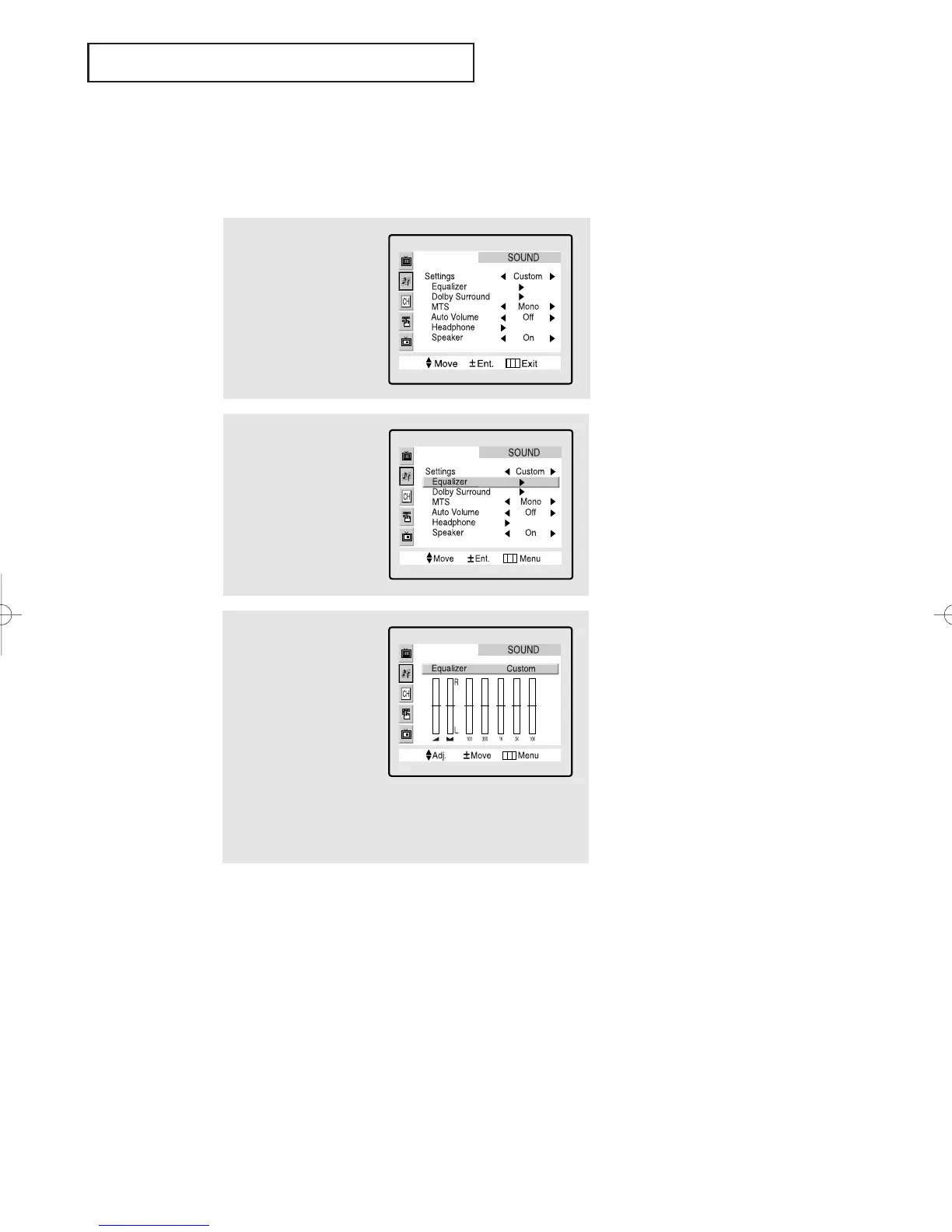
2
Press the CH button
to select Equalizer
and press the VOL+ but-
ton.
1
Press the Menu button
to display the menu.
Press the CH button
to highlight the SOUND
icon (starts blinking).
Customizing the Sound
The sound settings can be adjusted to suit your personal perferences. (Alternatively, you
can use one of the automatic settings. See next page.)
3
Press the VOL or VOL
+ buttons to highlight a
particular item to be
changed.
Press the CH or CH
buttons to increase
or decrease the value of
a particular item.
Press the Menu button
twice to exit.
01066D(E)-CHAPTER 3 4/12/05 9:26 AM Page 15

Table of Contents

Related product manuals