4
SPECIAL FEATURES
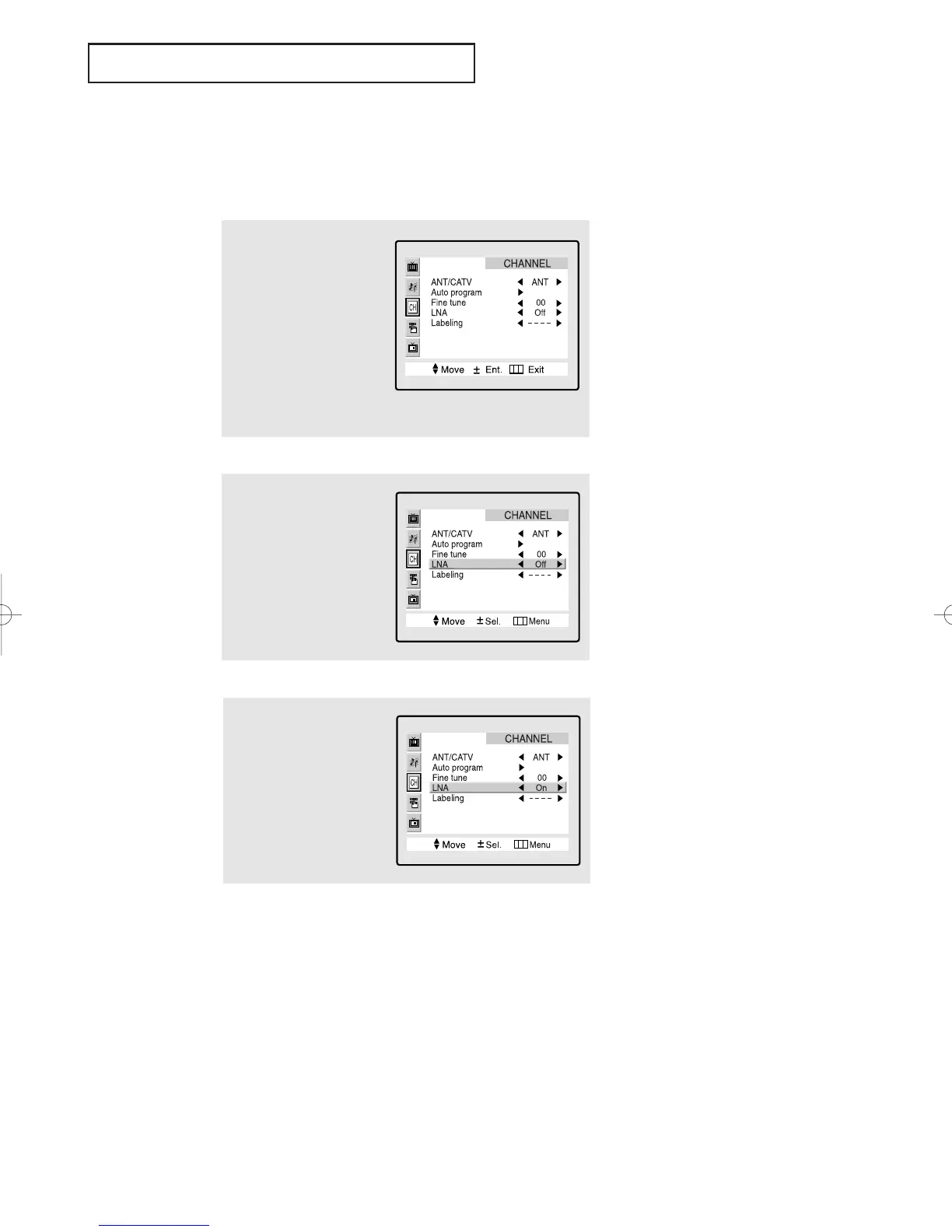
LNA (Low Noise Amplifier)
If the TV is operating in a weak-signal area, sometimes the LNA function can improve
the reception (a low-noise preamplifier boosts the incoming signal).
2
Press the CH ▼ button
three times to select
“LNA.”
3
Press the VOL - or VOL +
button to select LNA
“on.”
Press the Menu button
twice to exit.
1
Press the MENU button to
display the menu.
Press the CH ▼ button
twice to highlight the
“CHANNEL” menu.
Press the VOL + button to
select the CHANNEL
menu.
Pressing VOL - or VOL + will
alternate between “On” and “Off.”
▼
4.5 CHAPTER FOUR:SPECIAL FEATURES
01066D(E)-CHAPTER 4 4/12/05 9:29 AM Page 5



 To Next Page