3
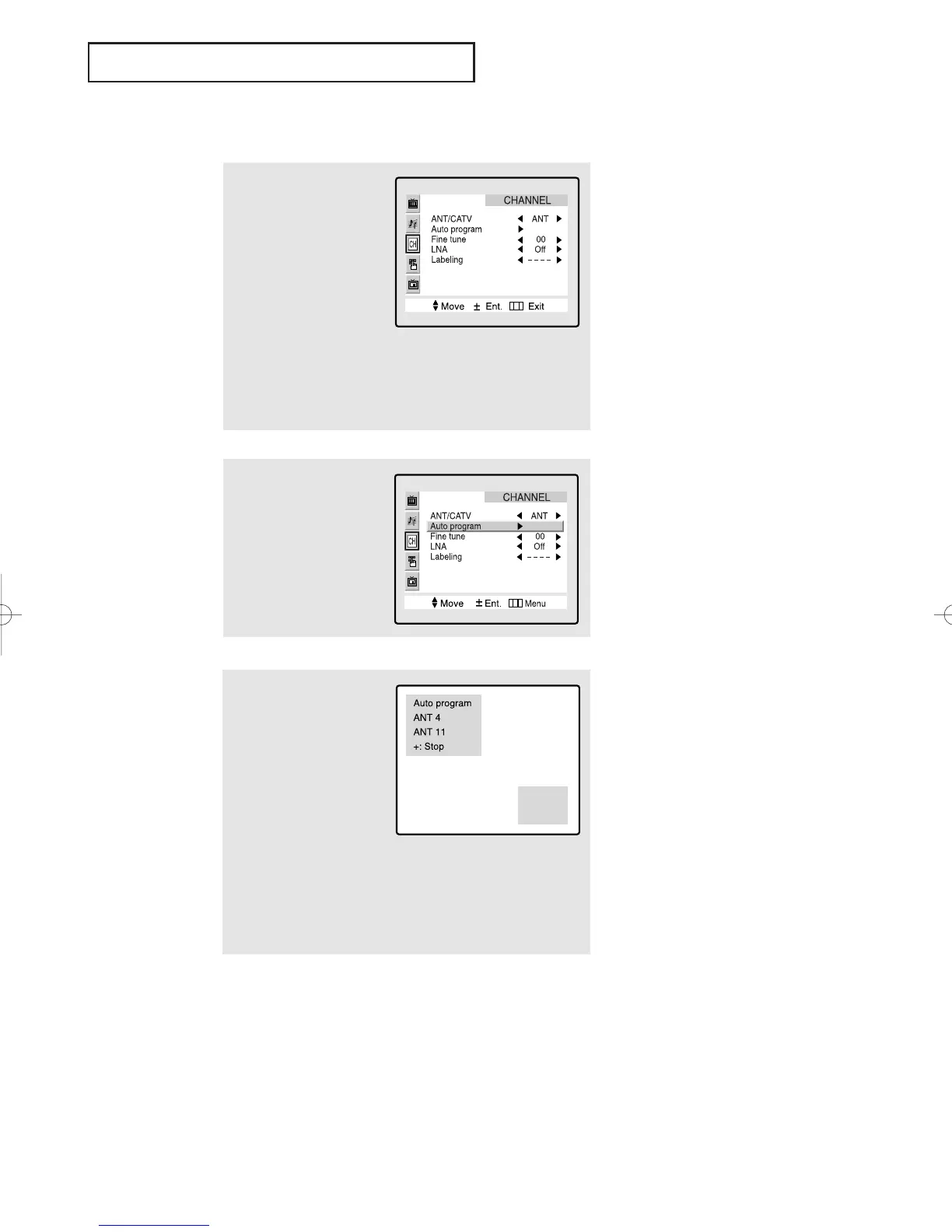
Press the VOL + button.
The TV will begin
memorizing all of the
available channels.
3.6 CHAPTER THREE: TV OPERATION
OPERATION
Storing Channels in Memory (Automatic Method)
▼
The TV automatically cycles
through all of the available channels
and stores them in memory. This
takes about one to two minutes.
Press
VOL+ at any time to interrupt
the memorization process and return
to the CHANNEL menu.
2
Press the CH ▼ button to
select the “Auto pro-
gram”.
1
First, select the correct
signal source (ANT, STD,
HRC, IRC). See steps 1~4
on previous page.
Press the Menu button,
then press the CH ▼ but-
ton twice to highlight
“CHANNEL.”
Press the VOL + button to
access the CHANNEL
sub-menu.
4
After all the available channels are stored, the Auto program
menu reappears. Press the Menu button three times to exit.
Note: Channel auto program does not function when the
V-chip is active.
01066D(E)-CHAPTER 3 4/12/05 9:26 AM Page 6



 To Next Page