EasyManua.ls Logo

Sandstrom S40LDIB10 - User Manual

Sandstrom S40LDIB10
48 pages
Print Icon
To Next Page IconTo Next Page
Loading...
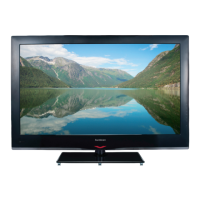
Instruction Manual
40” / 46” HD Ready 1080p
LED Backlit LCD TV
S40LDIB10 / S46LDIB10

Table of Contents

Other manuals for Sandstrom S40LDIB10

Question and Answer IconNeed help?

Do you have a question about the Sandstrom S40LDIB10 and is the answer not in the manual?

Summary

Preparation

Unpacking the TV

Lists the items included with the TV for unpacking and setup.

Installing; Removing the Base Stand

Instructions for attaching or detaching the TV's base stand safely.

Front View and Controls

Identifies and describes the TV's front panel controls and indicators.

Connections

Rear View and Sockets

Details the various input/output sockets on the back of the TV for connectivity.

Remote Control Setup and Operation

Installing batteries, operation range, and safety for remote control.

Remote Control Functions

Explains the function of each button on the remote control for operation.

Connecting AV Devices

Guides on connecting various AV devices like HDMI, DVI, VGA, Component, SCART.

Connecting Audio, USB, and Aerial

Instructions for connecting audio, USB devices, and aerial for signal reception.

Initial Setup

Turning the TV On for the First Time

Guides on initial power-on, installation, and basic setup process.

Selecting the Input Source

How to choose the active input signal for the TV from available sources.

Channel Selection and Information

Methods for selecting TV channels and viewing channel information.

Volume Adjustment

How to control the TV's audio volume and mute sound.

Using the Features

Channel Management

Managing channels via Auto/Manual Install, Programme Edit, and CI interface.

Picture and Sound Settings

Customising picture modes, sound modes, equalizer, and volume settings.

Screen and Function Settings

Adjusting VGA screen settings, menu language, audio, and subtitle preferences.

Accessibility and Menu Options

Accessibility settings for hearing impaired, OSD options, and startup menu.

Time, Parental Control, and Security

Adjusting time, setting parental controls, passwords, and blocking programmes.

Factory Reset and Display Area

Resetting TV to defaults and selecting display modes.

Teletext and EPG Features

Using Teletext functions and the Electronic Programme Guide (EPG).

Media Playback

Playing photos, music, movies, and text files from USB storage.

Hints and Tips

Maintenance and Cleaning

Guidelines for safely cleaning the TV and general maintenance.

Troubleshooting Common Issues

Solutions for problems like no picture, no sound, or remote issues.

Frequently Asked Questions (FAQs)

Answers to common questions about channels, blocking, and aerials.

Display Modes

Supported Resolutions and Aspect Ratios

Supported resolutions and aspect ratios for YPbPr, VGA, and HDMI inputs.

Specifications

Model and Technical Details

Technical specifications for the TV models, including inputs/outputs and power.

Safety Warnings

General Safety Precautions

Important safety instructions for unit operation, placement, and electrical safety.

Screen Burn Prevention

Advice on preventing permanent image retention on the LCD screen.

Battery, Maintenance, and Supervision Safety

Safety advice for batteries, supervision, service, and cleaning procedures.

Replacement Parts and Disposal

Ordering Replacement Parts

Lists replacement parts and their corresponding part numbers for ordering.

Product and Battery Disposal

Information on recycling equipment and proper battery disposal guidelines.

Summary

Preparation

Unpacking the TV

Lists the items included with the TV for unpacking and setup.

Installing; Removing the Base Stand

Instructions for attaching or detaching the TV's base stand safely.

Front View and Controls

Identifies and describes the TV's front panel controls and indicators.

Connections

Rear View and Sockets

Details the various input/output sockets on the back of the TV for connectivity.

Remote Control Setup and Operation

Installing batteries, operation range, and safety for remote control.

Remote Control Functions

Explains the function of each button on the remote control for operation.

Connecting AV Devices

Guides on connecting various AV devices like HDMI, DVI, VGA, Component, SCART.

Connecting Audio, USB, and Aerial

Instructions for connecting audio, USB devices, and aerial for signal reception.

Initial Setup

Turning the TV On for the First Time

Guides on initial power-on, installation, and basic setup process.

Selecting the Input Source

How to choose the active input signal for the TV from available sources.

Channel Selection and Information

Methods for selecting TV channels and viewing channel information.

Volume Adjustment

How to control the TV's audio volume and mute sound.

Using the Features

Channel Management

Managing channels via Auto/Manual Install, Programme Edit, and CI interface.

Picture and Sound Settings

Customising picture modes, sound modes, equalizer, and volume settings.

Screen and Function Settings

Adjusting VGA screen settings, menu language, audio, and subtitle preferences.

Accessibility and Menu Options

Accessibility settings for hearing impaired, OSD options, and startup menu.

Time, Parental Control, and Security

Adjusting time, setting parental controls, passwords, and blocking programmes.

Factory Reset and Display Area

Resetting TV to defaults and selecting display modes.

Teletext and EPG Features

Using Teletext functions and the Electronic Programme Guide (EPG).

Media Playback

Playing photos, music, movies, and text files from USB storage.

Hints and Tips

Maintenance and Cleaning

Guidelines for safely cleaning the TV and general maintenance.

Troubleshooting Common Issues

Solutions for problems like no picture, no sound, or remote issues.

Frequently Asked Questions (FAQs)

Answers to common questions about channels, blocking, and aerials.

Display Modes

Supported Resolutions and Aspect Ratios

Supported resolutions and aspect ratios for YPbPr, VGA, and HDMI inputs.

Specifications

Model and Technical Details

Technical specifications for the TV models, including inputs/outputs and power.

Safety Warnings

General Safety Precautions

Important safety instructions for unit operation, placement, and electrical safety.

Screen Burn Prevention

Advice on preventing permanent image retention on the LCD screen.

Battery, Maintenance, and Supervision Safety

Safety advice for batteries, supervision, service, and cleaning procedures.

Replacement Parts and Disposal

Ordering Replacement Parts

Lists replacement parts and their corresponding part numbers for ordering.

Product and Battery Disposal

Information on recycling equipment and proper battery disposal guidelines.

Sandstrom S40LDIB10 Specifications

General IconGeneral
Display TypeLCD
USB Ports1
Smart TVNo
Screen Size40 inches
Resolution1920 x 1080