EasyManua.ls Logo

Santerno Sinus Penta - Configuring the Feedback from Incremental Encoder

Santerno Sinus Penta
97 pages
Print Icon
To Next Page IconTo Next Page
To Previous Page IconTo Previous Page
Loading...
SINUS PENTA
BASIC
USER MANUAL
36/97
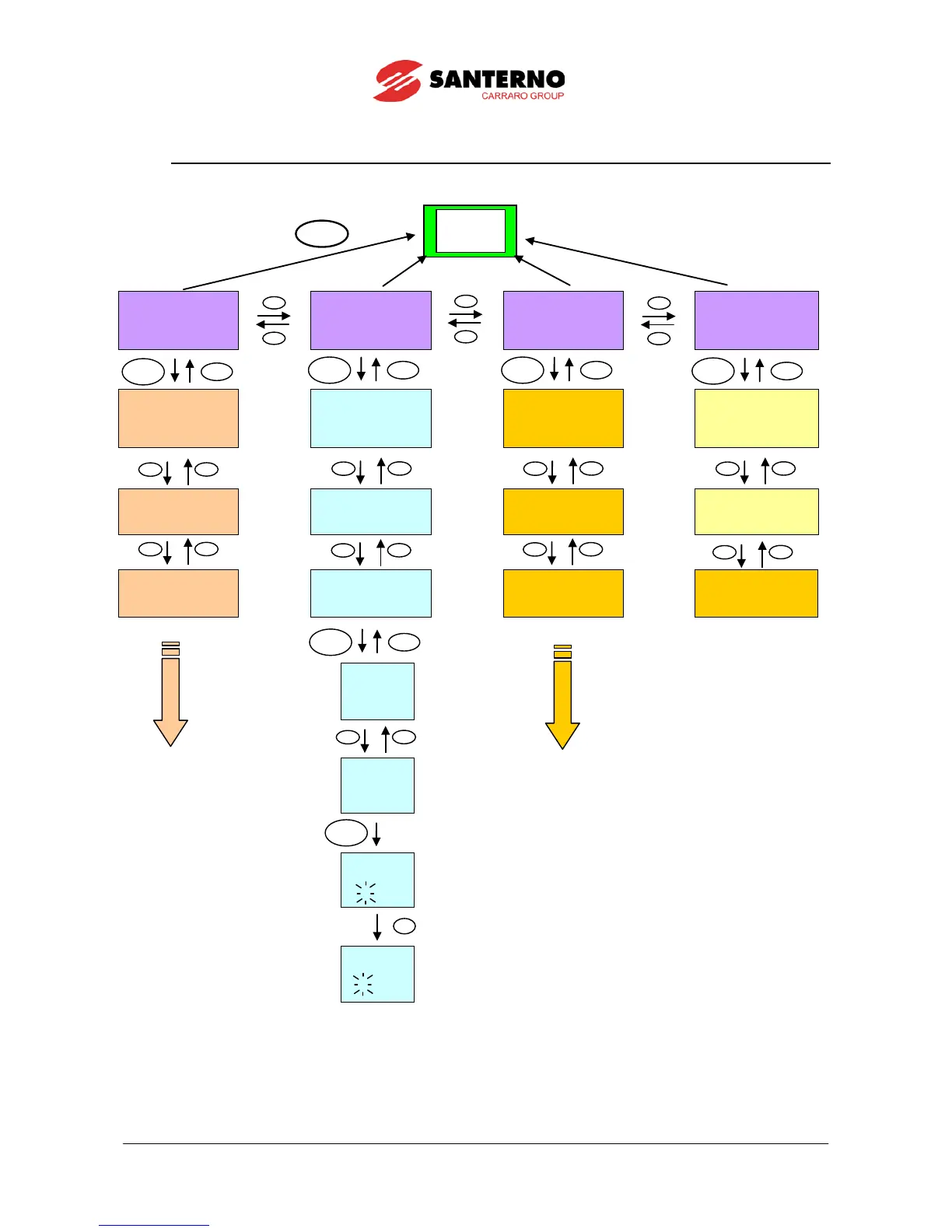
3.3. Navigation
Figure 8: Navigation example.
INVERTER OK
M00=+0.00rpm
M02=+ 0.00 rpm
[MEA] PAR CF IDP
INVERTER OK
M00=+0.00rpm
M02=+ 0.00 rpm
MEA [PAR] CF IDP
INVERTER OK
M00=+0.00rpm
M02=+ 0.00 rpm
MEA PAR [CF] IDP
INVERTER OK
M00=+0.00rpm
M02=+ 0.00 rpm
MEA PAR CF [IDP]
MEASURES MENU
M Parameters
Cannot be altered
PARAMETERS MENU
P Par. that can
be altered when
motor is running
CONFIGURATION M.
C-I-R Parameters
Can be altered
when motor OFF
PRODUCT MENU
Language selection
and inverter data
[MEA]
MOTOR MEASURES
[PAR]
PASSWORD AND USER
LEVEL
[CFG]
AUTOTUNE
[IDP]SINUS PENTA
START-UP MENU
Press ENTER to start
[MEA]
PID REGULATOR
[PAR]
RAMPS
[CFG]
MOTOR 1
CONFIGURATION
[IDP]
PRODUCT
Accesses the Ramps
menu
P009 Accel.
ramp 1
10.00s
Navigates in the
Ramps menu
P010 Decel.
ramp 1
10.00s
Accesses parameter
P010
alteration
P010 Decel.
ramp 1
10.00s
Parameter P010
alteration
P010 Decel.
ramp 1
20.00s
If the ESC key is pressed to quit, the new parameter
value will be acknowledged but not saved to non-
volatile memory, and will therefore be lost at power off.
Press SAVE/ENTER to confirm parameter alteration.
Keypad
Pages
MENU
ESC
SAVE
ENTER
ESC
SAVE
ENTER
ESC
SAVE
ENTER
ESC
SAVE
ENTER
SAVE
ENTER
ESC
SAVE
ENTER

Table of Contents

Other manuals for Santerno Sinus Penta

Related product manuals