43/97
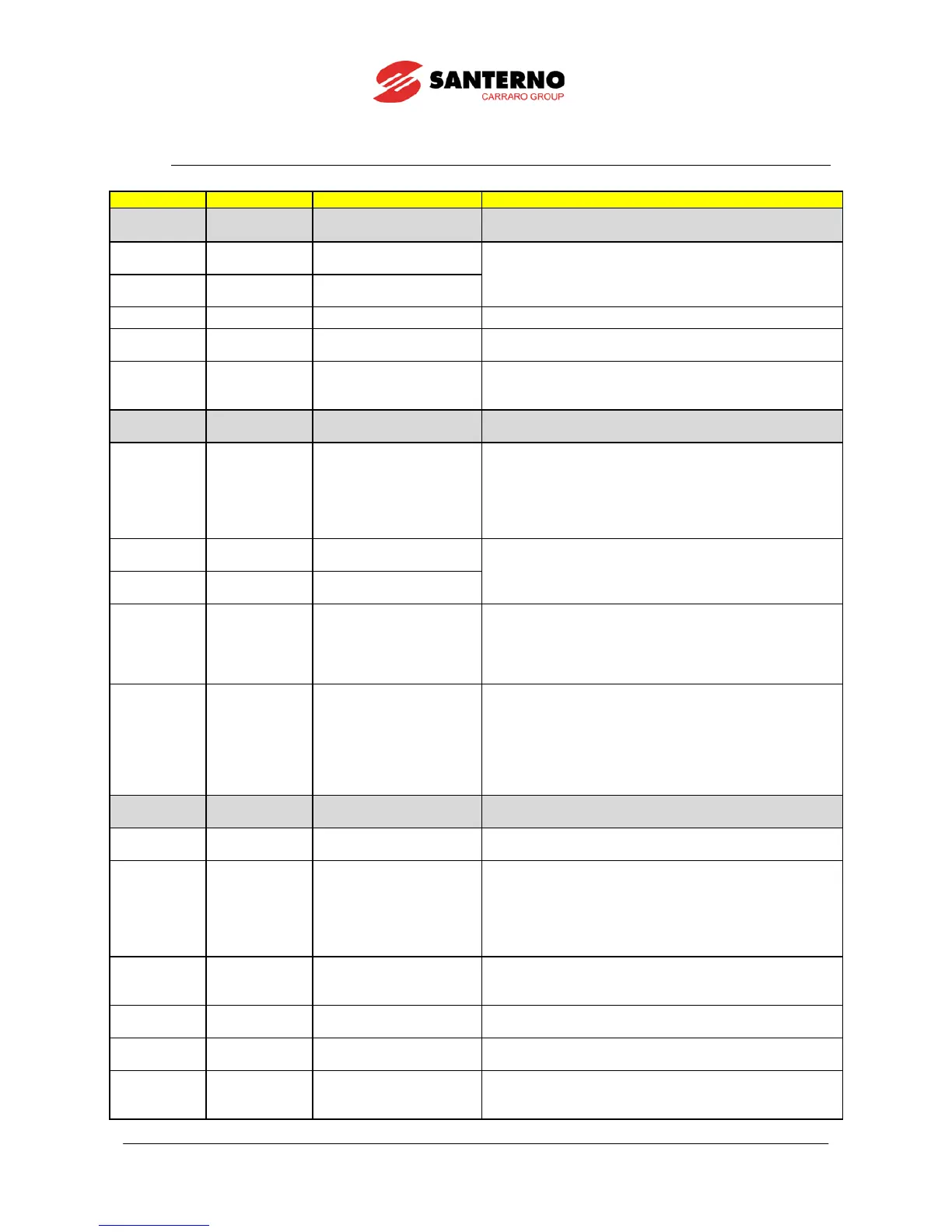
5.3. Alarm Code List
1. Reset the Penta drive.
2. Contact Elettronica Santerno’s Customer Service.
Incompatible Texas
Software Version
1. Download the correct DSP Texas software version.
2. Contact Elettronica Santerno’s Customer Service.
Texas Flash not
programmed
User Fault Alarm caused by the user Reset the Penta drive.
General hardware fault
from IGBT, side A
1. Reset the Penta drive.
2. Contact Elettronica Santerno’s Customer Service.
XMDI in the Digital Inputs
.
2. Check settings in the Digital Inputs menu.
1. Reset the Penta drive.
2. Contact Elettronica Santerno’s Customer Service.
SW OverCurrent Software overcurrent
1. Check drive and motor ratings.
2. Check output short circuit.
3. Check for disturbance in control signal.
4. Set a longer acceleration time.
5. Set a longer deceleration time.
6. Disconnect motor and change C010 to 0:IFD.
Precharge By-Pass fault
1. Reset the Penta drive.
2. Contact Elettronica Santerno’s Customer Service.
Precharge By-Pass
connector fault
UnderVoltage
DC bus voltage lower than
Vdc_min
1. Check supply voltage on terminals R, S, T.
4. Contact Elettronica Santerno’s Customer Service.
OverVoltage
DC bus voltage exceeding
Vdc_max
1. Check supply voltage on terminals R, S, T.
in the Fault List.
4. Set a longer deceleration time.
5. Add dynamic brake resistor.
6. Contact Elettronica Santerno’s Customer Service.
1. Reset the Penta drive.
2. Contact Elettronica Santerno’s Customer Service.
Hardware Fault from IGBT
converter, side A
1. Reset the Penta drive.
2. Contact Elettronica Santerno’s Customer Service.
PWMA1 Fault
Hardware overcurrent,
side A
1. Check drive and motor ratings.
2. Check output short circuit.
3. Check disturbance in control signal.
4. Set a longer acceleration time.
5. Set a longer deceleration time.
6. Disconnect motor and change C010 to 0:IFD.
XMDI in the Digital Outputs
.
2. Check settings in the Digital Outputs menu.
Hardware failure, IGBT A
power on impossible
1. Reset the Penta drive.
2. Contact Elettronica Santerno’s Customer Service.
Failure in detecting preset
option I/O board
1. Check consistency of parameter R023.
2. Contact Elettronica Santerno’s Customer Service.
PTC Alarm External PTC tripped
2. Ensure that PTC is correctly connected to AIN2.
3. Ensure that SW1 is correctly set up in the control board.


 To Next Page