EasyManua.ls Logo

Sanyo PLC-HP7000L - User Manual

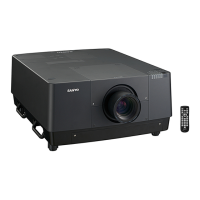
Sanyo PLC-HP7000L
98 pages
Print Icon
To Next Page IconTo Next Page
Loading...
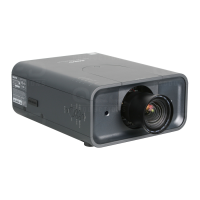
Projection lens is optional.
Network Supported
Refer to the Owner's Manual below for
details about network function.
Network Set-up and Operation
Owners Manual
Multimedia Projector
MODEL
PLC-HP7000L

Table of Contents

Other manuals for Sanyo PLC-HP7000L

Questions and Answers

  • D
    ddavidsonAug 10, 2025
    Why does my Sanyo PLC-HP7000L Projector remote control not work?
    • C
      csheaAug 11, 2025
      There could be several reasons why the remote control for your Sanyo Projector isn't working. First, ensure the batteries are working. Then, check the RC sensor and make sure there are no obstructions between the remote and the projector. Also, confirm you're within the maximum operating range of 16.4’ (5m). Verify that the remote control code matches the projector’s code, and that the Key lock function for the remote control is unlocked. Note that the wireless remote control won't function when the remote control cable is connected. Ensure the ON/OFF switch on the remote is set to “ON,” and that the simple mode is set to Off.
  • M
    Mark AtkinsonAug 18, 2025
    Why does my Sanyo PLC-HP7000L Projector power turn off automatically?
    • N
      Nicole OnealAug 18, 2025
      Your Sanyo Projector might be turning off automatically due to the power management function's initial settings. Also, if you don't replace the air filter cartridge and reset the filter counter after the replacement icon appears, the projector may turn off automatically. High ambient temperature might also be the cause. Ensure the temperature is within the operating range of 41°F–104°F [5°C–40°C].
  • E
    Edward FernandezAug 26, 2025
    What to do if the wireless mouse function does not work on my Sanyo PLC-HP7000L Projector?
    • W
      williamselizabethAug 26, 2025
      If the wireless mouse function isn't working on your Sanyo Projector, first check the cable connection between the projector and your computer. Next, verify the mouse settings on your computer. Also, make sure to turn on the projector before turning on the computer.
  • L
    Linda AndersonSep 2, 2025
    Why I cannot operate with the side control of my Sanyo PLC-HP7000L Projector?
    • N
      Natalie FuentesSep 2, 2025
      If you cannot operate the side control on your Sanyo Projector, it might be because the side control is locked at 'Key lock' under 'Security' of the Setting menu.

Sanyo PLC-HP7000L Specifications

General IconGeneral
Brightness7000 ANSI Lumens
Contrast Ratio2000:1
Lamp Life2000 hours (Normal Mode), 3000 hours (Eco Mode)
Lamp TypeUHP
Projection Size30 - 300 inches
Resolution1024 x 768 (XGA)
Projection MethodFront, Rear, Ceiling
Input ConnectorsHDMI, VGA, Composite Video

Related product manuals