2
Features and Design
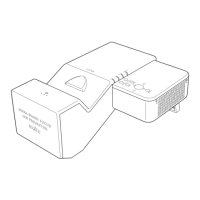
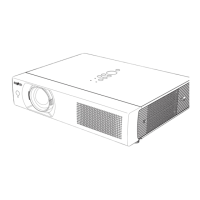
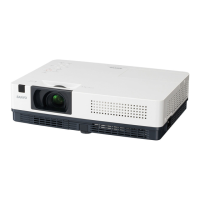
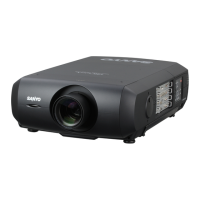
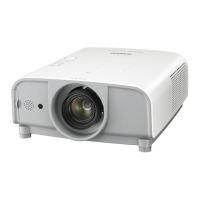
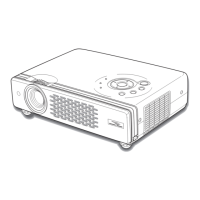
ThisMultimediaProjectorisdesignedwiththemostadvancedtechnologyforportability,durability,andeaseofuse.
Thisprojectorutilizesbuilt-inmultimediafeatures,apaletteof16.77millioncolors,andmatrixliquidcrystaldisplay
(LCD)technology.
♦ Compact Design
Thisprojectorisdesignedcompactinsizeandweight.
Itis easy tocarry and installedanywhere you wishto
use.
♦ Simple Computer System Setting
TheprojectorhastheMulti-scansystemtoconformto
almostallcomputeroutputsignalsquickly(p.28).Upto
WUXGAresolutioncanbeaccepted.
♦ Useful Functions for Presentations
-Thedigital zoom functionallows you tofocuson the
crucialinformationduringapresentation(p.35).
-Blackboards* can be used as a projection screen.
*TheboardcolorislimitedtoGreen(pp.32,39).
♦ Lamp Control
Brightness of the projection lamp can be selected
(pp.25,52).
♦ Quick Termination
TheAC power cord can be unplugged immediately
after turning off the projector without waiting for the
terminationofthecoolingfanrotation(p.20).
♦ Logo Function
TheLogofunctionallowsyoutocustomizethescreen
logo (pp.46-48).You can capture an image for the
screen logo and use it for the starting-up display or
betweenpresentations.
♦ Multilanguage Menu Display
Operationmenuisavailablein18languages;English,
German,French,Italian,Spanish,Portuguese,Dutch,
Swedish,Finnish,Polish,Hungarian,Romanian,
Russian,Chinese,Korean,Japanese,Thaiand
Turkish.(p.43)
Note:
•TheOn-ScreenMenuandfiguresinthismanualmaydifferslightlyfromtheproduct.
•Thecontentsofthismanualaresubjecttochangewithoutnotice.
♦ Security Function
The Security function helps you to ensure security
of the projector. With the Key lock function, you can
locktheoperationonthetopcontrolorremotecontrol
(p.53). PIN code lock function prevents unauthorized
useoftheprojector(pp.19,53–54).
♦
Helpful Maintenance Functions
Lampandfiltermaintenancefunctionsprovidefor
betterandpropermaintenanceoftheprojector.
♦ LAN Network Function
This projector is loaded with the Wired LAN network
function. You can operate and manage the projector
vianetwork.Fordetails,refertotheowner’smanualof
“NetworkSet-upandOperation.”
♦ Auto Setup Function
ThisfunctionenablesInputsearch,AutoKeystone
correctionandAutoPCadjustmentbysimplepressing
theAUTOSETUPbuttononthetopcontrol(p.44).
♦ Colorboard Function
Atthetimeofsimpleprojectiononthecoloredwall,
youcangettheclosecolorimagetothecolorimage
projectedonawhitescreenbyselectingthesimilar
colortothewallcolorfromthepresetfourcolors.
♦ Switchable Interface Terminal
Theprojectorprovidesaswitchableinterfaceterminal.
Youcanusetheterminalascomputerinputormonitor
outputconveniently.(p.49)
♦
Power Management
The Power management function reduces power
consumptionandmaintainsthelamplife(p.50).
♦ Closed Caption
Thisisaprintedversionoftheprogramsoundorother
informationdisplayedonthescreen.Youcanturnon
thefeatureandswitchthechannels.(p.51)


 To Next Page
 Loading...