X
X
-
-
M
M
i
i
n
n
d
d
®
®
D
D
C
C
4
4
3
3
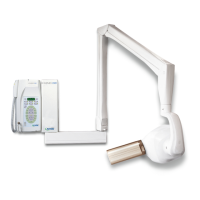
The “X-Mind
DC” X-ray system allows the installer to set or display some of the timer’s functional
parameters:
1. To set the parameters, the installer must:
a. Turn off the timer
b.
Simultaneously press and keep the following keys depressed:
(45) LOWER MANDIBLE PREMOLAR + (43) LOWER MANDIBLE CANINE
c. Turn on the timer
d. When the message "inst” is displayed, the installer can set the
minimum exposure time:
1. select the tube head
2. turn off the timer
3. turn on the timer, by keeping the
key depressed
4. the message “SEC” is displayed for approx 1 sec
5. the current value of the lower set limit is displayed
6. to change the value, press the keys
and
7. to confirm, press the
key
e. To exit this mode, turn the timer off and then on again
2.
o display the parameters, the installer must:
a.
Simultaneously press and keep depressed the
(17) UPPER MAXILLARY MOLAR + (47) LOWER MAXILLARY MOLAR keys
b. Press the key associated with the desired parameter
KEY DISPLAYED PARAMETER Example U.M.
BITEWING
ANT
X-RAY SYSTEM
NOMINAL VOLTAGE
230 Volt
BITEWING
POST
LINE VOLTAGE 227 Volt
UPPER
INCISOR
MAXIMUM LINE VOLTAGE
VALUE DETECTED
238 Volt
LOWER
INCISOR
MINIMUM LINE VOLTAGE
VALUE DETECTED
215 Volt
OCCLUSAL SOFTWARE VERSION 2.3
12. DIAGNOSTIC


 To Next Page