X
X
-
-
M
M
i
i
n
n
d
d
®
®
D
D
C
C
1
1
9
9
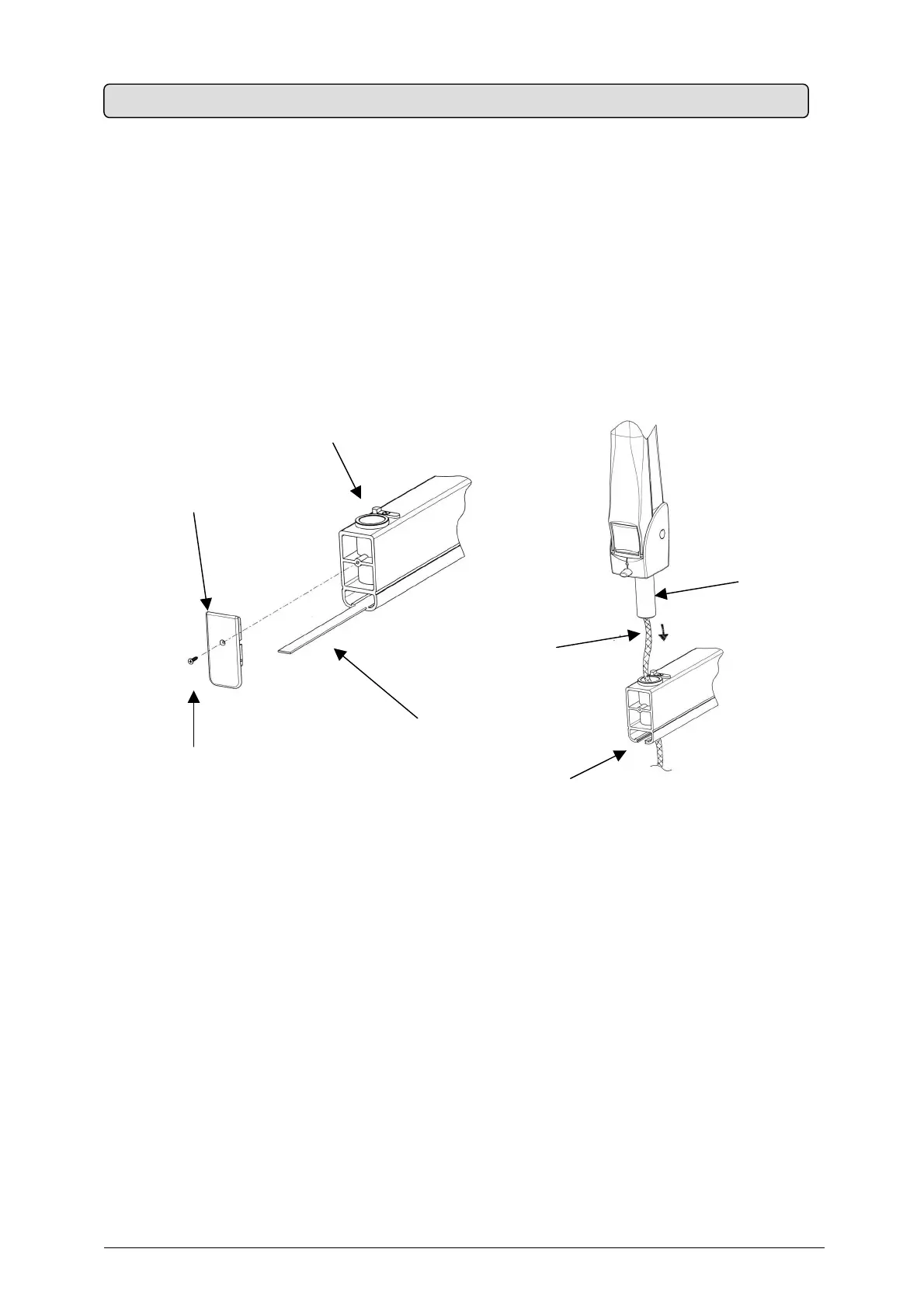
ASSEMBLY INSTRUCTIONS (Fig. 9)
1. Take out the pantograph-type arm from the packaging (refer to Fig. 5)
2.
Remove the bracket plug by unscrewing the set screw
3.
Insert the bracket guard wafer
4.
Insert the pantograph group cable into the washer and then the pantograph pin
Fig. 9
5. If required, clean the pin and the washer and lubricate with “molikote D" lubricant
6.
Insert the electric cable into the bracket housing
7. Assemble the guard wafer
8. Insert the cable into the bracket and push it until it reaches the pin outlet near the supply
terminal board
5.4 ASSEMBLING THE PANTOGRAPH-TYPE ARM


 To Next Page