X
X
-
-
M
M
i
i
n
n
d
d
®
®
D
D
C
C
4
4
7
7
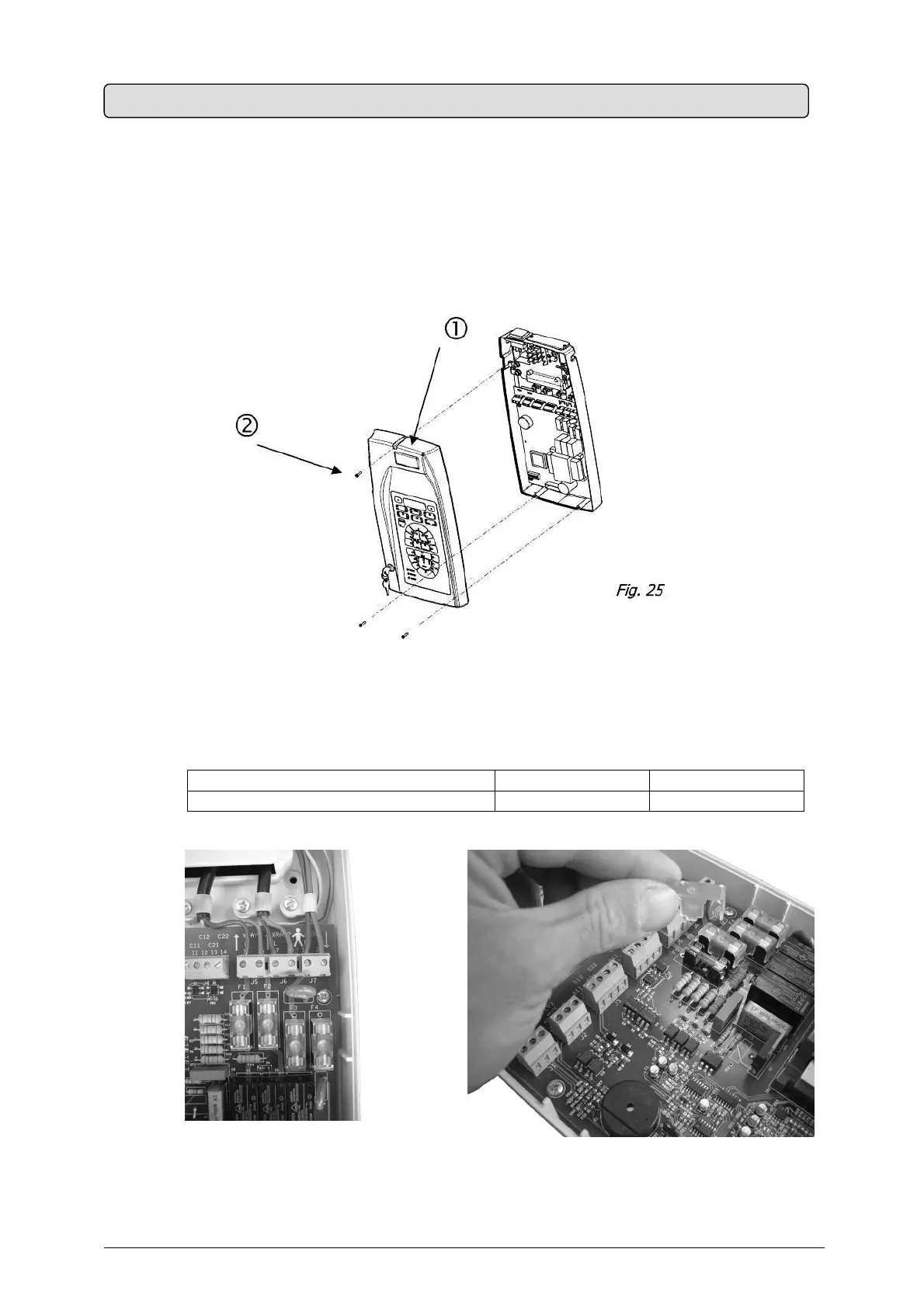
The timer’s electronic equipment is protected by 4 fuses located on the electronic card.
To replace them, proceed as follows (Fig. 25):
1. Cut off the power supply
2.
Temporarily remove the timer’s guard by removing the adjusting
3. Determine the fuse to be replaced (Fig. 26)
4. Remove the plastic protector (Fig. 27)
5. Remove the fuse
6. Replace it with a fuse of same type
POWER VOLTAGE OF THE X-RAY SYSTEM
230 V ± 15 % 115 V ± 15 %
Internal protection fuses (5x20) quick 8AF – 250V 12.5AF – 250V
7. Insert the protection
Fig. 26 Fig. 27
8. Close the timer’s guard
9. Restore the power
15. FUSE REPLACEMENT


 To Next Page