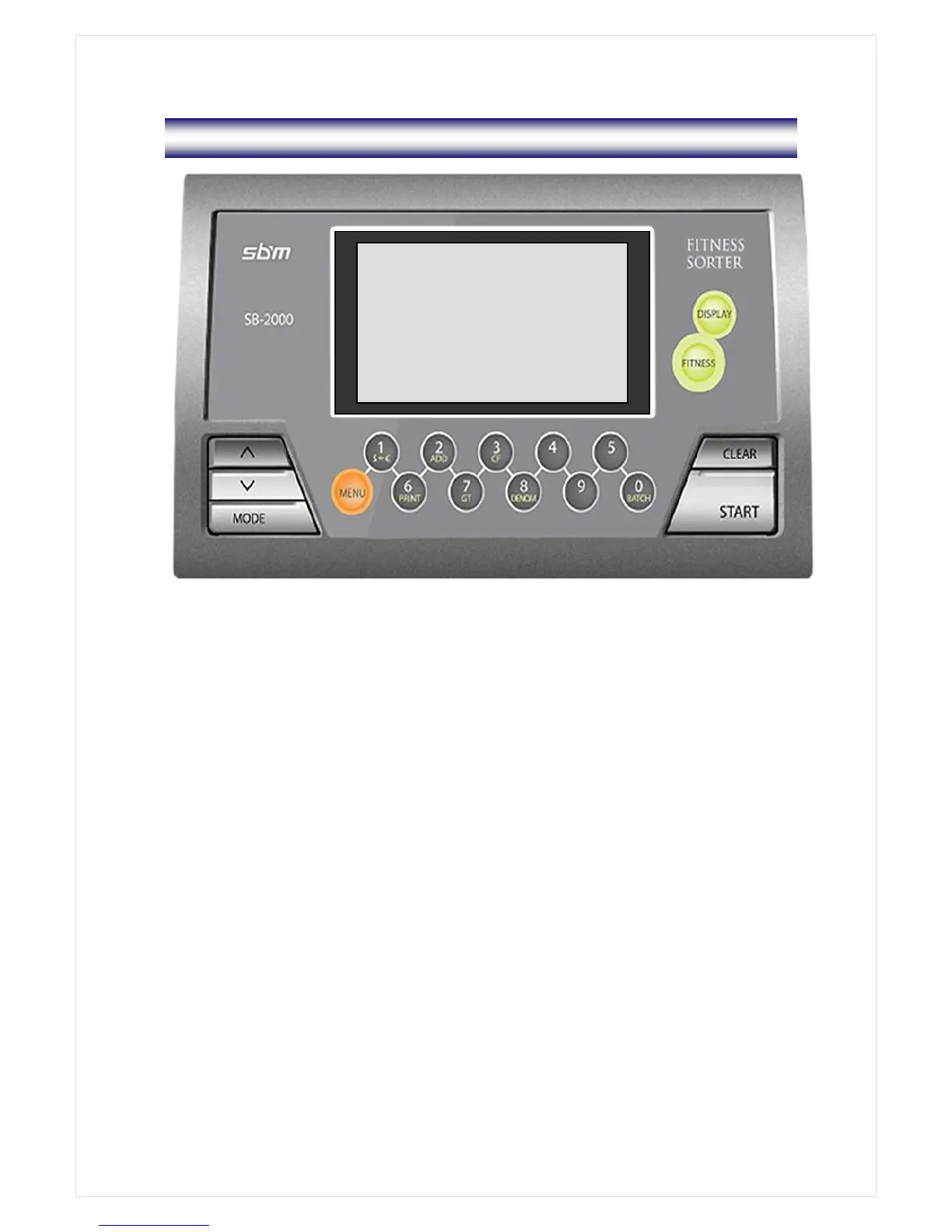
3. Overview of Control Panel
AUTO CF RUR
R : 22 S: 55
T: 55
S R 3,170
T R 3,170
MIXED ◐ ▶
DISPLAY For changing Display Mode
Large View Reject Reason View Detail View
FITNESS FITNESS Mode ( FIT1 FIT2 FIT3 )
MODE MIXED SINGLE FACE ORIENT COUNT (MIXED)
CLEAR Clear Errors / Escaping from MODE Menu (Returning to Initial Display)
START Counting Start (in manual start Mode) / User Stop key / Entering a selected
parameter
∧ Scrolling Upward
∨ Scrolling Downward
MENU Change Values of various Parameters
$ € Selecting Currency
ADD Add function On/Off
CF Counterfeit (CF) Detection On/Off
FITUF Toggling ‘Stacker Fit’ or ‘Stacker Unfit’
PRINT Printing
GT For displaying Grand Total
DENOM. For selecting a denomination under Single Mode
BATCH Batch function On/Off



 To Next Page