Currency Discrimination Fitness Sorter SB - 2000 Service Manual
71
12-2. VOL_2000 S/W in PC
* Installing BOOT, KERNEL and RAMDISK
1. SB-2000 has a new function to install software and to output statistical data. In order to
apply this new function, it is necessary to install the boot, kernel and ramdisk programs.
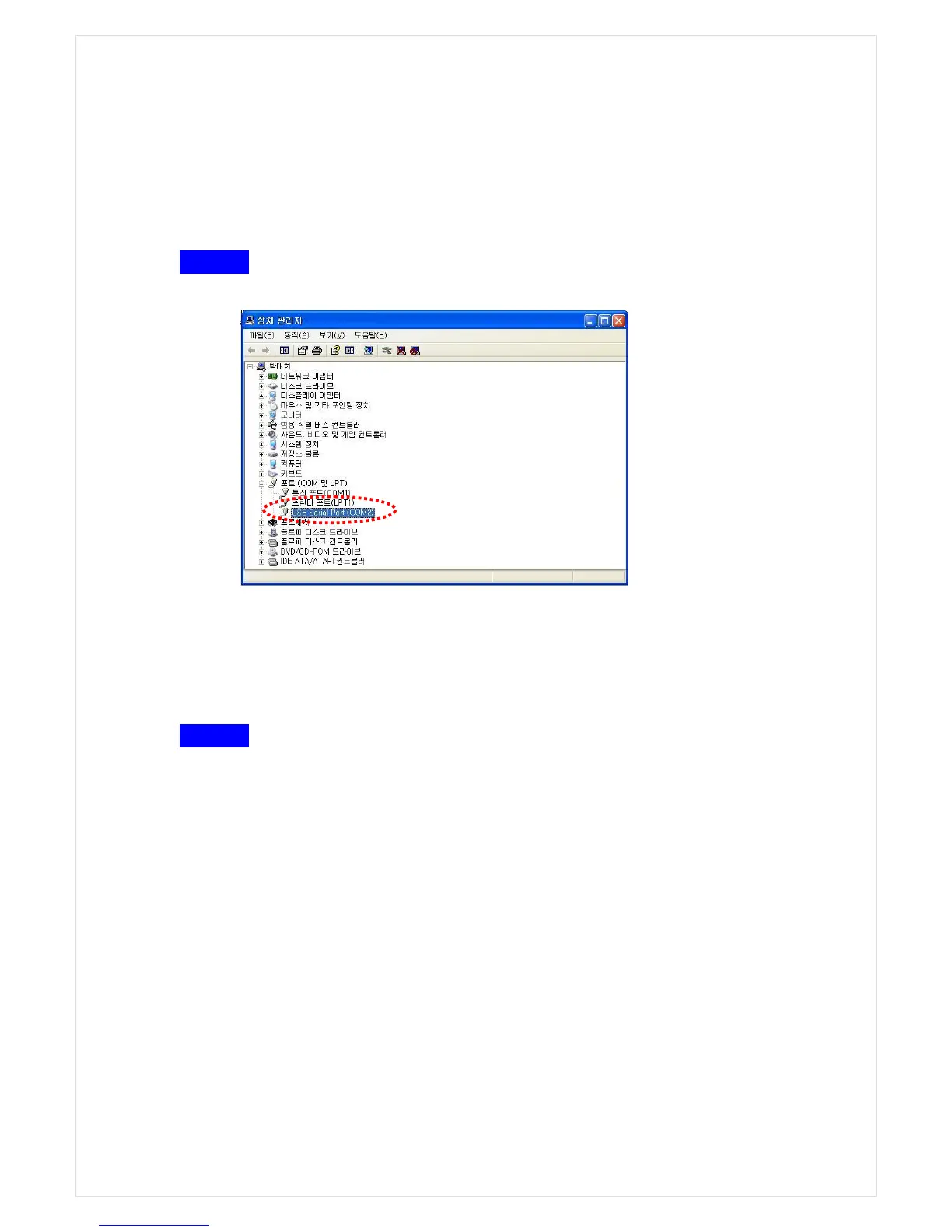
STEP 1 Check USB TO SERIAL PORT
1
. Verify which COM is allocated to USB port OR Serial port in your PC
.
2. Prepare a USB Cable OR Serial Cable.
※
The cables provided by SBM are recommended to use.
3. Connect between the machine and your PC port with a prepared cable.
Providing that USB Port is selected in this instruction
STEP 2 Execute vol_SB2000_V1.0.exe and select Com PORT.
1. Execute the Vol_SB2000_V1.0
2. Find ‘Comm. in the Top Menu bar and click a full-down menu ‘SETUP’
3. Select the same COM in the Dialog pop-up window, which is verified on the STEP1



 To Next Page