RTC
®
4 PC Interface Board
Rev. 1.3 e
5 Advanced Programming
40
innovators for industry
5 Advanced Programming
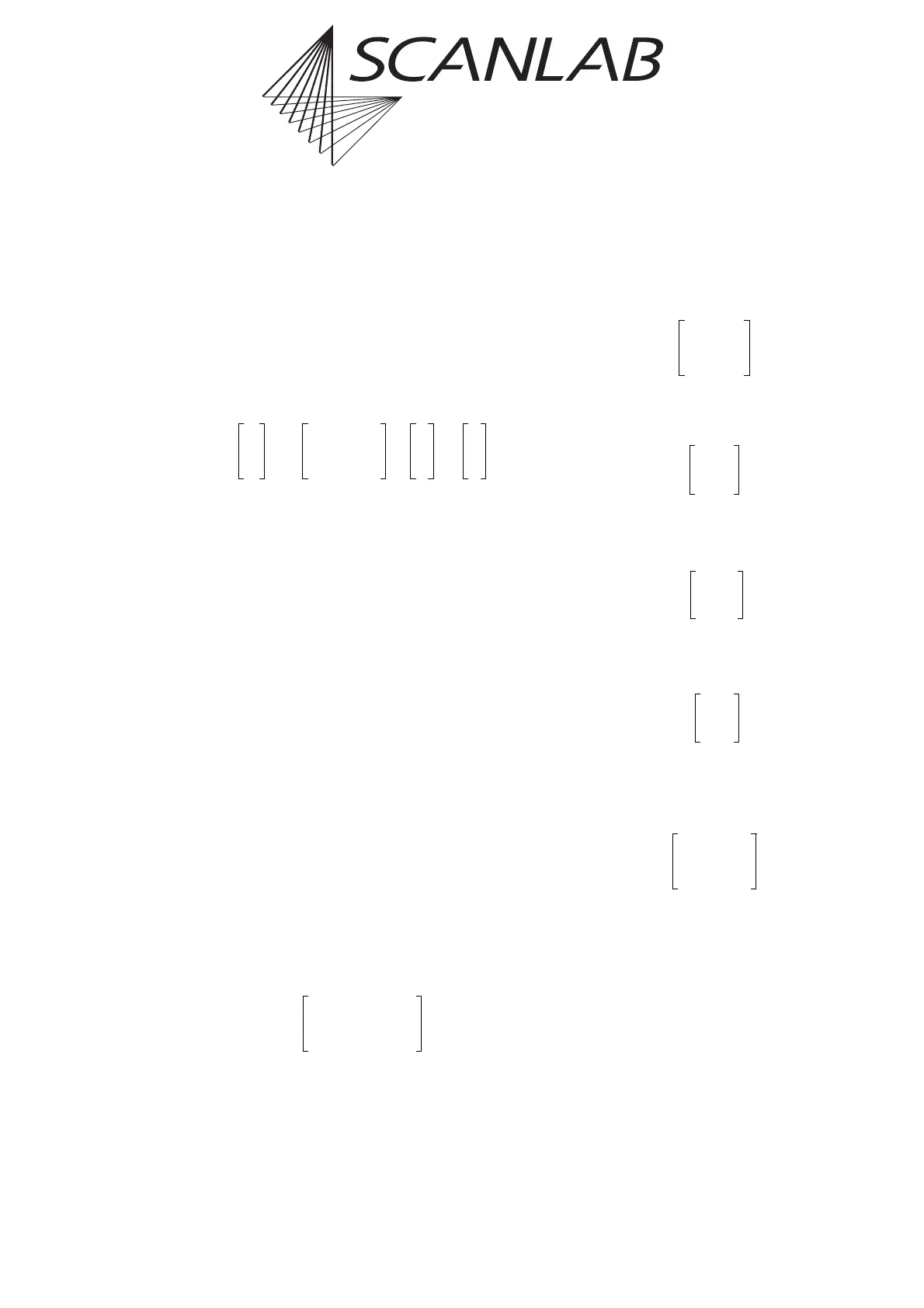
5.1 Coordinate Transformations
The RTC
®
4 has the ability to transform the output
coordinates by the following linear transformation
for each vector defined with a jump, mark or arc
command:
The coefficients m
11
…m
22
of the (2 x 2) transfor-
mation matrix are set with the command set_matrix
(see page 110). The offset (x
o
|y
o
) in the X and Y direc-
tions is defined with set_offset (see page 111).
Any previously defined matrix and offset definitions
will be thereby overwritten.
The list commands set_matrix_list and set_offset_list
work in a similar way. See set_matrix_list (page 110) and
set_offset_list (page 111) for details.
The coordinate transformation defined with these
commands is applied to the original coordinates of all
specified vectors (i.e. before splitting into micro-
vectors and before image field correction). The trans-
formed vectors are scanned with the correct marking
speed, even if the length of a vector has changed
during the transformation.
In a double scan head configuration, the coordinate
transformation defined with these commands
applies to both scan heads
(1)
in the same way.
The transformation matrix can be used for scaling,
rotating, flipping or skewing an object.
Examples:
1. Rotation by the angle :
For instance, the command
set_matrix(0.5, -0.866, 0.866, 0.5)
defines a rotation by 60° (counterclockwise).
2. Scaling by the factors and :
3. Flipping in the X direction (mirroring):
4. Flipping in the Y direction:
5. Exchanging the X and Y axes:
6. Skewing in the X direction by the angle
(slanting):
Example:
set_matrix(1, -0.25, 0, 1)
To combine several transformations, the corre-
sponding matrices are multiplied (in the correct
order). The resulting matrix is used
for the command set_matrix.
(1) Also see the command load_correction_file (page 95).
x'
o
y'
o
m
11
m
12
m
21
m
22
x
o
y
o
•
x
o
y
o
+=
α
αcos
o
– α
o
sin–
αsin
o
– αcos
k
X
k
Y
k–
X
0
0 k–
Yi
1– 0
01
10
01–
01
10
α
1
o
– αsin–
0
o
– 1–



 To Next Page