RTC
®
4 PC Interface Board
Rev. 1.3 e
5 Advanced Programming
41
innovators for industry
5.2 Wobbel Function
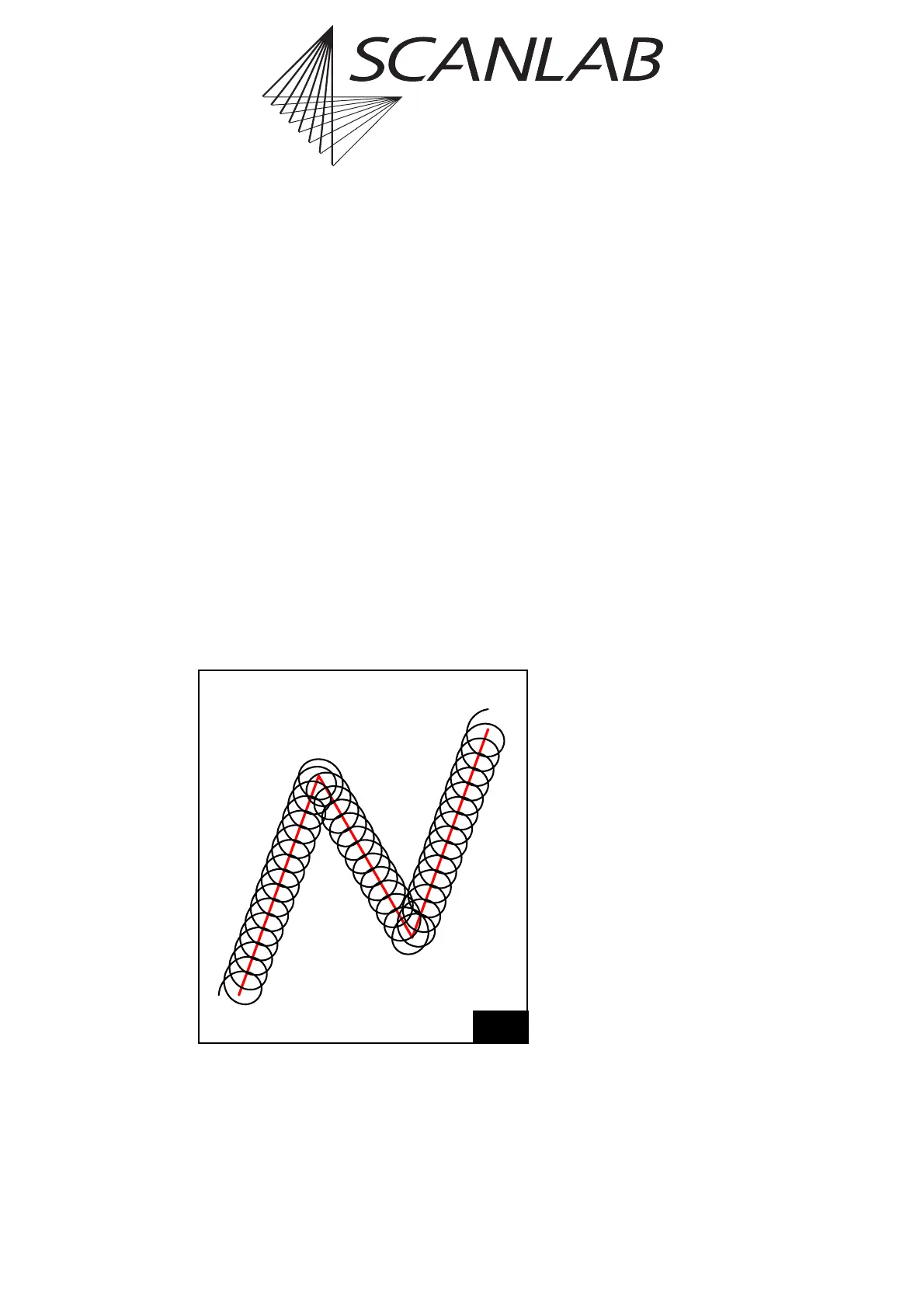
The wobbel function allows varying the line width
during laser marking.
Basically, a circular movement is added to the regular,
linear movement of the output position, resulting in
a spiral movement of the laser focus in the image
field.
A broadening of the original line is obtained by
choosing suitable values for the amplitude and the
frequency of the wobbel movement.
For optimum marking results, the wobbel frequency
should be appropriate for the specified marking
speed. In some cases it can be useful to adjust the
marking speed when the wobbel function is used.
Calling the command set_wobbel sets the wobbel
phase to a defined starting value (which is inde-
pendent of the direction of the marking vector).
Please refer to the command set_wobbel, page 118
for further details.
19
Principle of the wobbel function



 To Next Page