Operating Manual 90° ACTUSAFE CMF(S)QT
OM-ENGLISH-Failsafe-QT-16xx-V2.00-2022.03.01 7 Parameter menu
continued from previous page
Menu item Sub-menu item poss. setting Notes / comments
2: Menu/Control
(Fallback)
Access to parameter menu and motor control is possible
on the remote display and the main display. In case of
communication loss with the remote display, the actuator
will fall back to the set operating mode on the main
display.
7.6 Parameter group: User Level
From the Display firmware version 1600 and upward, the parameter group no. 7 allows to set the default user levels ac-
cessed locally or via bus.
The user levels allow access restrictions to certain parameters. Depending on the user level read/write setting per pa-
rameter, the menu items can only be seen or edited, if the current user level is equal or higher than the required user level.
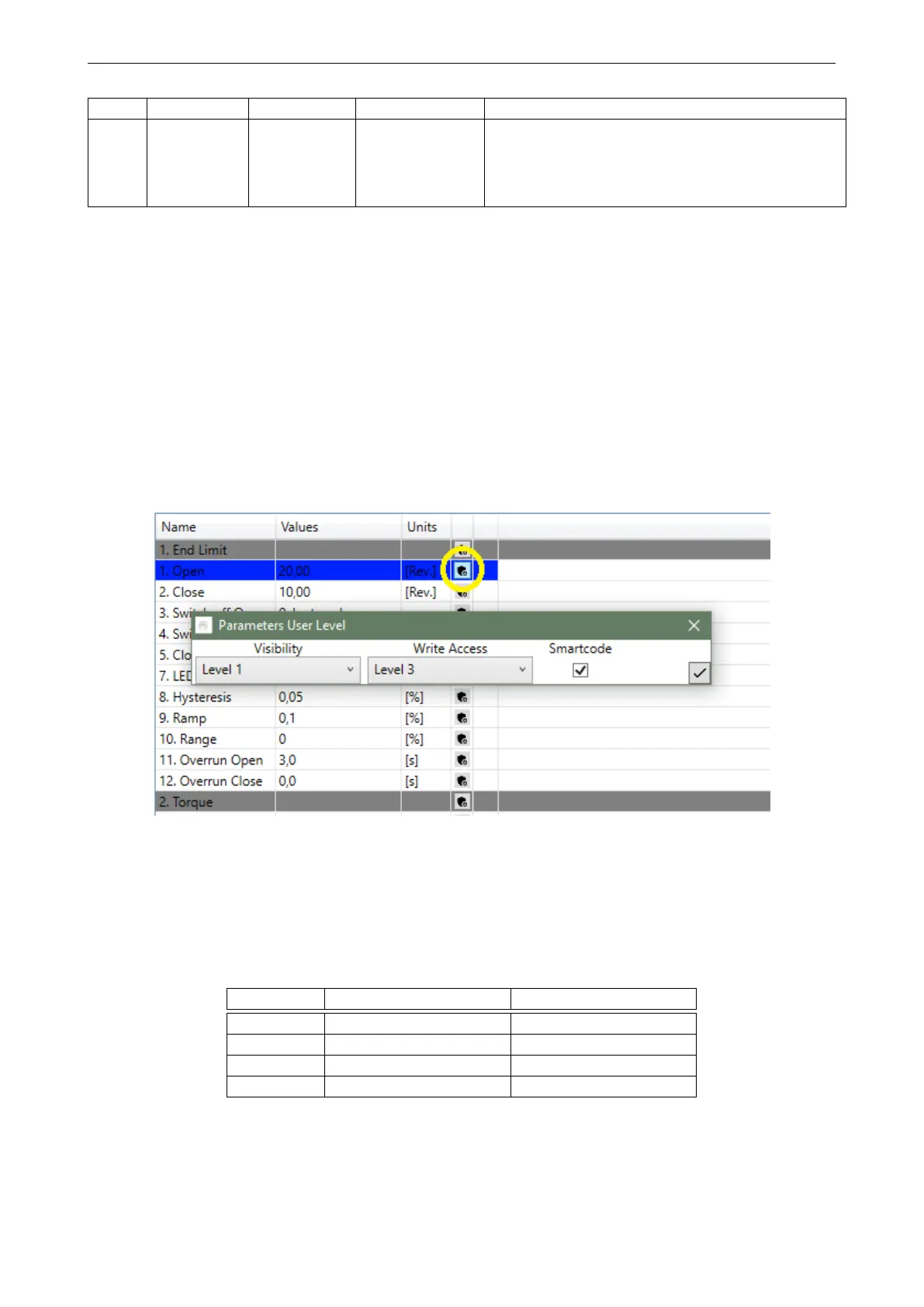
Parameters are assigned default user levels. These may be changed with the SmartTool2, if the set user level in the
SmartTool2 is equal or higher than the current user level-setting of the parameter (-group).
Figure 68: Actuator parameters on the SmartTool2; Parameter user level can be set by clicking the button as marked
above
The following table shows the default passwords for the user levels:
User Level Password Local Password Wireless
1 LLVL1 WLVL1
2 LLVL2 WLVL2
3 LLVL3 WLVL3
4 LLVL4 WLVL4
The default passwords can be changed with the SmartTool2 (Adjust Wizard - Access tab, see figure 69) or directly on the
actuator control unit ("P7.3 - Change Password").
NOTE: Editing the parameter "P7.4 - Change Password" will change the password for the current user level.
47



 To Next Page