Operating Manual 90° ACTUSAFE CMF(S)QT
OM-ENGLISH-Failsafe-QT-16xx-V2.00-2022.03.01 8 Status area
continued from previous page
Parameter Menu item Sub-menu item
Default UL
Read
Default UL
Write
P19.56
System LCD Inverse 2 4
P20.1
Miscellaneous Language 1 3
P20.2 Miscellaneous Smartcode 1 1
P20.3 Miscellaneous Restore 4 4
P20.4 Miscellaneous Backup 4 4
P20.5 Miscellaneous Info display 1 3
P20.6 Miscellaneous Wireless 1 3
P20.7 Miscellaneous Menu Style 1 3
P20.9 Miscellaneous Time 1 3
P20.10 Miscellaneous Timezone 1 3
P20.11 Miscellaneous Daylight saving time 1 3
8 Status area
The status area presents current process and diagnostic data. In this area, data is read-only. To access the status area,
move the control switch in the direction where the selector switch should be in the neutral position or in the remote position.
The status area is divided into 2 sub-areas:
• Status
• History
8.1 Status
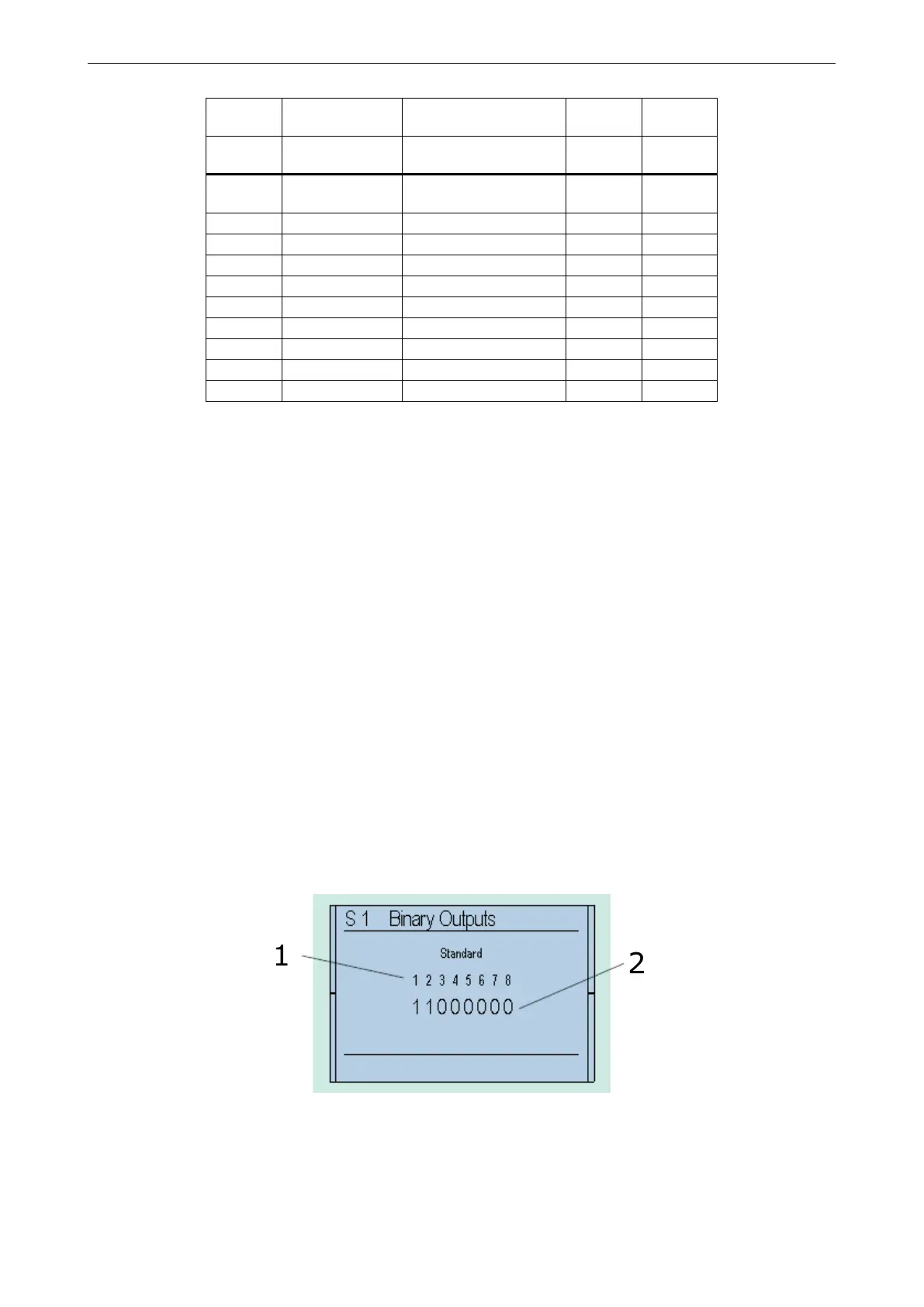
8.1.1 Status – binary outputs
Display of binary outputs: The display shows output control as opposed to output status, i.e. the supply of the binary
outputs is ignored. A switched output is represented by 1.
Figure 77: 1. . . Output Number, 2. . . Signal (0 = LOW; 1 = HIGH)
8.1.2 Status – binary inputs
Display of binary inputs: A set input is represented by 1.
71



 To Next Page