3
Overview
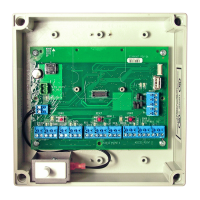
The Schlage Panel Interface Board (PIB300 or PIB301) provides a means of connecting RS-
485 based access point devices to a system requiring wiegand or clock and data protocol
(rather than direct RS-485 connection). This manual describes the installation and operation
of the PIB300/PIB301.
• Open architecture platform
• The Schlage PIB301 provides a means of connecting the FIPS-201 certied AD-301 to
an access control system via Wiegand protocol
• Provides two-way communication with locks via a RS-485 connection
• The PIB300 may connect up to two Schlage AD-300 locks or up to two RS-485 based
legacy locks communicating with the RSI or VIP protocol, may connect to an Access
Control Panel (ACP) or reader interface board
• The PIB301 may connect up to two Schlage AD-301 locks to an ACP or reader
interface board via wiegand protocol
• Legacy and AD-300 locks may not both be present on the PIB300’s RS-485 connection
• The trouble signal output will change state when the Anti-Tamper Switch (ATS) signals
that the PIB300/PIB301 enclosure lid is open, or if an access point device indicates
trouble status.
Before installing a Schlage AD-Series system, read all documentation for all products in the
installation.
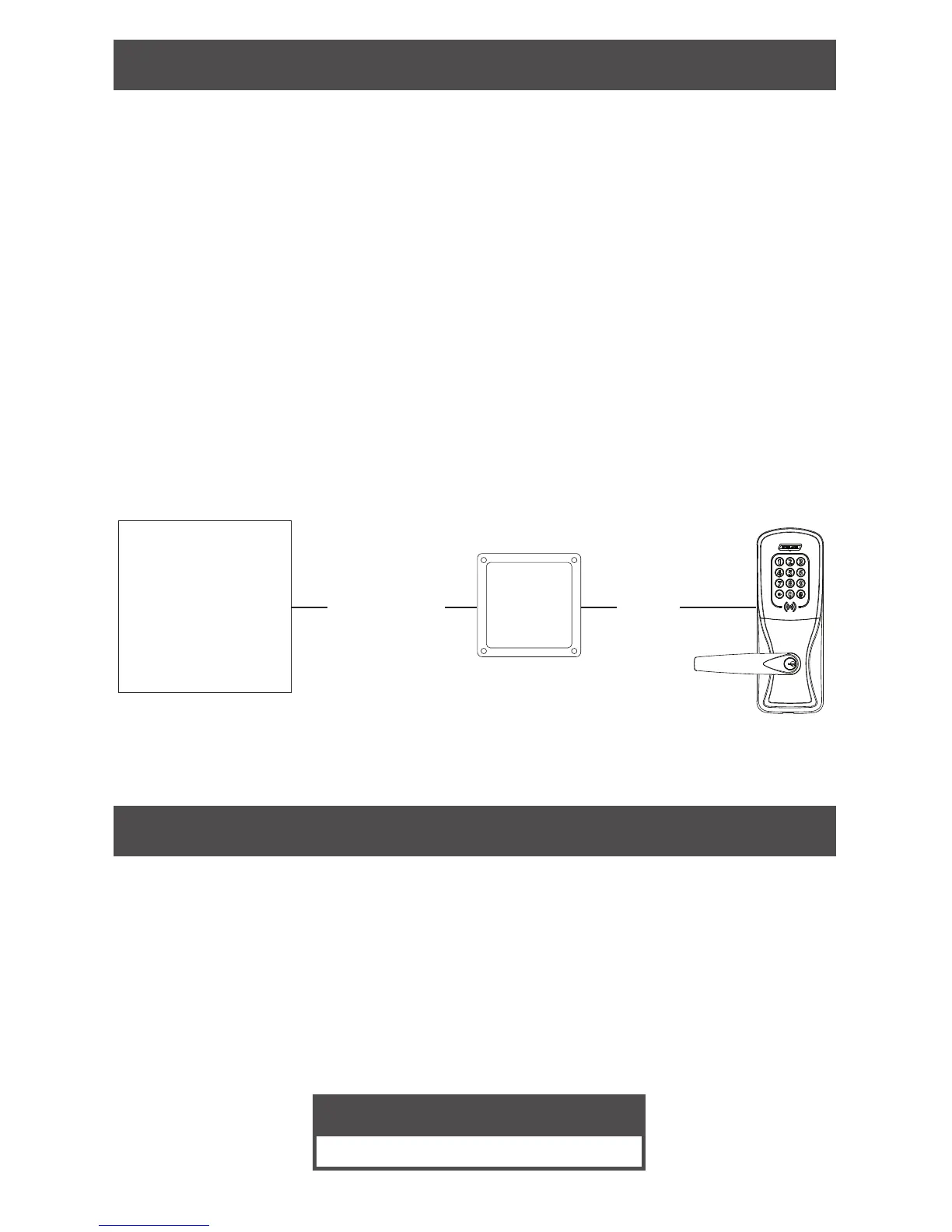
Access
Control
Panel
RS485
AD-300
AD-301
Wiegand or
Clock & Data
for PIB300
Wiegand only
for PIB301
PIB300
PIB301
Getting started
The following is an overview of the steps required for setting up the PIB300/PIB301.
• Install the lock. See the installation guide that came with the lock, or visit
www.schlage.com/support for more information.
• Use proper wiring to the PIB300/PIB301. See Cable/wire specications on page 5
for more information.
• Disconnect power to the lock and Access Control Panel (ACP) while connecting the
PIB300/PIB301.
• Familiarize yourself with the information in this user guide.
Save this user guide for future reference.
Customer Service
1-877-671-7011 www.allegion.com/us


 To Next Page