Assembly and settings
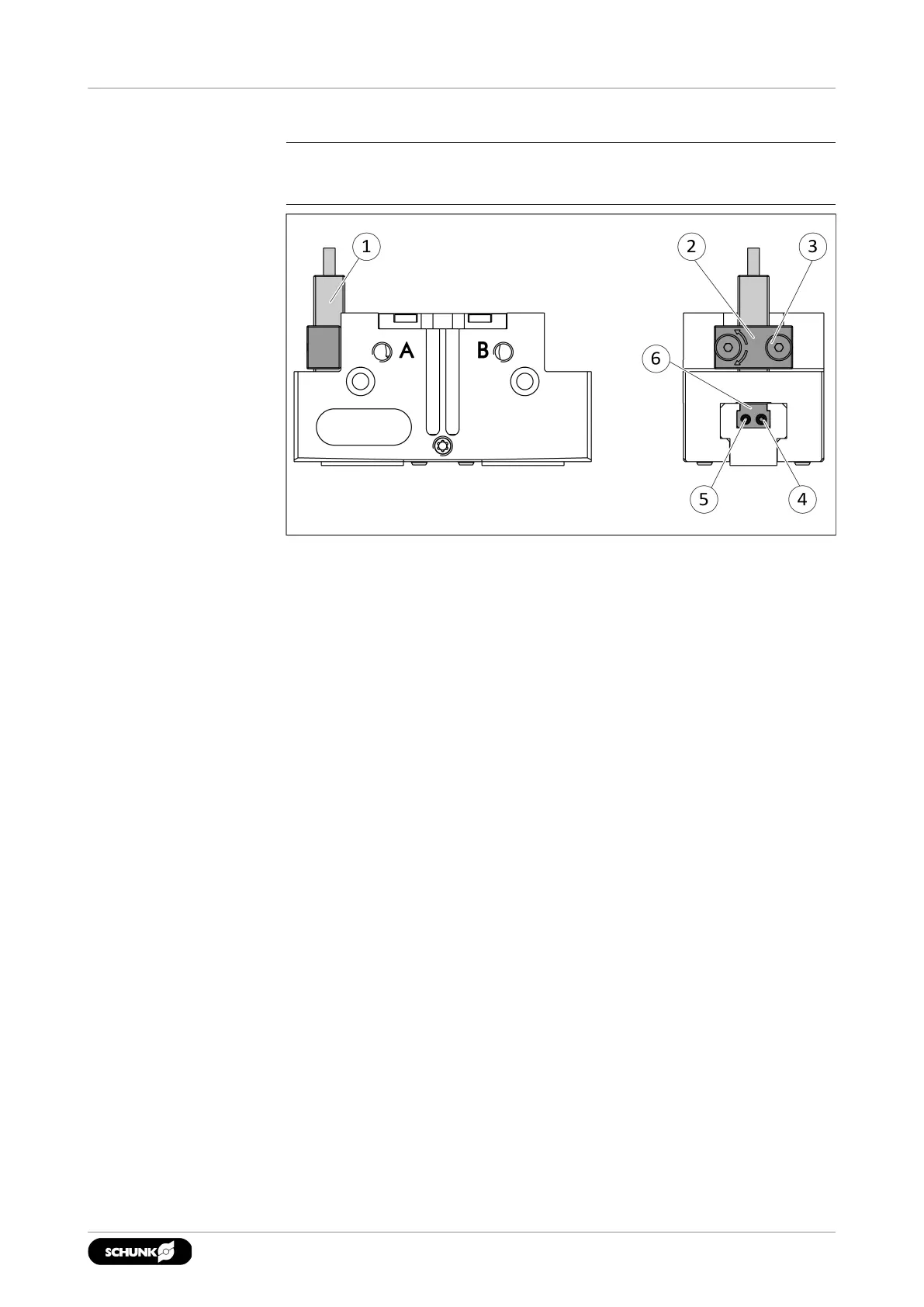
5.4.5 Mounting inductive proximity switch IN
NOTE
The sensor cannot be used for sizes smaller than size 64.
Position "Gripper open" or "Gripper closed"
1. Slide the sensor 1 (1) through the bracket (2) and into the
housing until it stops.
2. Tighten the screw (3) on the bracket (2).
Tightening torque: 0.2 Nm
3. Bring product into the "open" or "closed" position and test the
function.
Position "Part gripped (O.D. gripping)" or "Part gripped (I.D.
gripping)"
1. Slide the sensor 1 (1) through the bracket (2) and into the
housing until it stops.
2. Tighten the screw (3) on the bracket (2).
Tightening torque: 0.2 Nm
3. Clamp the part to be gripped.
4. Loosen expander bolt (4) by unscrewing it from the control
cam (6).
3302.00 | JGP-P | Assembly and Operating Manual | en | 1469637


 To Next Page