EasyManua.ls Logo

SCHUNK JGP - User Manual

SCHUNK JGP
60 pages
Print Icon
To Next Page IconTo Next Page
Loading...
Translation of the original manual
Assembly and Operating Manual
JGP
2-Finger Parallel Gripper

Table of Contents

Questions and Answers

  • R
    rose46Jul 28, 2025
    What to do if SCHUNK JGP Industrial Equipment does not move?
    • O
      oscarquinnJul 28, 2025
      If your SCHUNK industrial equipment isn't moving, several factors could be at play. First, the base jaws might be jammed due to an uneven mounting surface; check the evenness of the surface. Second, the pressure might be below the minimum required; verify the air supply. Also, ensure the compressed air lines are correctly connected. A defective or incorrectly set proximity switch can also be the culprit; readjust or replace the sensor. Make sure any unused air connections are closed. Finally, a component part might be defective, in which case you should replace it or send it to SCHUNK for repair.
  • B
    Brett MunozAug 3, 2025
    Why is the gripping force dropping in my SCHUNK Industrial Equipment?
    • M
      marie49Aug 3, 2025
      A drop in gripping force in your SCHUNK industrial equipment can stem from several causes. Compressed air might be escaping; inspect the seals and replace them if necessary after disassembling the product. Too much grease in the mechanical movement space can also be a factor, so clean and lubricate the product. Ensure that the pressure isn't dropping below the minimum required; check the air supply. Lastly, a defective component could be the cause; replace the component or send it to SCHUNK for repair.
  • N
    nharrisAug 9, 2025
    What to do if SCHUNK JGP Industrial Equipment is not executing the complete stroke?
    • T
      Trevor BowersAug 9, 2025
      If your SCHUNK industrial equipment isn't completing its full stroke, consider these potential issues. Dirt deposits between the cover and piston could be hindering movement; clean and re-lubricate if needed. Similarly, dirt between the basic jaws and guidance can cause problems; disassemble and clean the product. Also, verify that the pressure isn't dropping below the minimum; check the air supply. An uneven mounting surface may also be the cause; check the evenness of the mounting surface. Finally, a defective component part might be responsible; replace the component or send it to SCHUNK for repair.
  • E
    Emily RobinsonAug 15, 2025
    Why is SCHUNK JGP opening or closing abruptly?
    • N
      Nicholas CrossAug 15, 2025
      Abrupt opening or closing of your SCHUNK industrial equipment can be attributed to a few reasons. Insufficient grease in the mechanical guiding areas may be the cause; clean and lubricate the product. Blocked compressed air lines can also lead to this issue; check the compressed air lines for damage. Lastly, an uneven mounting surface can contribute to the problem; check the evenness of the mounting surface.
  • M
    Megan NelsonNov 20, 2025
    How to improve opening and closing times of SCHUNK JGP Industrial Equipment?
    • J
      Johnny ToddNov 20, 2025
      To potentially improve the opening and closing times of your SCHUNK Industrial Equipment: * If present: Open the flow control couplings on the product to the maximum that the movement of the jaws occurs without bouncing and hitting. * Check compressed air lines. * Ensure inner diameters of compressed air lines are of sufficient size in relation to compressed air consumption. * Keep compressed air lines between the product and directional control valve as short as possible. * Ensure flow rate of valve is sufficiently large relative to the compressed air consumption. * The throttle check valve must not be removed, even if the product has not reached the opening and closing times. * If, despite optimum air connections, the opening and closing times specified in the catalogue ar...

Summary

General

About this manual

Provides important information for safe and appropriate product use.

Presentation of Warning Labels

Explains signal words and symbols used for safety notes: DANGER, WARNING, CAUTION.

Definition of Terms

Defines the term 'product' as used in the manual.

Applicable documents

Lists related documents available for download, marked with an asterisk.

Sizes

Lists the JGP sizes (40 to 300) to which this manual applies.

Variants

Lists the JGP variations: without gripping force maintenance and with O.D./I.D. gripping.

Warranty

Details warranty validity (24 months) and conditions for proper use and maintenance.

Scope of delivery

Lists the items included in the product's scope of delivery.

Accessories kit

Details the contents of the accessory pack, including centering sleeves and O-rings.

Accessories

Mentions a wide range of available accessories and refers to the catalog data sheet.

Seal kit

Lists the ID numbers for the seal kit for different JGP sizes.

Basic safety notes

Intended use

Specifies the product is for gripping and holding workpieces, adhering to technical data and guidelines.

Not intended use

Defines misuse, including using the product as a pressing tool, lifting gear, or cutting tool.

Constructional changes

Warns against structural changes without SCHUNK's written approval due to safety risks.

Spare parts

Emphasizes using only original SCHUNK spare parts to prevent damage and ensure safety.

Gripper fingers

Outlines requirements for gripper fingers, including handling stored energy and ensuring correct positioning.

Ambient conditions and operating conditions

Highlights risks associated with incorrect conditions, impacting safety and product lifespan.

Personnel qualification

Details necessary qualifications for personnel working with the product (Trained electrician, Qualified personnel, Instructed person).

Personal protective equipment

Advises on wearing required PPE, including gloves, safety goggles, and protective clothing.

Notes on safe operation

Provides instructions for safe operation, avoiding interference, using the product as intended, and observing safety notes.

Transport

Gives guidelines for safe transport, including using lifting equipment and securing the product.

Malfunctions

Instructs on immediate actions for malfunctions: remove from operation, report, and order trained personnel.

Disposal

Advises following local regulations for recycling and proper disposal to avoid harm.

Fundamental dangers

Covers general safety precautions like observing distances, securing danger zones, and disconnecting power.

Protection during handling and assembly

Details safe practices for handling, assembly, and lifting loads to prevent injuries.

Protection during commissioning and operation

Covers protection against falling or ejected components during commissioning and operation.

Protection against dangerous movements

Addresses risks from residual energy and unexpected movements, emphasizing safety measures.

Protection against electric shock

Explains risks of electrostatic charge and the need for potential equalization.

Notes on particular risks

Summarizes specific risks: fatal injury from loads, falling objects, unexpected movements, crushing, and sharp edges.

Technical Data

Connection data

Provides technical specifications for connection, including pressure medium and working pressures.

Environmental and operating conditions

Details ambient temperature limits, IP protection class, and noise emission levels.

Design and description

Design

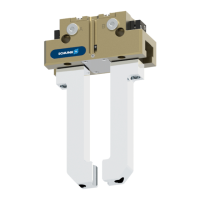
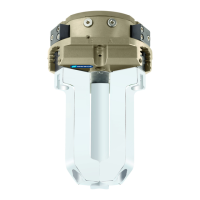
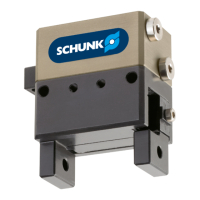
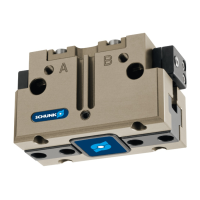
Illustrates the 2-Finger Parallel Gripper with labeled components like housing and base jaw.

Description

Provides a brief description of the product as a universal 2-finger parallel gripper with T-slot guidance.

Assembly

Installing and connecting

Guides through the initial installation and connection steps, including safety warnings.

Connections

Covers various connection types for the gripper.

Mechanical connection

Specifies requirements for the mounting surface evenness and connection details.

Connections at the base jaws

Details centering sleeve and thread specifications for base jaw connections across different JGP sizes.

Connections at the housing

Describes mounting screw and centering sleeve specifications for housing connections on sides A, B, and C.

Pneumatic connection

Details air connections, including main, hose-free, and air purge connections, with thread diameters.

Mounting the sensor

Provides general guidance on mounting various sensors compatible with the gripper.

Overview of sensors

Lists compatible sensors (e.g., magnetic switches, proximity switches) for different JGP sizes.

Setting dimensions for magnetic switches

Provides setting dimensions (I1*) for magnetic switches based on gripper size and type.

Switch-off hysteresis for magnetic switches

Defines the smallest detectable difference in stroke for various magnetic sensors.

Turn control cam

Explains how to adjust the alignment of the control cam for inductive monitoring sensors.

Mounting magnetic switch MMS 22

Provides step-by-step instructions for mounting the MMS 22 magnetic switch.

Mounting programmable magnetic switch MMS 22-PI1

Details the procedure for mounting the MMS 22-PI1 switch using 'Standard' and 'Optimal' modes.

Mounting programmable magnetic switch MMS 22-PI2

Guides on mounting the MMS 22-PI2 switch, including standard mode and T-nut usage.

Mounting programmable magnetic switch MMS-P 22

Explains how to mount the MMS-P 22 programmable magnetic switch using T-nuts or sliding.

Mounting inductive proximity switch IN 80

Provides instructions for mounting the IN 80 inductive proximity switch, including control cam adjustment.

Mounting reed switch RMS 80

Details the mounting process for the RMS 80 reed switch, including control cam adjustment.

Mounting flexible position sensor FPS

Describes mounting the flexible position sensor FPS, requiring a special mounting kit.

Mounting analog position sensor APS-M1

Guides on mounting the APS-M1 analog position sensor, including adhesive application and control cam alignment.

Mounting analog position sensor APS-Z80

Explains mounting the APS-Z80 analog position sensor and its signal behavior during operation.

Mounting optical distance sensor OAS

Details mounting the OAS optical distance sensor by replacing the cover plate.

Mounting the radio system RSS-R1;T2

Explains how to use the RSS-R1/T2 radio system with compatible sensors like the Reed switch RMS 80.

Mounting force-measuring jaw FMS

Guides on mounting force-measuring jaws, including intermediate jaws and gripper fingers.

Troubleshooting

Product does not move

Lists causes like jammed jaws or low pressure and their corrective actions.

Product is not executing the complete stroke

Addresses issues like dirt deposits or low pressure, providing cleaning and pressure check steps.

Product is opening or closing abruptly

Identifies causes such as insufficient grease or blocked air lines and suggests lubrication and line checks.

Gripping force is dropping

Explains potential causes like air leaks or low pressure and recommends checking seals and air supply.

Product does not achieve the opening and closing times

Discusses issues with opening/closing times, suggesting flow control adjustment and quick-air-vent valves.

Maintenance

Notes

Emphasizes using original spare parts and provides specific notes on housing/jaw exchange and gripping force maintenance.

Maintenance intervals

Outlines maintenance intervals (million cycles) and corresponding maintenance tasks like cleaning and lubrication.

Lubricants;Lubrication points

Recommends specific lubricants for sliding surfaces, seals, and bore holes, and details re-lubrication procedures.

Disassembly and assembly

Provides detailed steps for disassembling and reassembling the product.

Disassemble the product

Provides detailed steps for disassembling the product, variant by variant.

Variant with maintenance of gripping force (O.D. gripping)

Details disassembly for O.D. gripping variants, highlighting spring tension risks and vise usage.

Variant with maintenance of gripping force (I.D. gripping)

Explains disassembly for I.D. gripping variants, including warnings about spring tension and unexpected movements.

Assembling the product

Instructs on assembling the product in reverse order of disassembly, noting specific procedures for O.D. gripping variants.

Notes for assembly

Provides general assembly notes, including the use of assembly devices and Loctite for screws.

Assembly with assembly device

Details the assembly process for sizes 40-100 using a specific assembly device for the cylinder piston.

Assembly of the size 125

Describes the assembly process for size 125, noting it does not require an assembly device.

Assembly of the sizes 160-300 with two assembly devices

Explains the assembly process for sizes 160-300 using two assembly devices for the cylinder piston.

Assembly device cylinder piston with gripping force maintenance

Provides dimensions and screw details for the assembly device used for cylinder piston assembly (Sizes 40-100).

Assembly device for maintaining the gripping force

Lists dimensions and screw details for assembly devices used for maintaining gripping force (Sizes 160-300).

Tightening torque for screws

Lists the specific tightening torques for various screws used during assembly, categorized by JGP size.

Assembly drawing

References an example assembly image for illustration and assignment of spare parts.

Translation of original declaration of incorporation

Annex to Declaration of Incorporation

Protection against mechanical hazards

Details various mechanical hazards and the protection measures required or implemented.

Required characteristics of guards and protective devices

Specifies general and special requirements for guards and protective devices.

Risks due to other hazards

Covers risks related to electricity, static electricity, fire, noise, vibrations, etc.

Maintenance

Addresses aspects of machinery maintenance, access, energy isolation, operator intervention, and cleaning.

Information

Covers information and warnings, including warning devices, residual risks, marking, and instructions.

Supplementary essential health and safety requirements for certain categories of machinery

Lists supplementary requirements for specific machinery categories like foodstuffs or portable equipment.

SCHUNK JGP Specifications

General IconGeneral
BrandSCHUNK
ModelJGP
CategoryIndustrial Equipment
LanguageEnglish

Related product manuals