Operation
Startup 250:Users:Danny:Desktop:Operation manuals:line pumps:maverick
(P305):pHseriesOPERATION.fm
29
Operation Manual - SP 305
• Adjust the engine throttle to maximum RPM. This
will allow the engine to develop it’s rated
horsepower. Note! You do NOT want to pump fast
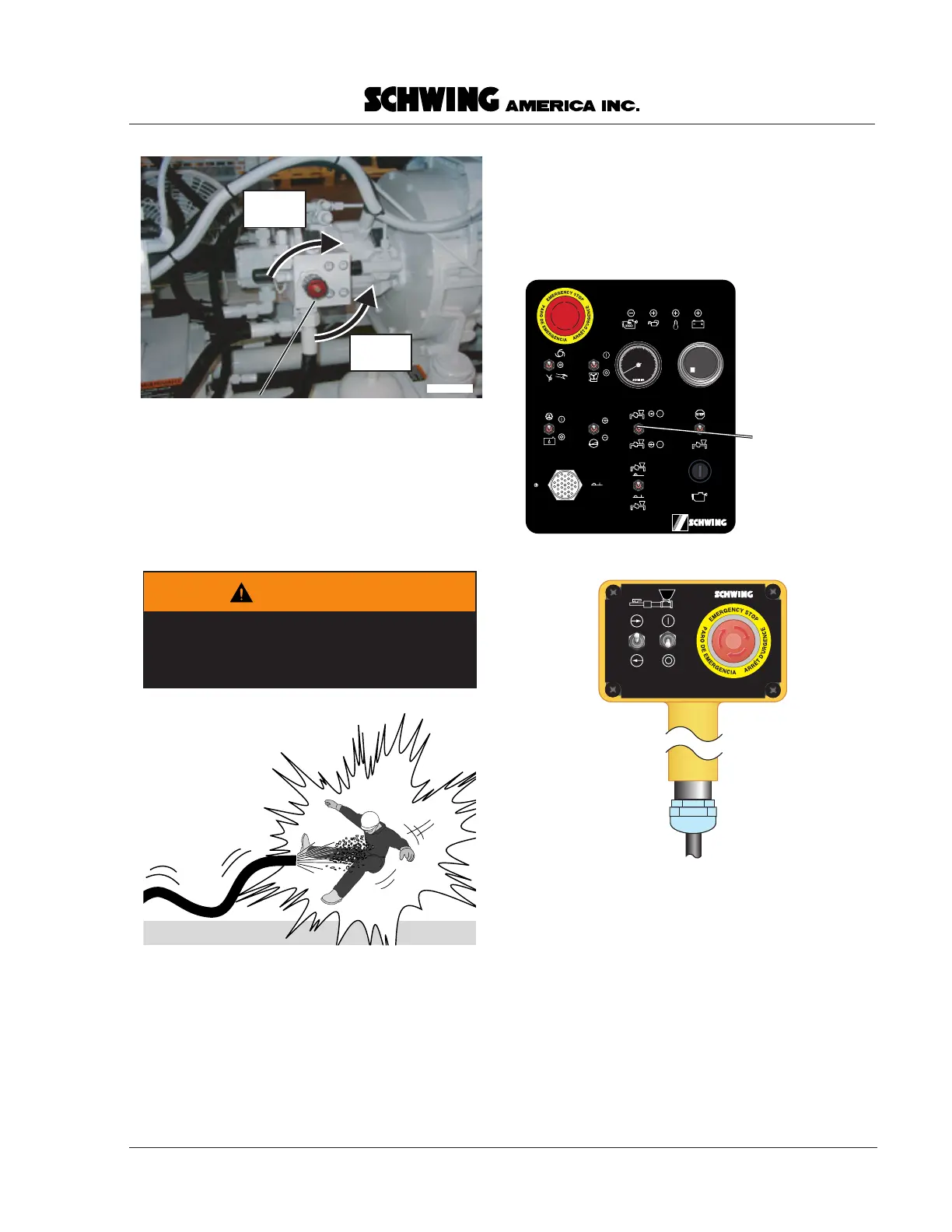
when first starting. Be sure that the volume control
knob is at a low setting (Figure 18).
• When the placing crew signals to begin pumping,
activate the switch of the control panel or the
remote control box (Figure 19). To get warning of
plugs, you should monitor the pressure gauge, until
concrete comes out of the discharge. If you cannot
see the point of discharge from the area around the
pump (near the gauge), arrange for a spotter to
monitor the end of the line. The spotter should
watch that no one gets near the discharge and alert
you when concrete is flowing from the end.
• Pump slowly (few strokes per minute) until
concrete has come out at the discharge point.
• If you hear the engine starting to bog down, notice
the pressure gauge. If the pressure goes to the
maximum setting of 2500 PSI, you may have a
plugged line. Immediately switch the forward /
reverse switch to the “reverse” position and pump a
couple of strokes. Switch back to forward and
watch the pressure gauge. If the pressure rises to
the relief valve setting again, switch immediately
volumeknob.eps
Volume control knob
(stroke limiter)
Less
strokes
More
strokes
Figure 18
Adjust the volume control
WARNING
Clear the discharge area before first
starting, restarting after moving, or anytime
air has been introduced into the line.
000359.eps
remboxonly.eps
30362341
concretepumpswtch.eps
Concrete pump
switch
Forward
(up position)
Reverse
(down position)
98347087
Hobbs
I
QUARTZ
0 0 0 0 0 0
HOURS
0
10
20
30
40
RPM
X 1000
Figure 19
Activate the pump


 To Next Page