Seaory S21 Desktop Single-sided Card Printer
Excellent quality, Perfect service
www.seaory.com 10 / 51
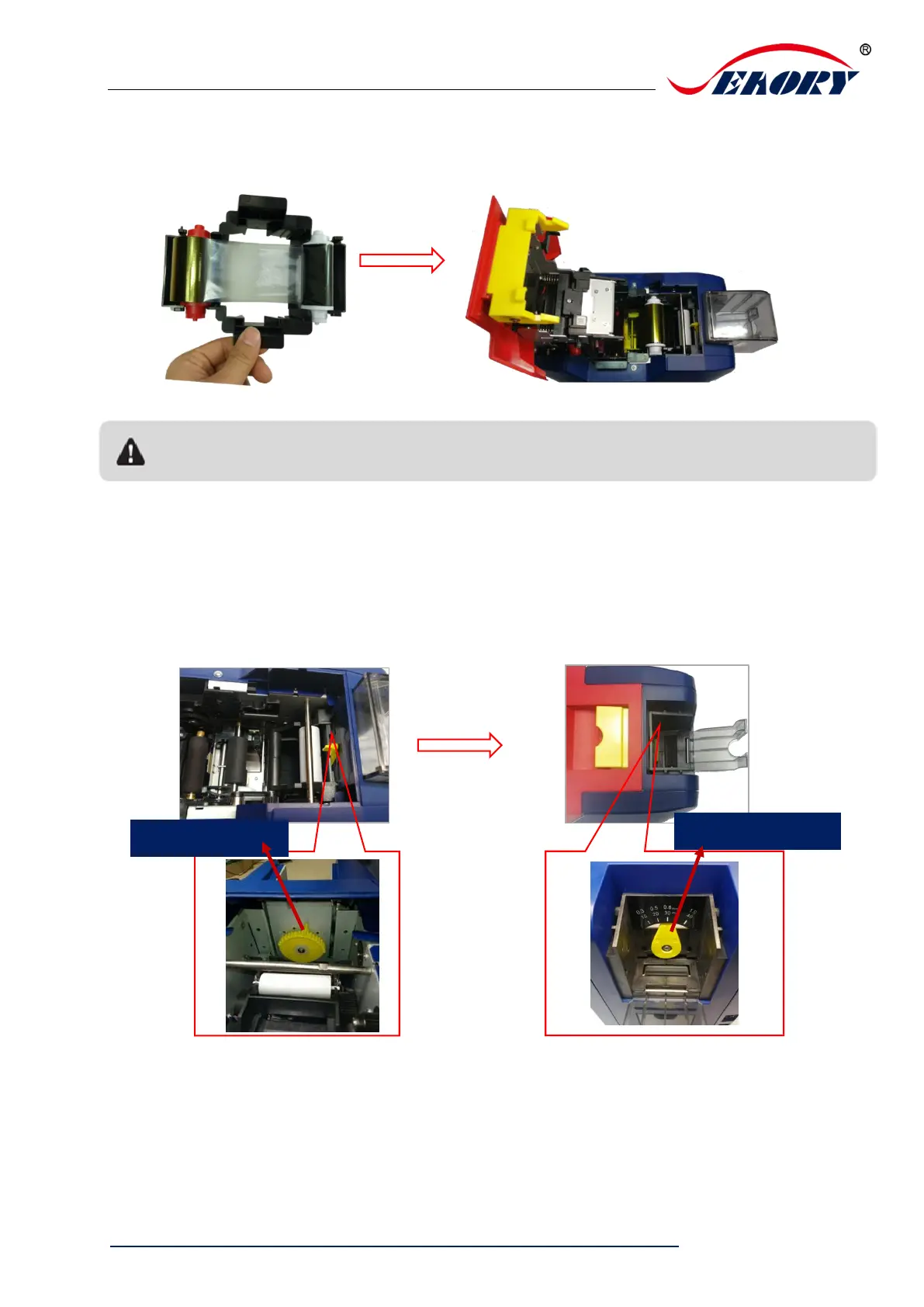
Step3: As shown in picture below, take ribbon cartridge’s side, install the ribbon
cartridge and close the upper cover.
5.3 Adjust the feed card thickness
Open the upper cover and input hopper dust cap, move the yellow lever to adjust
the feed card thickness. Support 0.3mm to 1.0mm thickness cards. Factory preset
thickness is 0.8mm.
Figure 1: The feed card thickness needs to be adjusted according to the card’s actual
thickness.
Figure 2: Factory preset thickness is 0.8mm.
Ribbon mounting direction: Red roller close to the Back-end card exit mouth(left), white roller close to
the input hopper (right).



 To Next Page