Seaory S21 Desktop Single-sided Card Printer
Excellent quality, Perfect service
www.seaory.com 18 / 51
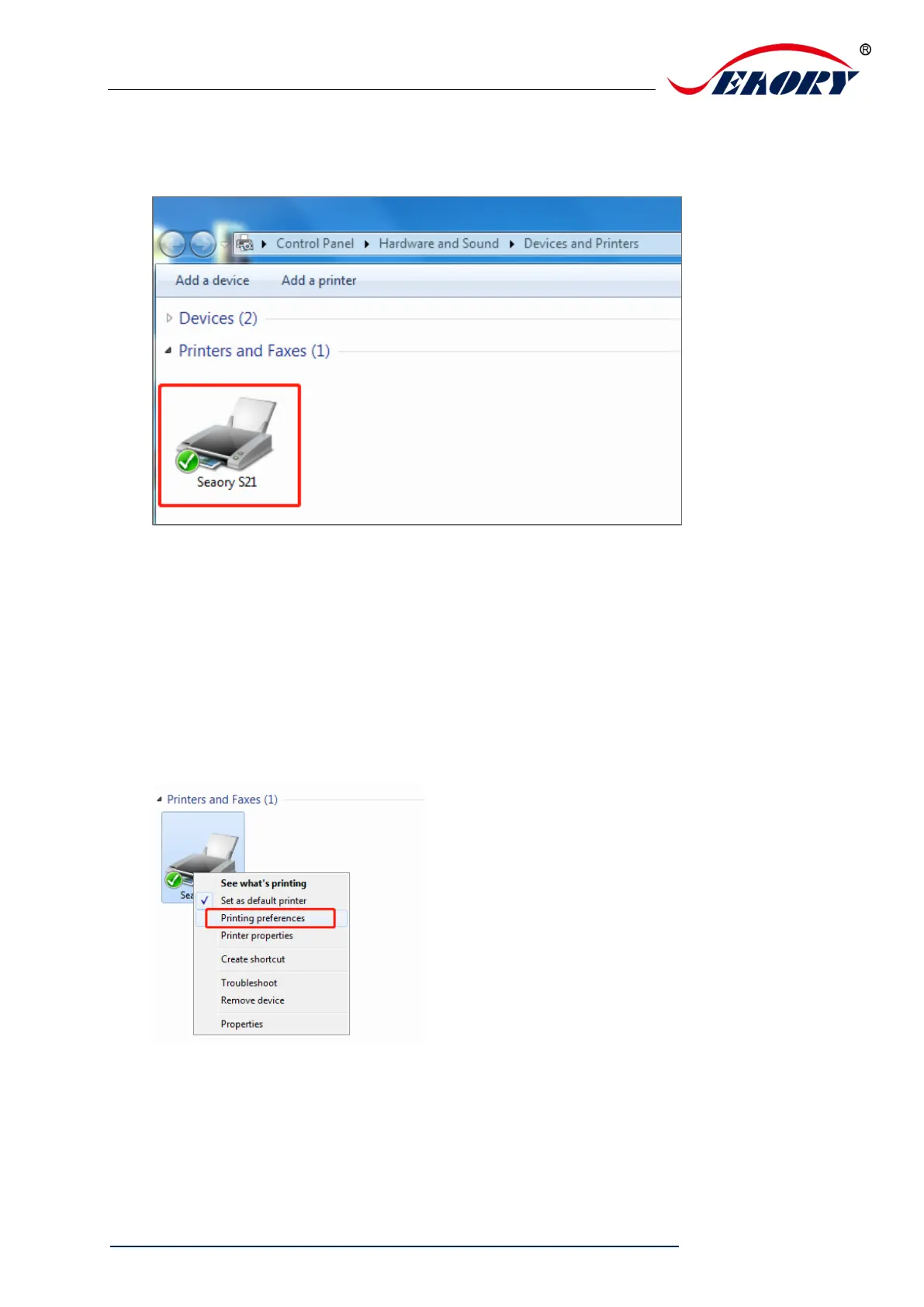
Step 6: Turn on the card printer power switch, then card printer driver will install
automatically. After it, click “Control panel – Hardware and sound – Devices and
printers” you can find Seaory S21 was installed completely.
6.4 Network setting
If you need to use Ethernet communication interface, please make sure the USB
interface was connected with PC before operating as below:
Step 1: Put your mouse on the selected “Seaory S21” printer, and click the right
button, from the Printer menu, select “Printing preferences”.



 To Next Page