Seaory S21 Desktop Single-sided Card Printer
Excellent quality, Perfect service
www.seaory.com 39 / 51
8. Print test
8.1 Driver test page
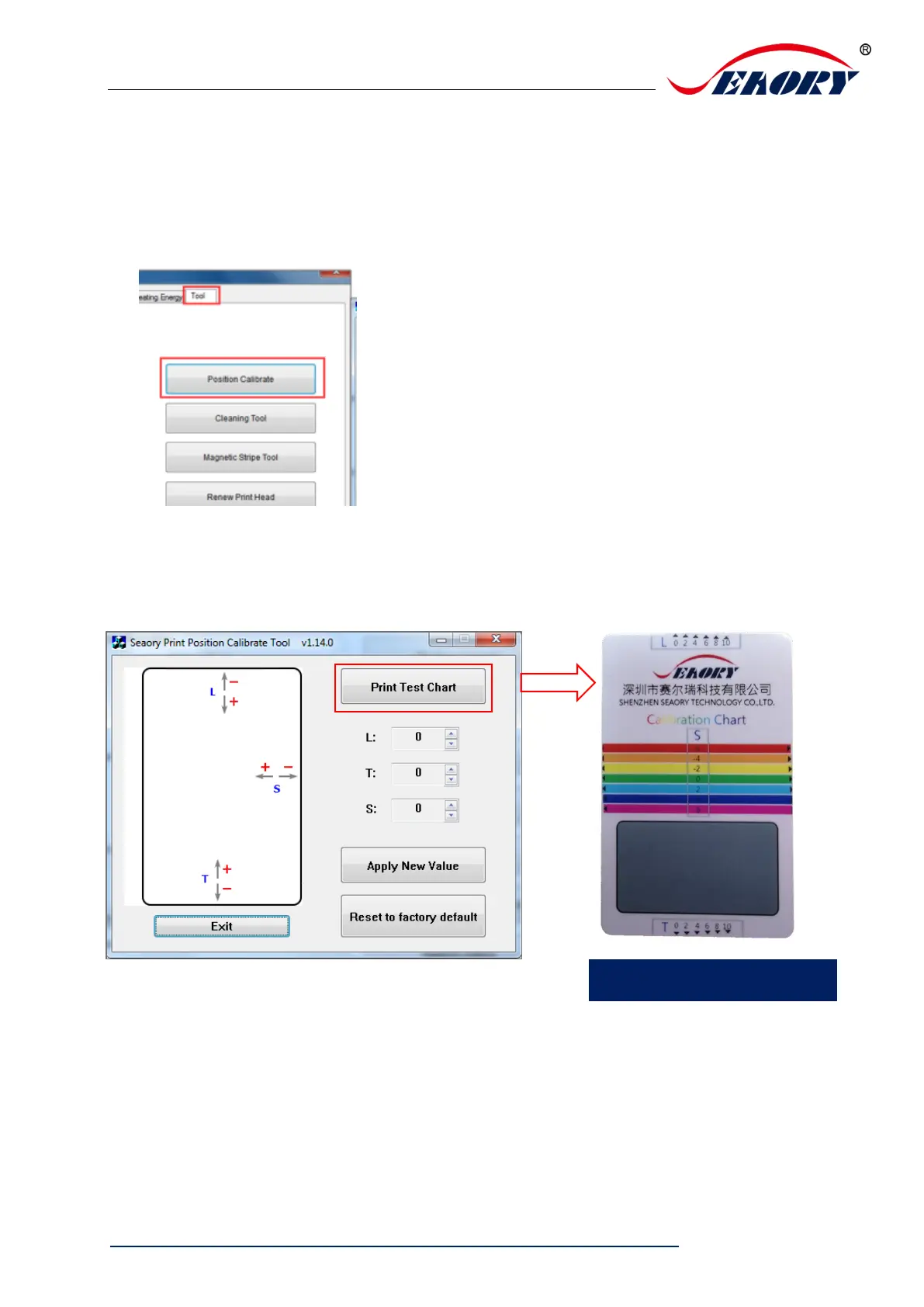
Step 1: open “Printing preferences”, click “Tool”, find and click “Position calibrate”.
Step 2: Place some white card into input hopper, then click” Print test chart ”
.



 To Next Page