Seaory S21 Desktop Single-sided Card Printer
Excellent quality, Perfect service
www.seaory.com 11 / 51
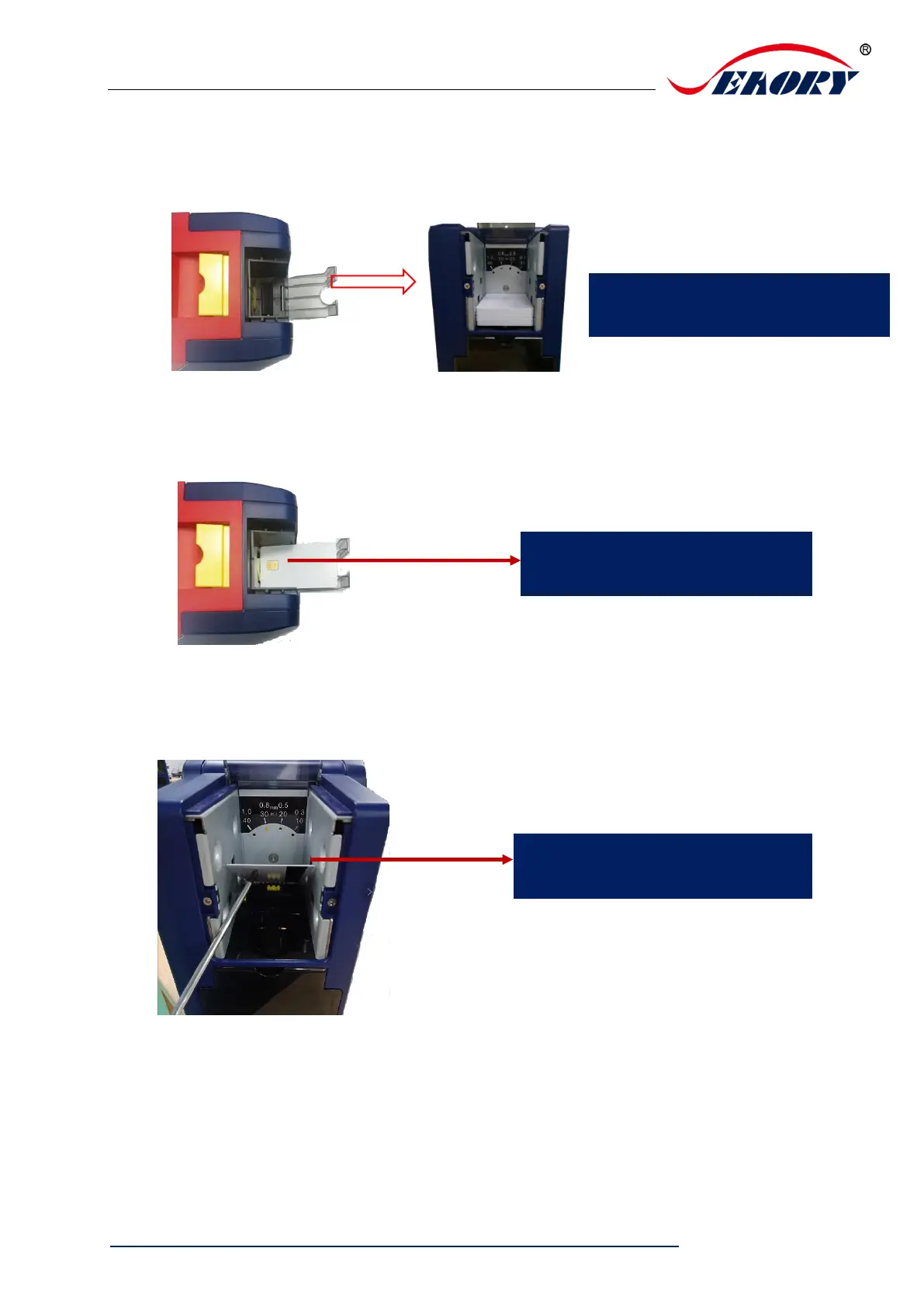
5.4 Place the card, Add the weight module
Step1: Open the input hopper dust cap, Place the card.
Contact chip cards require the chip face up, otherwise data can not be read or written
to the chip card. (Put the card like an ATM direction)
If you are using magnetic strip card, please place the card according to below
picture. (Magnetic strip at right side)
Step2: Add the weight module
For the blank or contactless chip
cards,No place direction demands



 To Next Page