Seaory S21 Desktop Single-sided Card Printer
Excellent quality, Perfect service
www.seaory.com 34 / 51
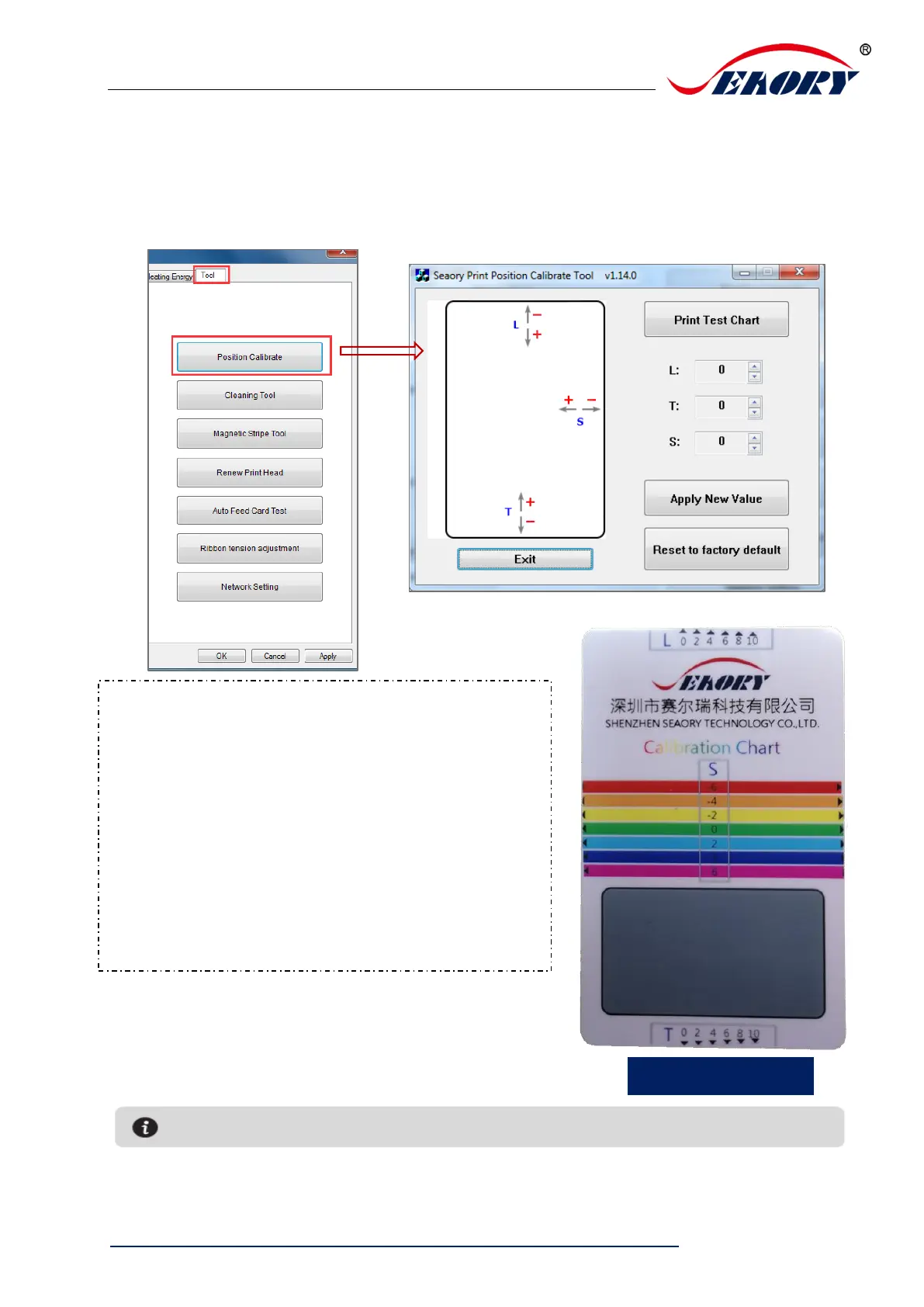
7.14 Position calibrate
To correct the printing position when the white edge appears on cards, and no
correction is required by default.
L is print start position, decrease L value when
the start side has white edge.
T is print finish position, decrease T value when
the finish side has white edge.
Increase the L and T value when the ribbon is
easy to break.
S is print side position, decrease S value when
the side has white edge.



 To Next Page