Seaory S21 Desktop Single-sided Card Printer
Excellent quality, Perfect service
www.seaory.com 35 / 51
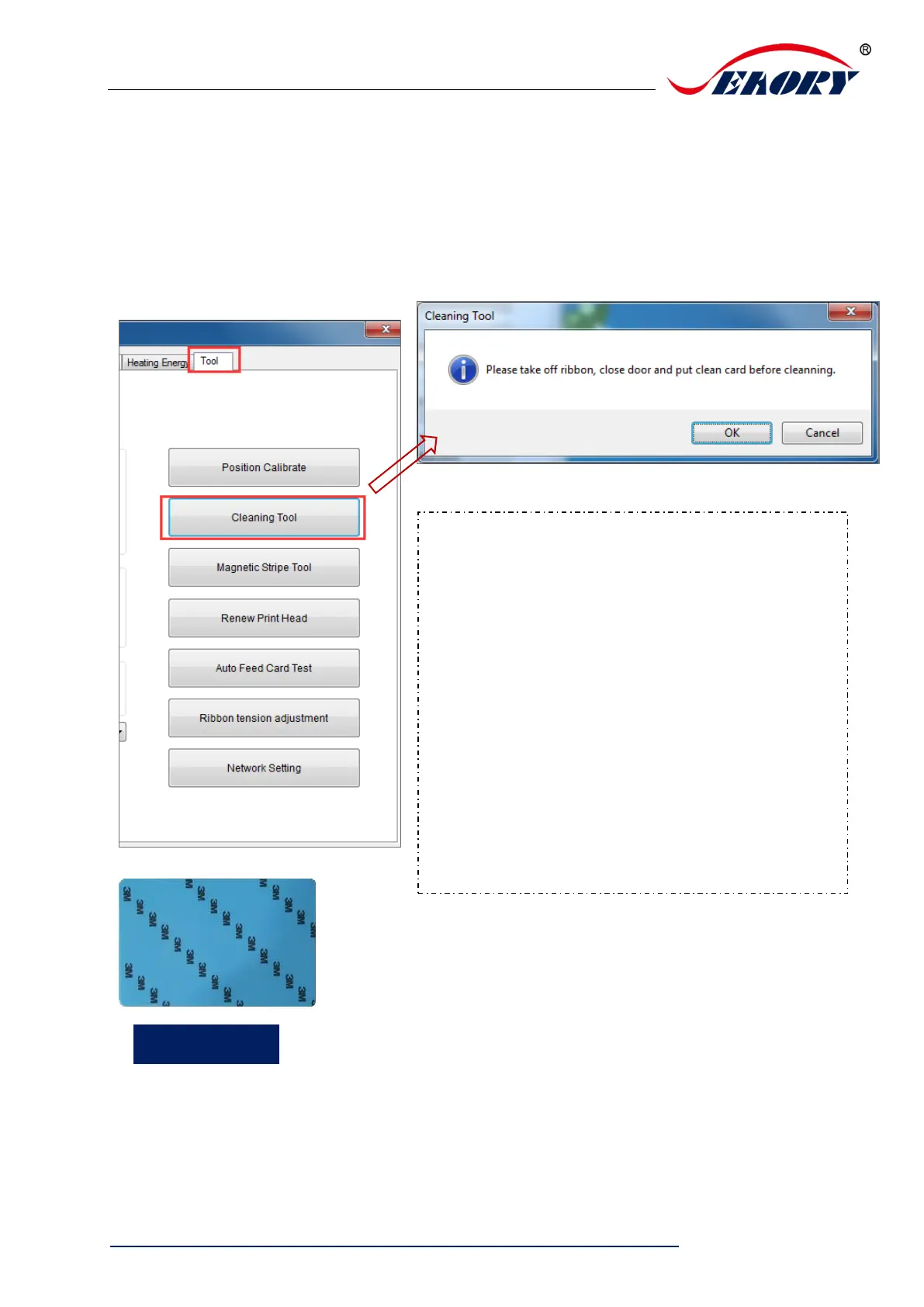
7.15 Cleaning tool
Deposition of dust or contaminants inside the card printer may cause damage to
important parts and affect the printing effect. Therefore, it’s recommended to clean the
printer when changing the ribbon or at least clean one time a month.
Cleaning steps according to the driver leads are
as follows:
Step 1: Take out the cleaning card from the
accessory box and remove the 3M hyaline layer
on cleaning card’s both sides.
Step 2: Open card printer upper cover, take out
the ribbon cartridge and then close the upper
cover.
Step 3: Put the cleaning card into the input hopper
Step 4: Click “OK”. The card printer will start to
clean itself.
Step 5: After finished cleaning, please install the
ribbon cartridge into card printer.



 To Next Page