Seaory S21 Desktop Single-sided Card Printer
Excellent quality, Perfect service
www.seaory.com 20 / 51
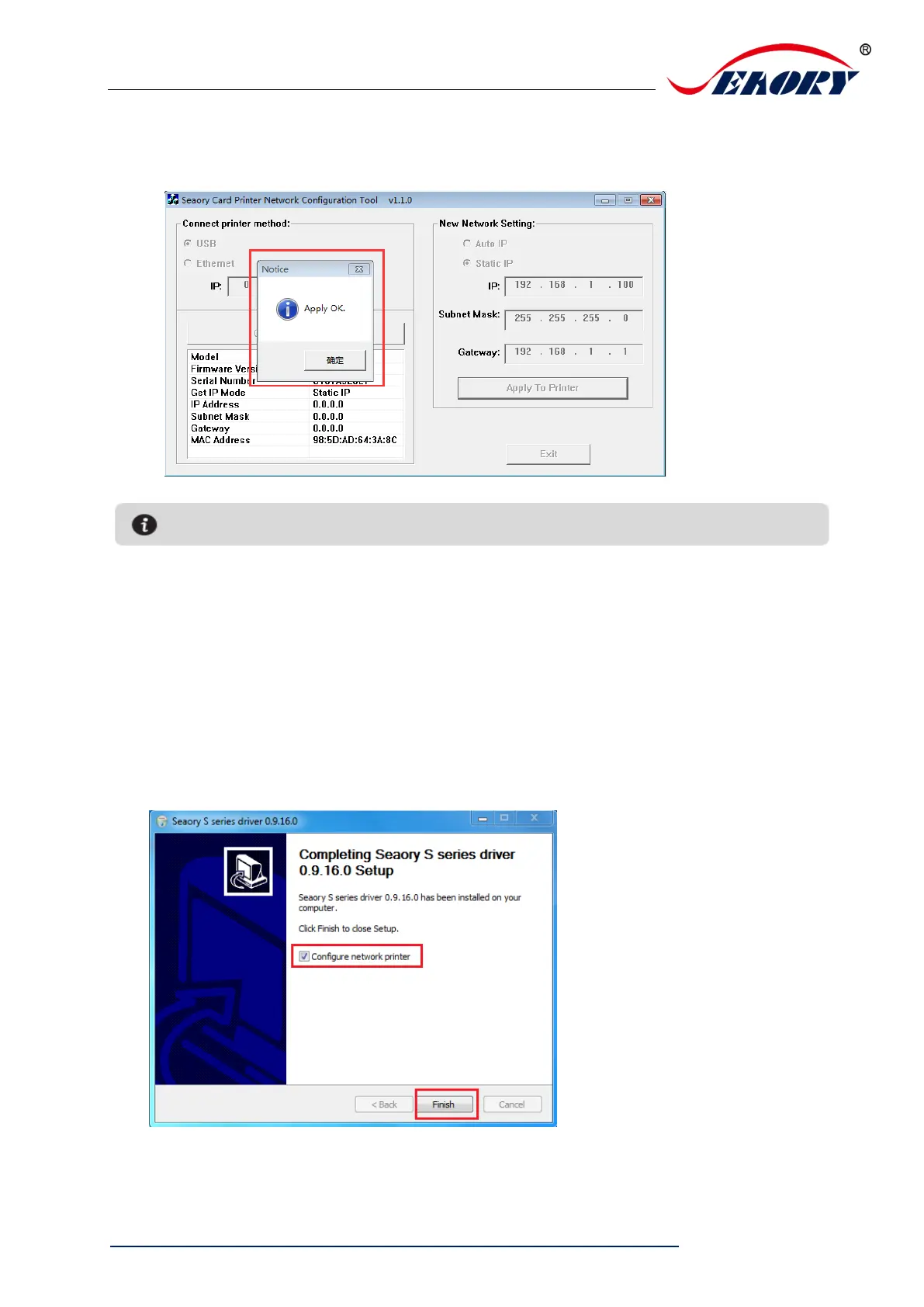
Step 4: Click “Static IP”, type in internet IP address, subnet mask, gateway
information. Then click “Apply to card printer”, you will see success dialog box. That
means the network setup successfully.
6.5 Driver installation (Ethernet communication interface)
According to “6.4 network setting operating guide”, setting up the printer IP information,
access to the network line and using the Ping command on the computer side to
confirm the printer is communicating with the computer.
After finished “6.3 driver installation (USB communication interface)” operating guide,
please operate according to following steps:
Select “Configure network printer” first, and then click “Finish”.



 To Next Page