Seaory S21 Desktop Single-sided Card Printer
Excellent quality, Perfect service
www.seaory.com 19 / 51
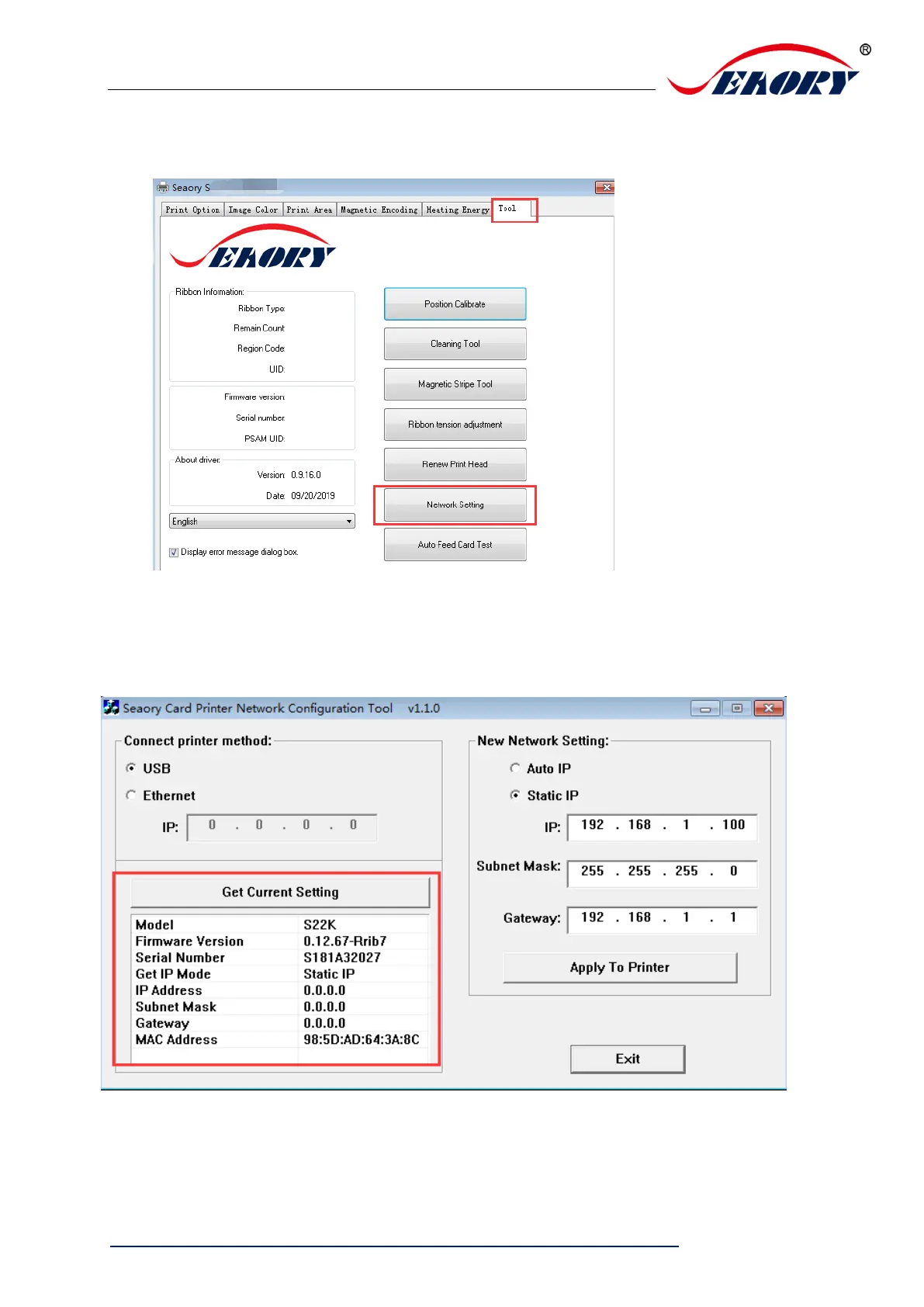
Step 2: Select “Tool” – “Network Setting”
Step 3: After click “Network setting” ,choose “Gets current setting” ,you will find
the card printer Model number, firmware version, MAC address etc.



 To Next Page