Seaory S21 Desktop Single-sided Card Printer
Excellent quality, Perfect service
www.seaory.com 30 / 51
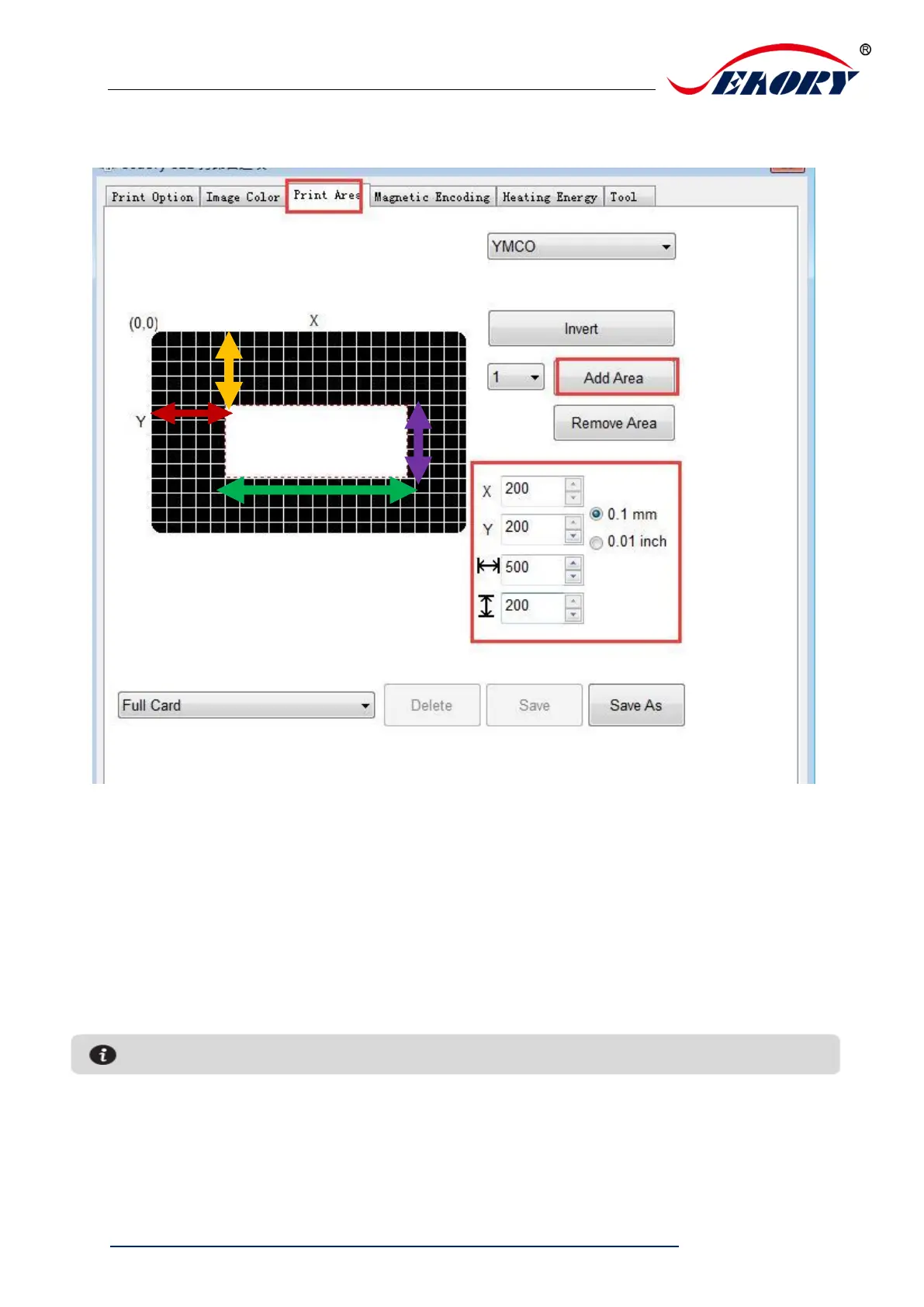
(2)Customize printing area
Click ”add area”, input or adjust X,Y value and length and width value.
Red double arrow: represents the distance from the X-axis to the white area.
Yellow double arrow: represents the distance from the Y-axis to the white area.
Green double arrow: represents the white area (no printing area) length.
Purple double arrow: represents the white area (no printing area) width.



 To Next Page