Setting up the seca connect 103 System • 23
17-10-01-266-002a/07-2018B
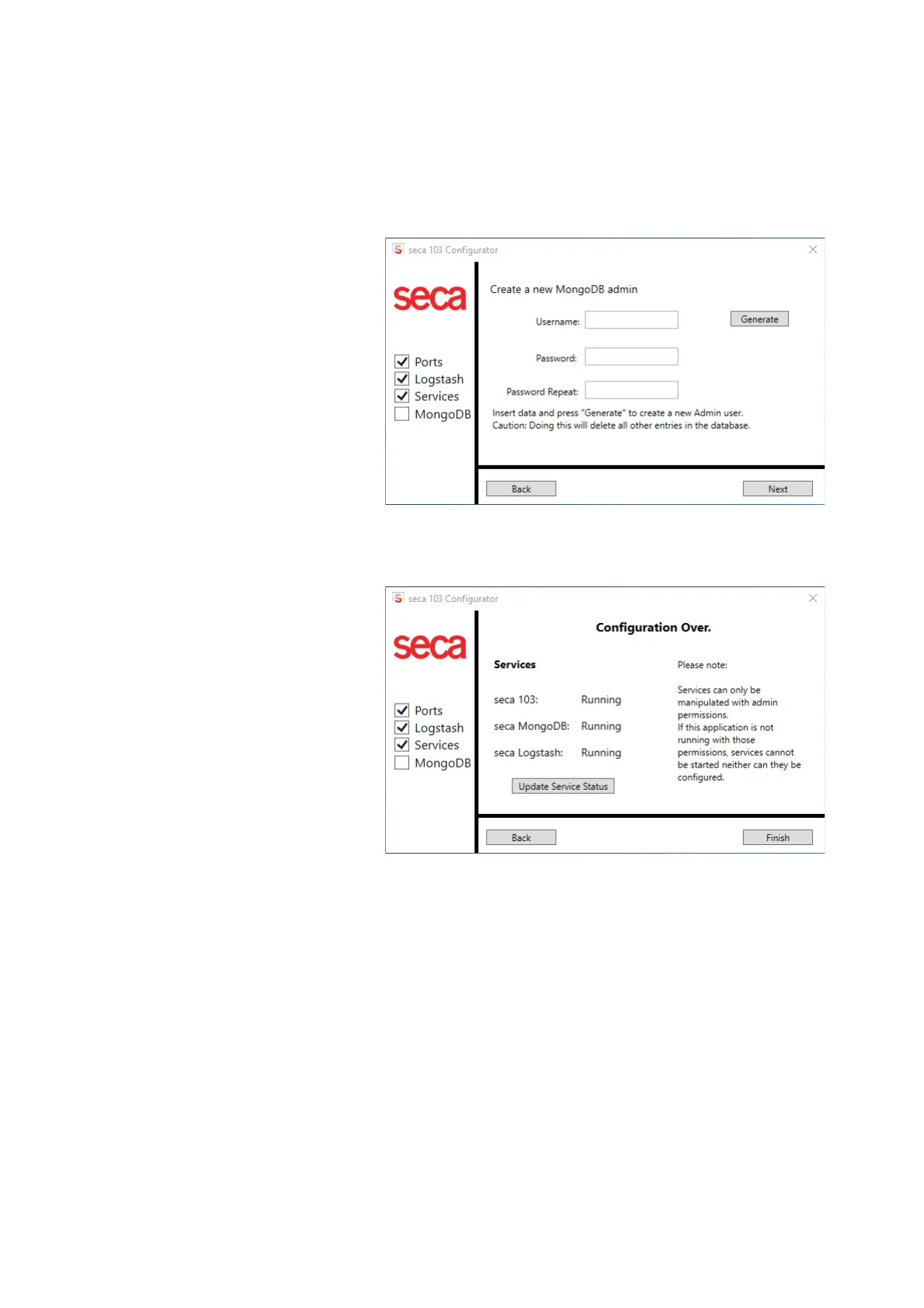
6. Create the login credentials for the administration of the Mongo database
(administrator login for the
secaconnect 103):
a) Assign
User name
b) Enter Password
c) Repeat Password
d) Click Generate
With the login credentials (administrator login) you can now open
secaconnect 103 in the browser ([IP address of the secaconnect 103
server]: 9000/login).
7. Click
Finish
The configuration is complete.
8. Open secaconnect 103 in your browser:
a) Enter “IP address secaconnect 103 server]: 9000/login”
b) Log in with the administrator login created in step 6.
You have the following options:
►➔ Preparing the data connection (WiFi/Ethernet) for seca measuring
devices
►➔ Managing seca measuring devices
►➔ Managing integration modules



 To Next Page