Connecting and installing the seca 452 interface module • 59
17-10-01-266-002a/07-2018B
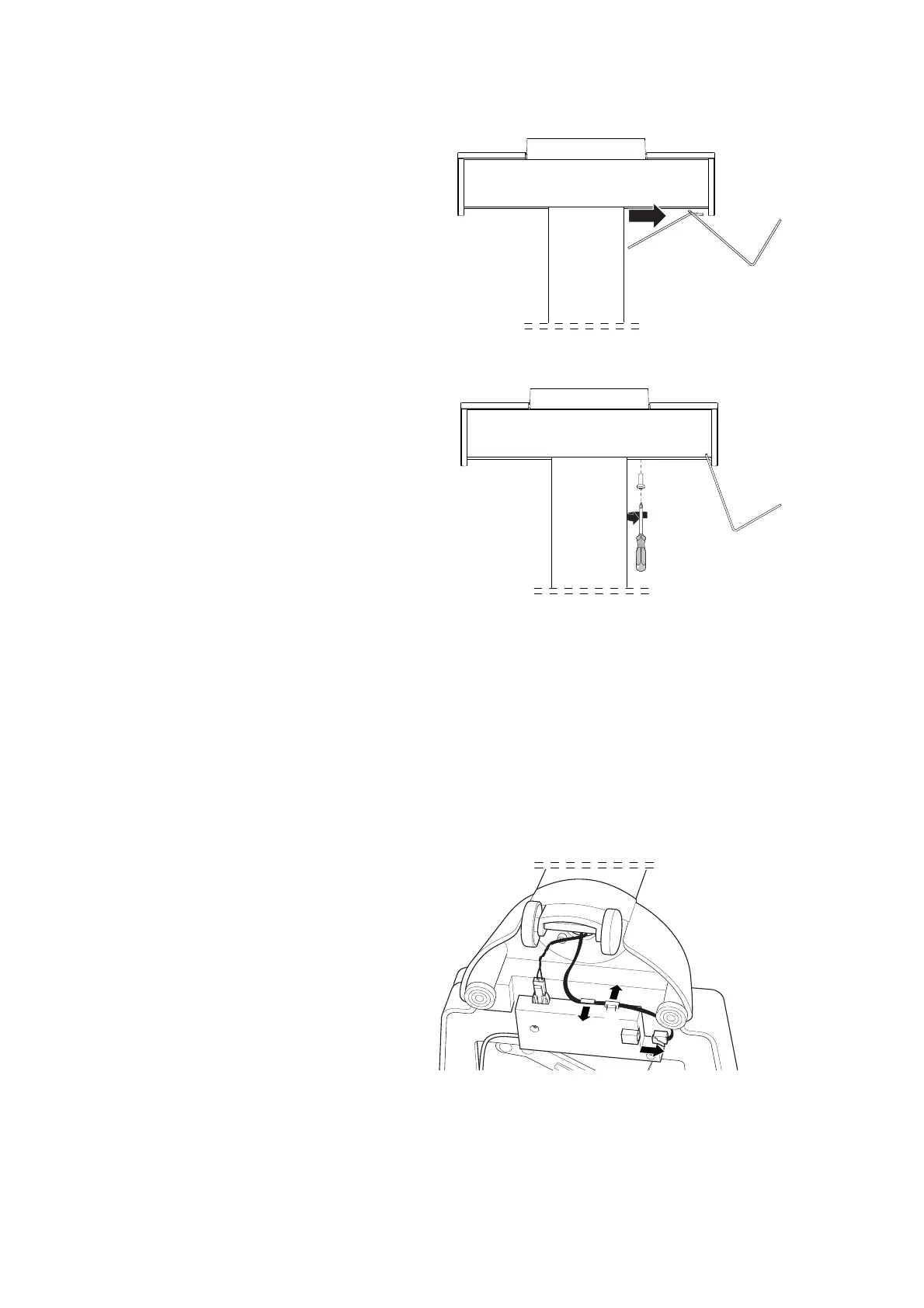
Mounting the scanner bracket 1. Attach the scanner bracket to the desired side part of the display housing.
2. Screw the scanner bracket to the bottom of the display housing with two
cross-head screws.
Connecting a seca 452 interface
module
1. Carefully tilt the scale so that you can easily access the connections on
the bottom of the scale.
NOTICE!
Malfunction due to installation errors
If cables are strained during installation, e. g. with sharp bends or
kinked connectors, this may result in faulty displays and failure of the
display.
► Route all cables to prevent sharp bends and kinked connectors.
► Provide strain relief by routing all cables in the relevant holders.
2. Connect the scale to the seca 452 interface module:
a) Remove cable from the display electronics from the interface of the
electronics box (1) and from the cable clips (2, 3)



 To Next Page