60 • secaconnect 103/seca 452
17-10-01-266-002a/07-2018B
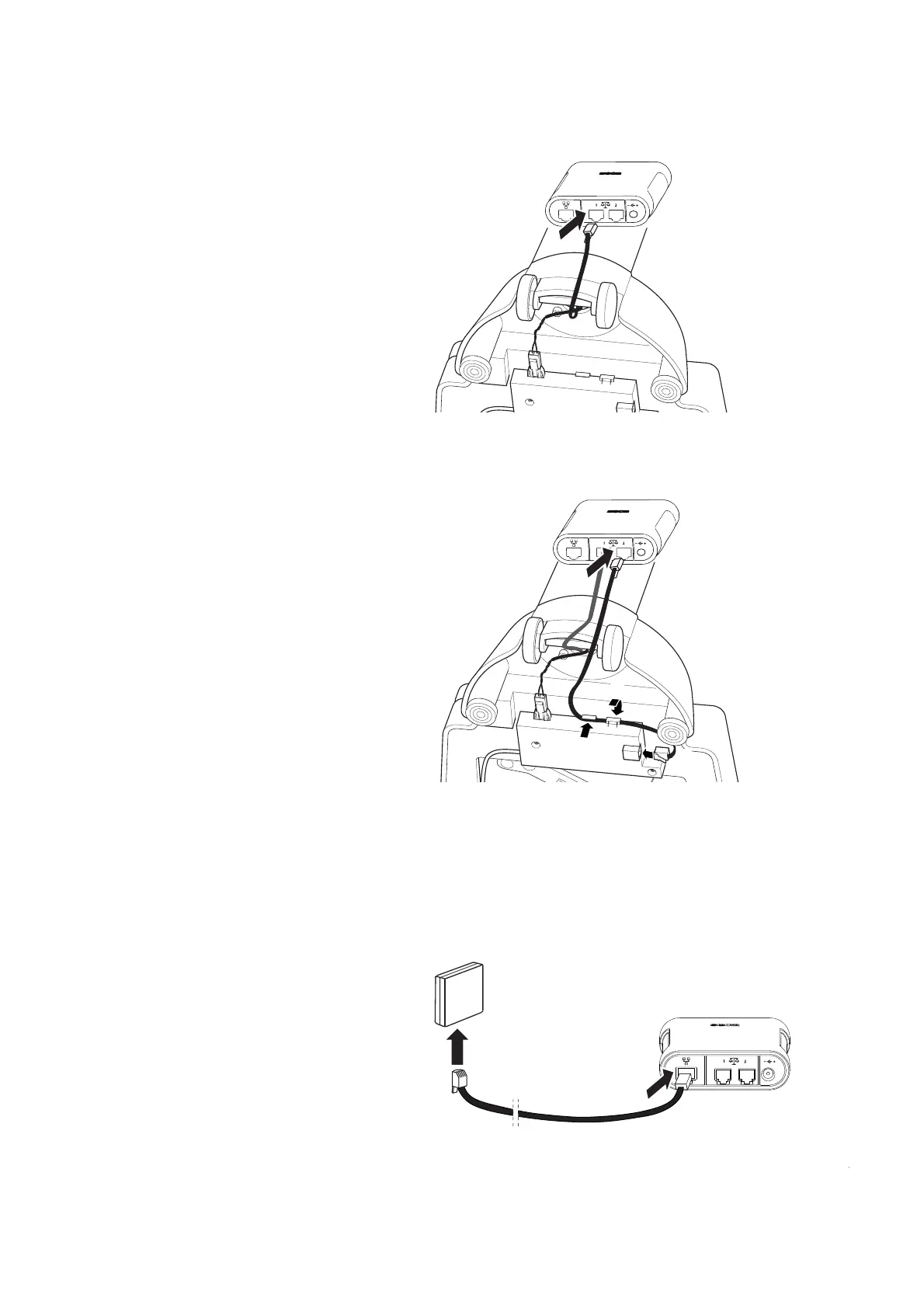
b) Connect cable of the display electronics to interface 1 of the
seca 452 interface module
c) Connect the short connecting cable to the interface of the
electronics box (1) and secure in the cable clips (2, 3)
d) Connect the short connecting cable to interface 2 of the
seca 452
interface module (4)
e) Position the scale upright
You have the following options to continue:
► For communication via Ethernet, continue with step 3.
► For communication over WiFi, continue with step 4.
3. Connect an Ethernet cable to the
seca 452 interface module:
a) Connect the Ethernet cable to the Ethernet interface of the
seca 452
interface module
b) Connect the Ethernet cable to the network socket



 To Next Page