Connecting and installing the seca 452 interface module • 61
17-10-01-266-002a/07-2018B
NOTICE!
Malfunction caused by an incompatible scanner
Incompatible scanners can lead to faulty data transmission or system
malfunction.
► Only use scanners that are listed in the section ➔ Optional
accessories and spare parts.
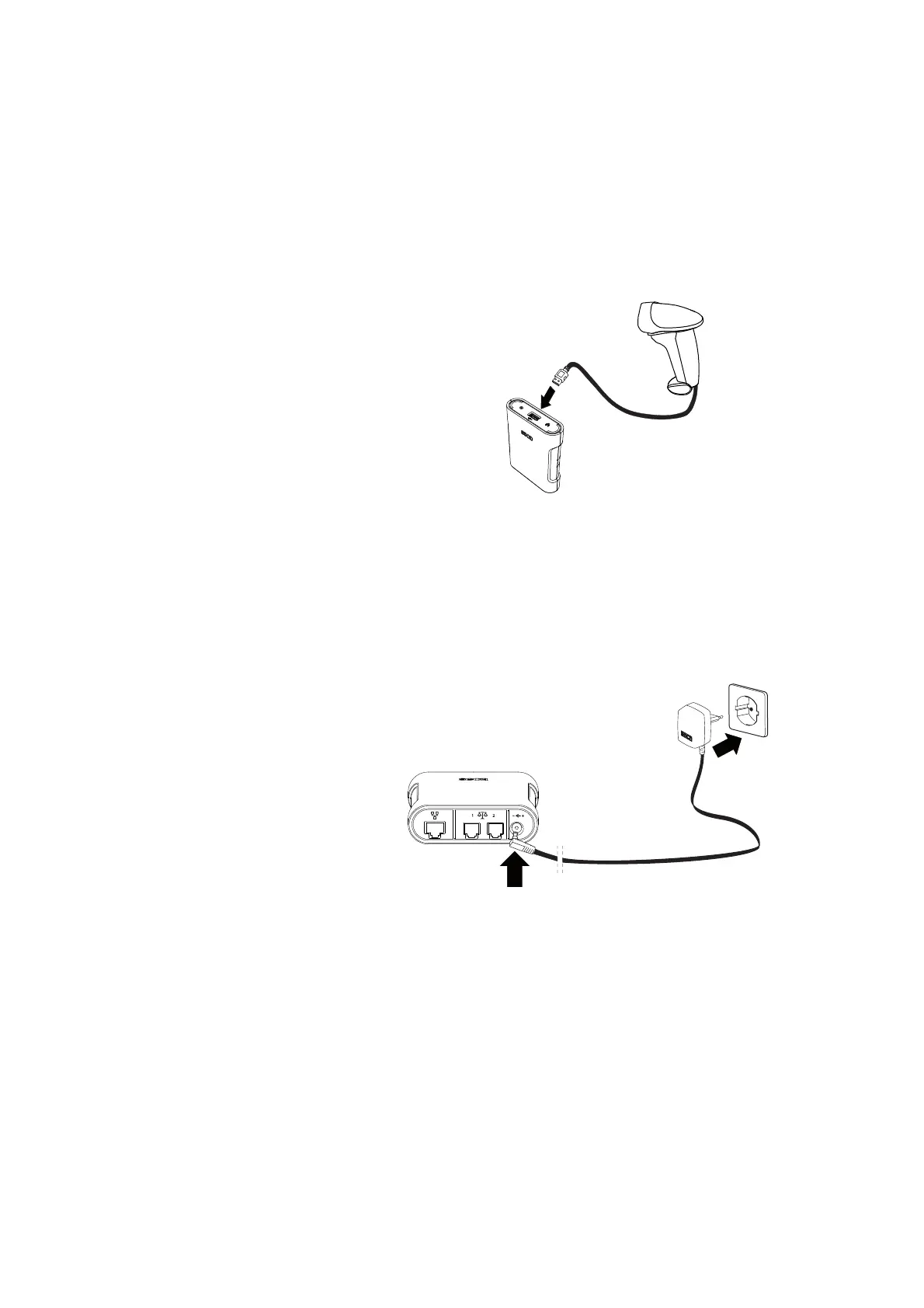
4. Connect a scanner to the
seca 452 interface module:
a) Connect the scanner cable to the USB interface of the
seca 452
interface module
b) Attach the scanner to the scanner bracket
NOTICE!
Damage to device due to incorrect power supply unit
The power supply unit of the scale is not suitable for operation with
the
seca 452 interface module.
► Only use the power supply unit included in set 4520050009.
5. Connect the power supply unit to the seca 452 interface module:
a) Connect the power cable to the power supply connection of the
seca 452 interface module
b) Insert the power supply unit into a power supply socket
6. Perform the necessary final work, ➔ Performing final work.



 To Next Page