Rostock MAX v2 User's Guide
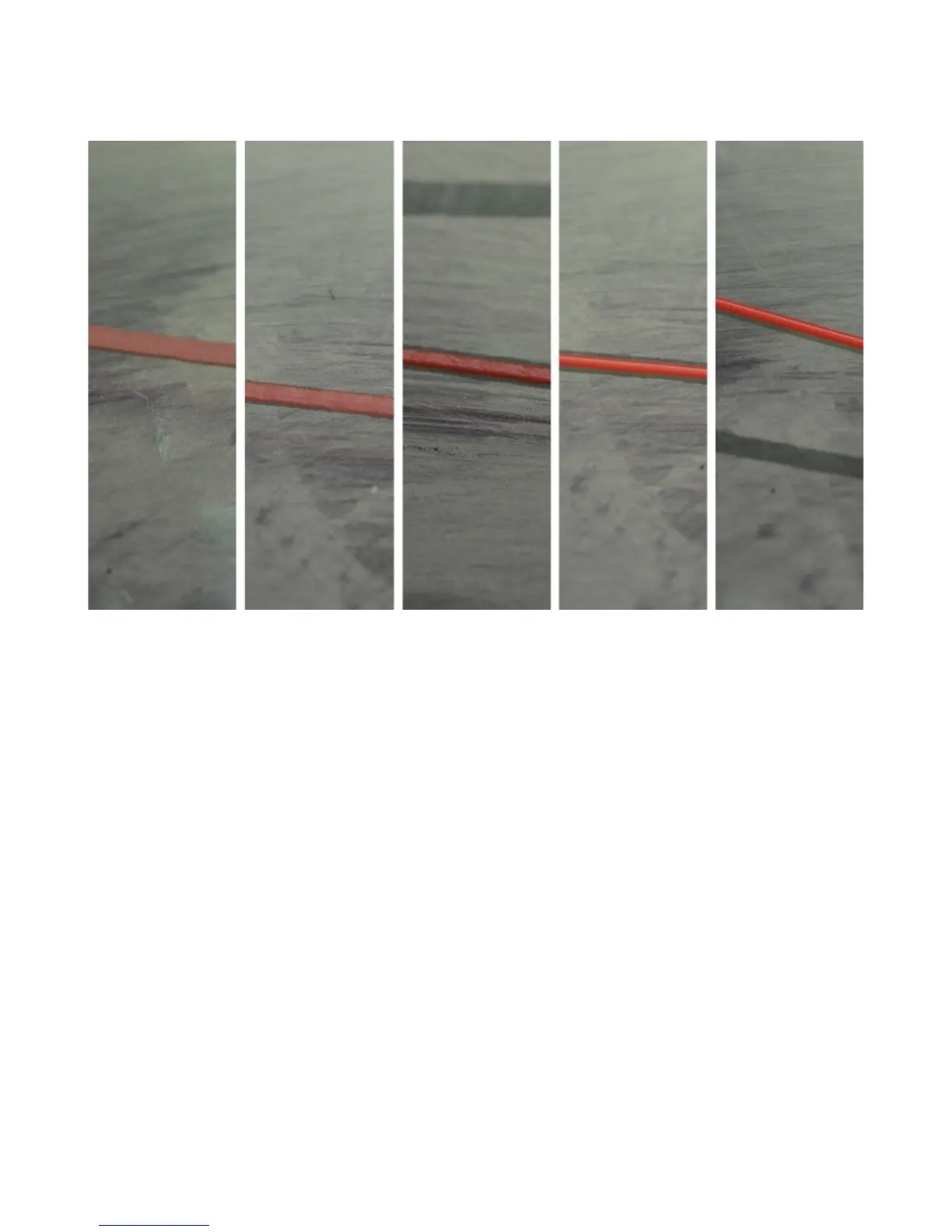
In the figure above, you’ll see five different print examples. On the far left you see the result of
the nozzle being too close to the print bed, while at the far right you see the result of the nozzle being
too far away. The result you’re looking for is shown in the center. That’s what a good first layer should
look like. If you set the Z height such that you can just begin to feel a sheet of note paper begin to drag
between the nozzle and machine bed, you’re pretty close to the ideal Z height when at zero.
Appendix A: Maintenance and Troubleshooting - 112
First print layer examples. (Image Courtesy of LulzBot)


 To Next Page