Rostock MAX v2 User's Guide
3.3 – Loading Filament
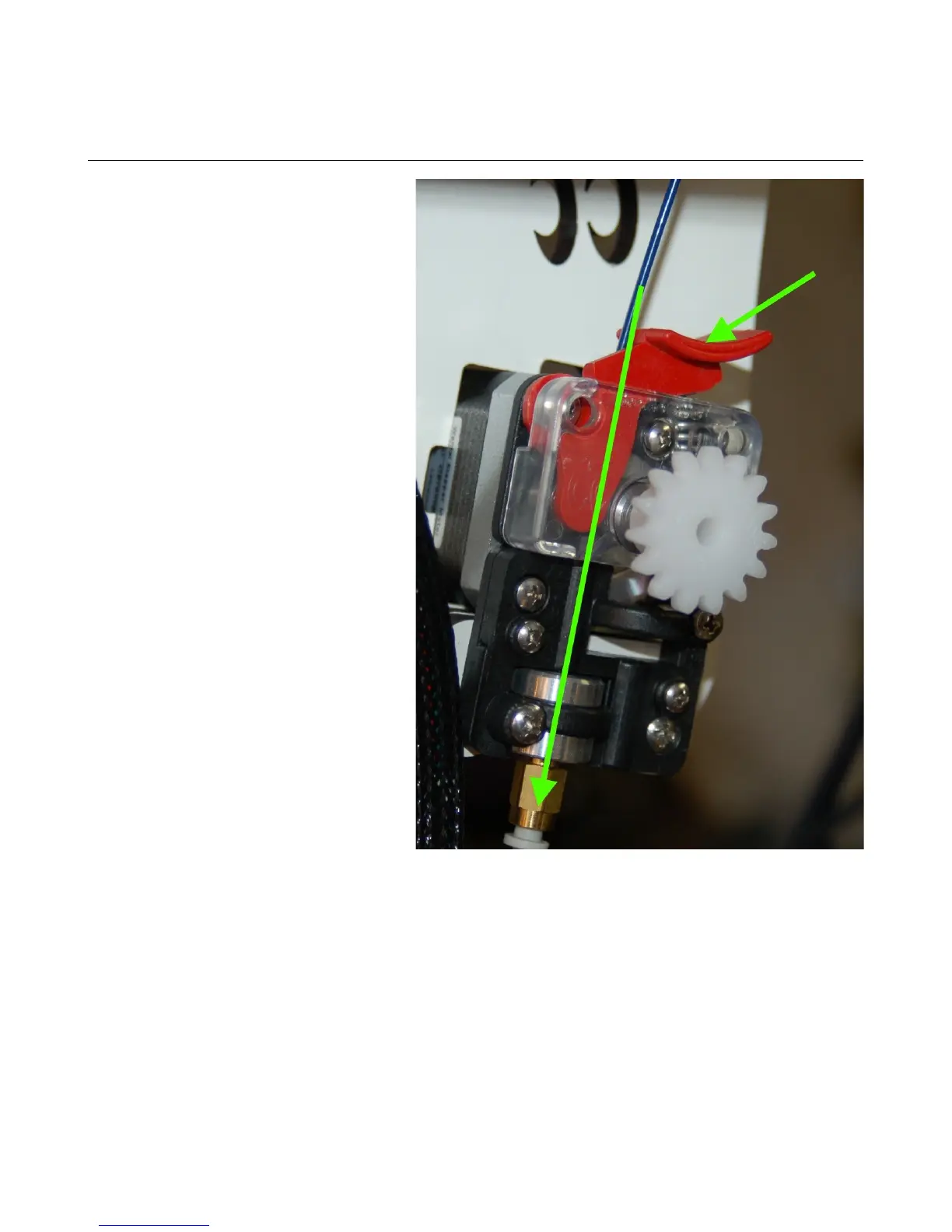
It's extremely simple to load
filament into the EZStruder. Just place
your index finger on the top of the extruder
and your thumb on the tension lever
(marked by the arrow below). Press the
tension lever down and feed the filament
by hand along the path marked by the green
arrow. There is a small opening behind the
tension lever that the filament will enter
into the extruder through.
3 – First Print: PEEK Fan Shroud - 37
Fig. 3.3-1: Loading filament.



 To Next Page