Rostock MAX v2 User's Guide
9 – Advanced MatterControl: Settings – Filament
The Filament tab allows you to change parameters that deal with the current filament you're
printing with. The Filament page is divided into three categories; Filament, Temperature, and
Retraction.
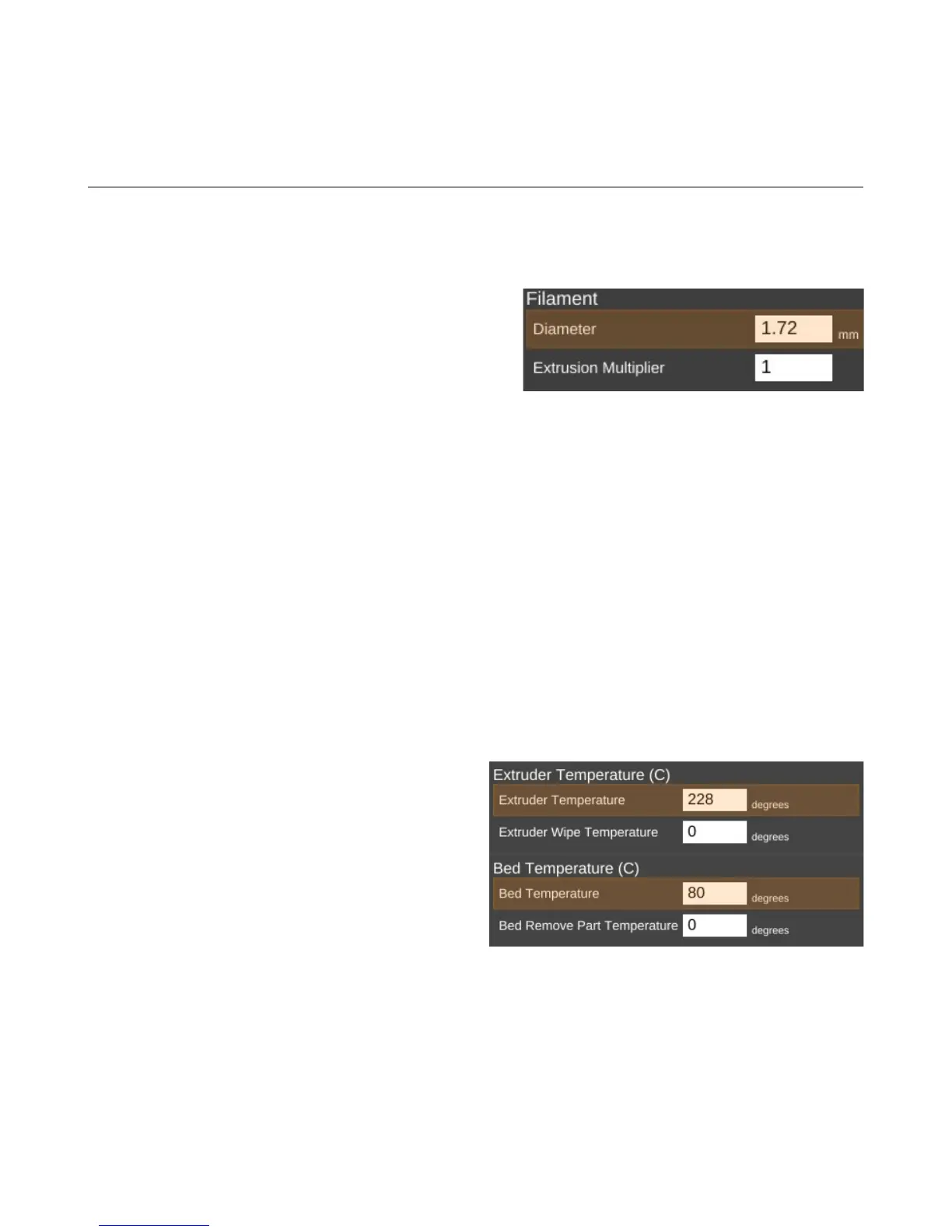
The filament Diameter parameter tells the slicing
engine the size of the material you're printing with. When
starting a new roll of material, you should pull off about 2
meters of material and check it in 10 spots along the
length using a digital caliper. Average those samples and
plug the result into the Diameter field. This is a good
way of getting a good estimate of the material you're actually using. This allows the slicing engine to
deliver more consistent results instead of depending on the generic size of the material.
You'll notice that the Diameter field is highlighted in orange. This means that the parameter is
part of a predefined material configuration. When using a new spool of material for the first time, it's a
good idea to create a new profile for it when you're taking the sample measurements of the diameter. A
good rule of thumb is to include the date you started using the filament as part of the material profile
name. Note the date on the spool label if it has one and add one if it doesn't. This will help you track
individual spools of the same color and manufacturer.
The Extrusion Multiplier parameter allows you to tweak the flow rate of the material coming
out of the hot end. A basic rule of thumb on this is to restrict the max value to 1.1 and the minimum
value to 0.9. Note that these aren't hard limits but are simply a guideline to utilize until you're familiar
with the effects this parameter has on print jobs.
The Extruder Temperature is the
temperature for the hot end, Extruder Wipe
Temperature is used to set the hot end temperature
for wipe operations.
Bed Temperature is the temperature for the
heated bed, Bed Remove Part Temperature is the
temperature at which the part can be removed.
Note that neither the Extruder Wipe
Temperature, nor the Bed Remove Part
temperature are applicable to the Rostock MAX v2.
9 – Advanced MatterControl: Settings – Filament - 81
Setting the filament diameter.
Setting temperatures.



 To Next Page