Rostock MAX v2 User's Guide
Print Layer Issues
When you first start a print, you should get a very even and consistent layer height. By properly
adjusting the machine, you should get this automatically if you’ve got all three towers adjusted exactly
the same. Unfortunately, that’s really difficult to do. The larger the object you print, the more obvious
first layer thickness inconsistencies will be, especially when using loops.
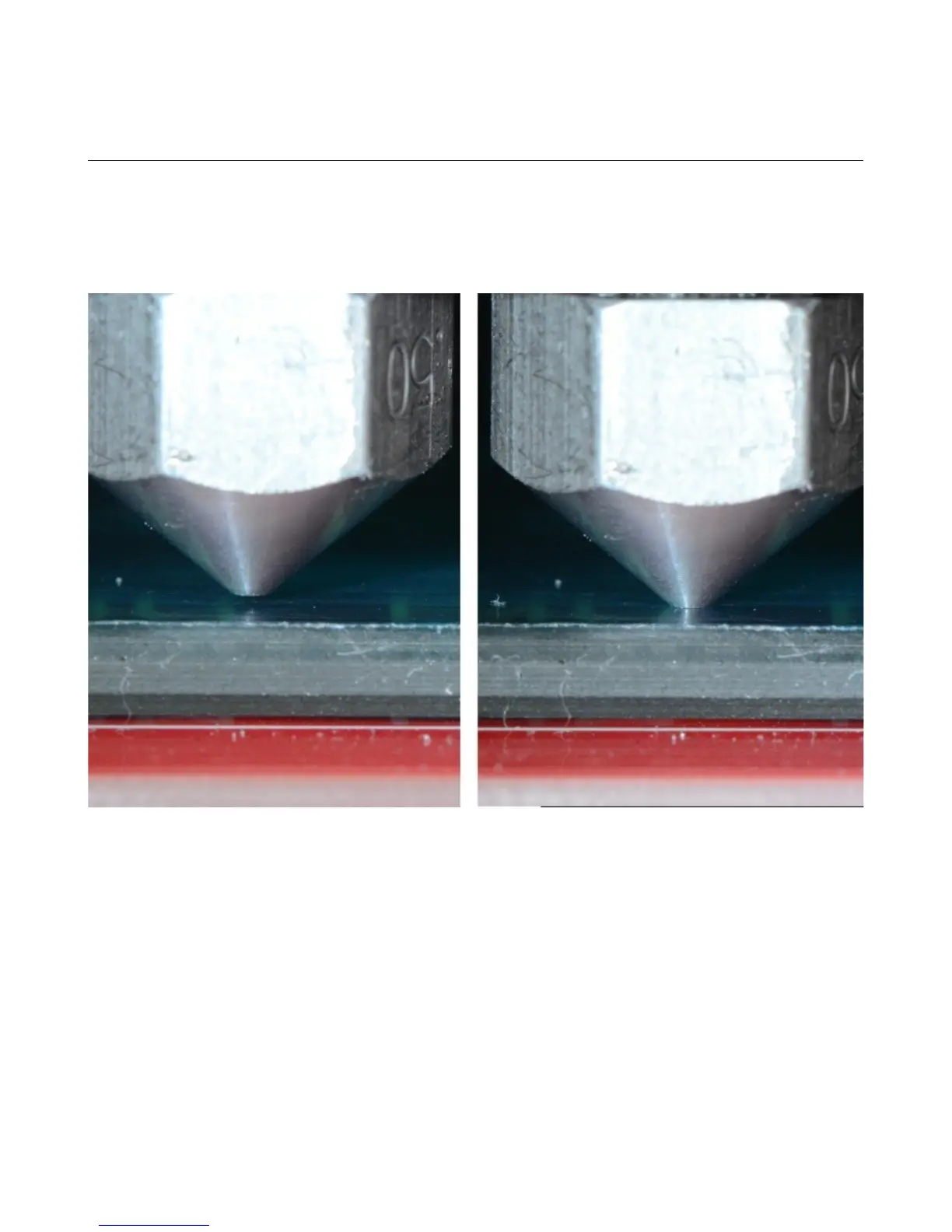
Above is an example of correct and incorrect nozzle height. The nozzle on the right is right at
the surface of the print bed. This means that there’s no room for the plastic to go – the bed is effectively
plugging the nozzle and will eventually cause the extruder to start skipping, or it'll grind a notch in the
filament as it tries to feed it.
Appendix A: Maintenance and Troubleshooting - 111
Nozzle height examples. (Image Courtesy of LulzBot)


 To Next Page