Rostock MAX v2 User's Guide
2.4 – Motion Calibration
Now we need to adjust the end stops in order to calibrate the effector platform. This ensures
that the effector platform your Rostock MAX v2 achieves an accurate nozzle height and parallel travel
across the entire bed surface.
To make this process easier, we're going to create a macro within MatterControl.
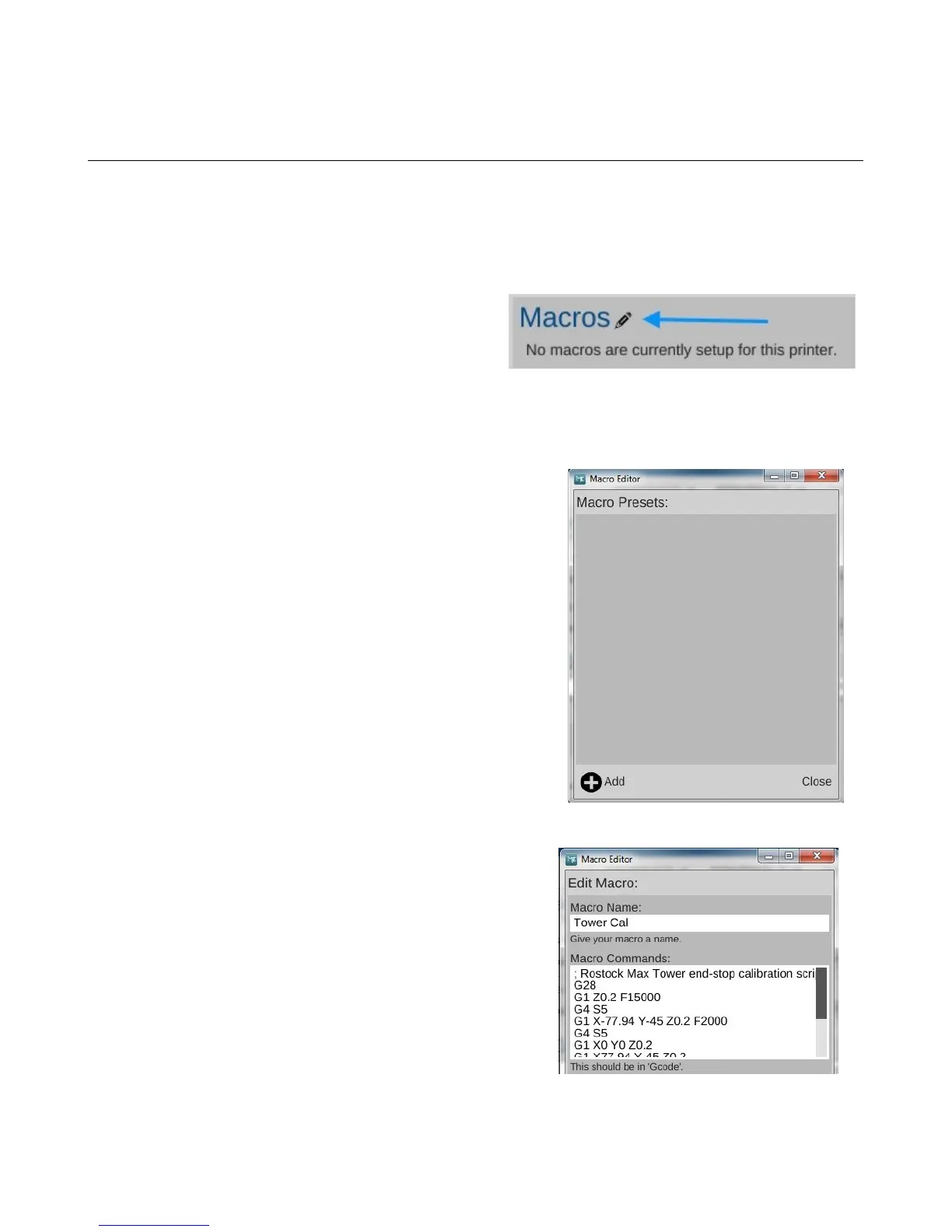
In order to create a new macro you'll need to
open the macro editor. Click on the little pencil icon
shown on the CONTROLS screen.
This will bring up the Macro Editor, as shown above. Click on the “ADD” button to create a
new macro.
You're going to name the new macro, “Tower Cal”.
In the Macro Commands box, you'll enter:
; Rostock Max Tower end-stop calibration script
G28
G1 Z0.2 F15000
G4 S5
G1 X-77.94 Y-45 Z0.2 F2000
G4 S5
G1 X0 Y0 Z0.2
G1 X77.94 Y-45 Z0.2
G4 S5
G1 X0 Y0 Z0.2
G1 Y90 Z0.2
G4 S5
G1 X0 Y0 Z0.2
If you're reading this as a PDF, you can easily copy &
paste the G-Code into the editor window. If you do this, it will
insert a blank like between each line of G-Code. You can
remove these blank lines.
Click the Save button to save the new macro.
2 – Installing MatterControl and Calibrating the Printer - 29
Fig. 2.4-1: Starting the Macro editor.
Fig. 2.4-2: Macro Editor.
Fig. 2.4-3: Calibration macro.



 To Next Page