Rostock MAX v2 User's Guide
1.3 – Configuring the Arduino IDE
Before we can use the IDE to upload the firmware to the RAMBo controller, we need to tell the
Arduino IDE what kind of board we have and what communications port it needs to use in order to
perform the upload task.
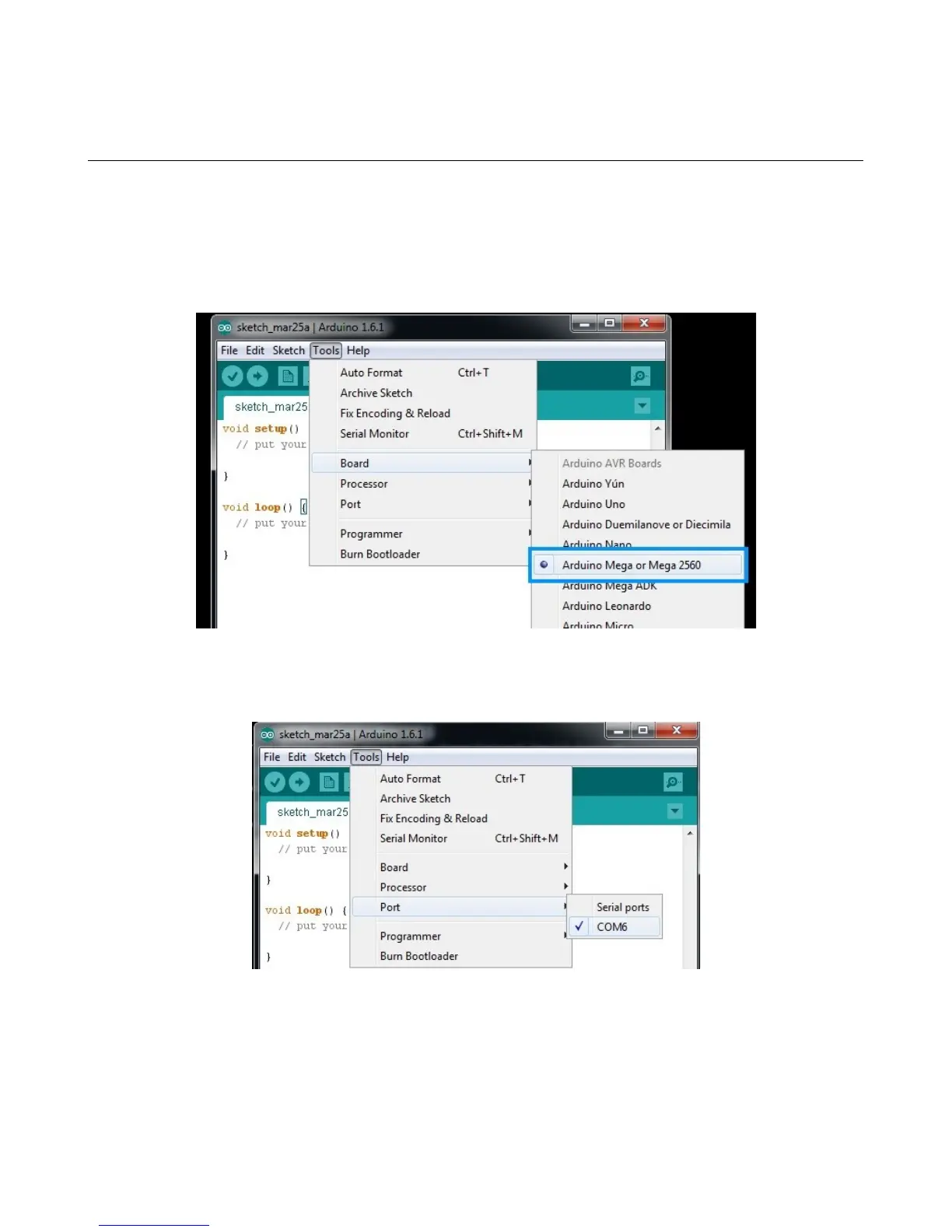
Click on the “Tools” menu item and then click on “Board” and then “Arduino Mega or Mega
2560”.
Next, you'll need to tell the Arduino IDE what port to talk to the RAMBo on. To do this, click on
“Tools”, “Serial Port” and then choose the COM port that your RAMBo appears as on your computer.
1 – Driver and Software Installation - 8
Fig. 1.3-1: Choosing the board type.
Fig. 1.3-2: Choosing the Serial Port.



 To Next Page