Rostock MAX v2 User's Guide
10 – Advanced MatterControl: Settings – Printer
The Printer section covers items that are specific to the printer being used for the current print job.
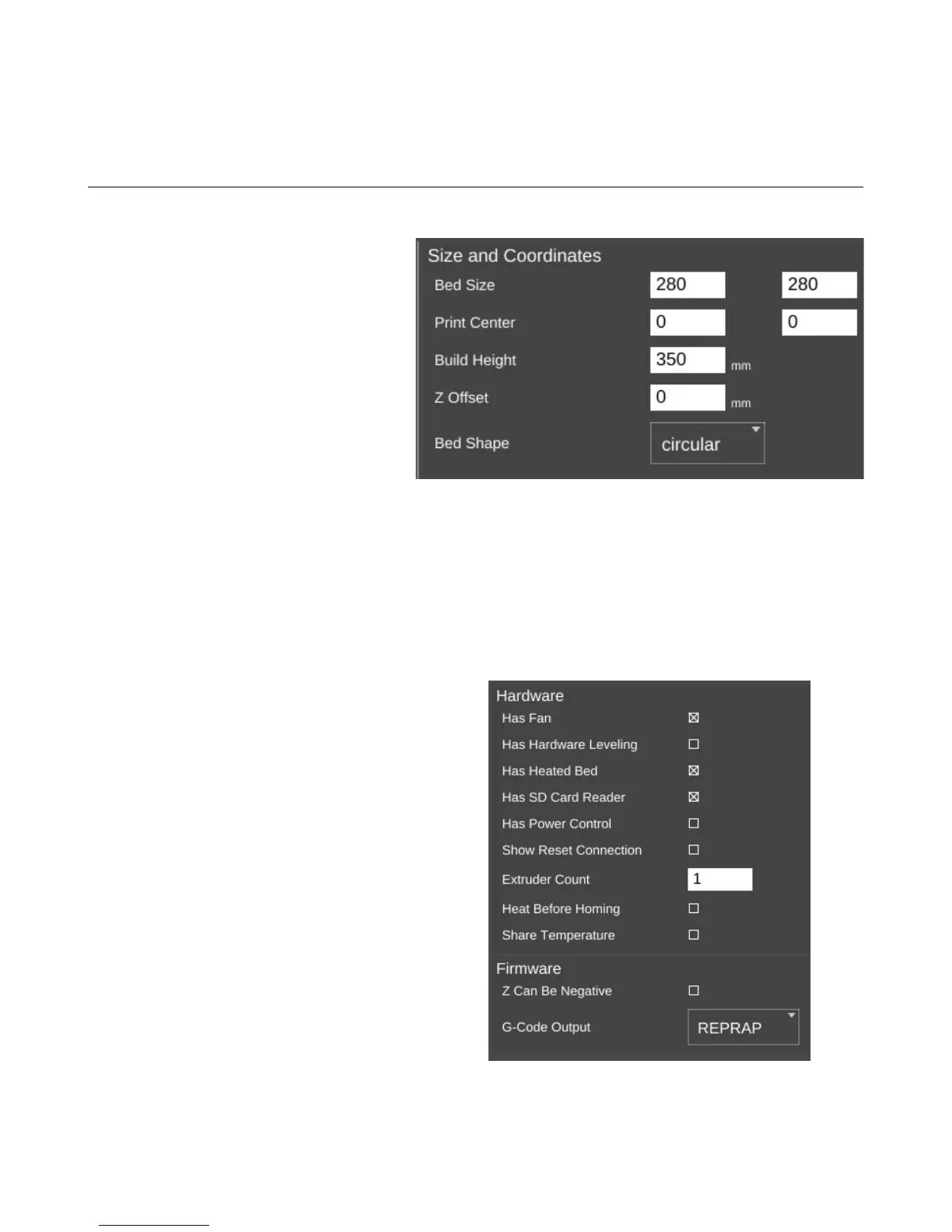
The Print Area page covers
parameters that describe the mechanical
features of the printer.
The Bed Size fields cover the width
and length of the bed. Since the Rostock
MAX has a round bed, you'll see that both
figures are the same, the Print Center has
been set to 0,0 (the center of the circle) and
the Bed Shape has been set to circular.
The Rostock MAX bed size should
be set to 280/280.
The Build Height parameter should be set to the highest practical build height. In the case of
the Rostock MAX, this is set to 350mm.
Z Offset can be used if you want to set a specific adjustment to the z position of the G-Code
when it's created by the slicing engine.
The Bed Shape parameter dictates what bed type is shown in the 3D viewer.
The Hardware section allows you to specify
what features are installed on your Rostock MAX v2.
Has Fan, when checked will allow the
slicing engine to control the layer cooling fan.
Has Hardware Leveling should be set if
you've added a mechanical depth probe for leveling
the bed on your Rostock MAX.
Has Heated Bed should be checked for the
Rostock MAX v2. This allows the slicing engine to
control the heat of the bed.
Has SD Card Reader should be checked for
the Rostock MAX v2. This allows MatterControl to
save STL and G-Code directly to the SD card if it's
installed in the Rostock MAX.
10 – Advanced MatterControl: Settings – Printer - 85
Setting printer size and coordinates.
Basic hardware settings.



 To Next Page