Rostock MAX v2 User's Guide
Has Power Control indicates whether or not your printer can control its own power supply. In
the case of the Rostock MAX, this should be left unchecked.
Show Reset Connection This will enable a “reset” button that will reset the connection when
pressed. It can be used as an emergency stop on printers that support it.
For a stock Rostock MAX, Extruder Count should be set to 1. If you add an additional
extruder in the future, you can tell the slicing engine about it here.
Heat Before Homing When checked, this will cause the hot end to be heated before the printer
is sent to its home position, instead of after.
Share Temperature is used when utilizing multiple extruders that share the same heat source.
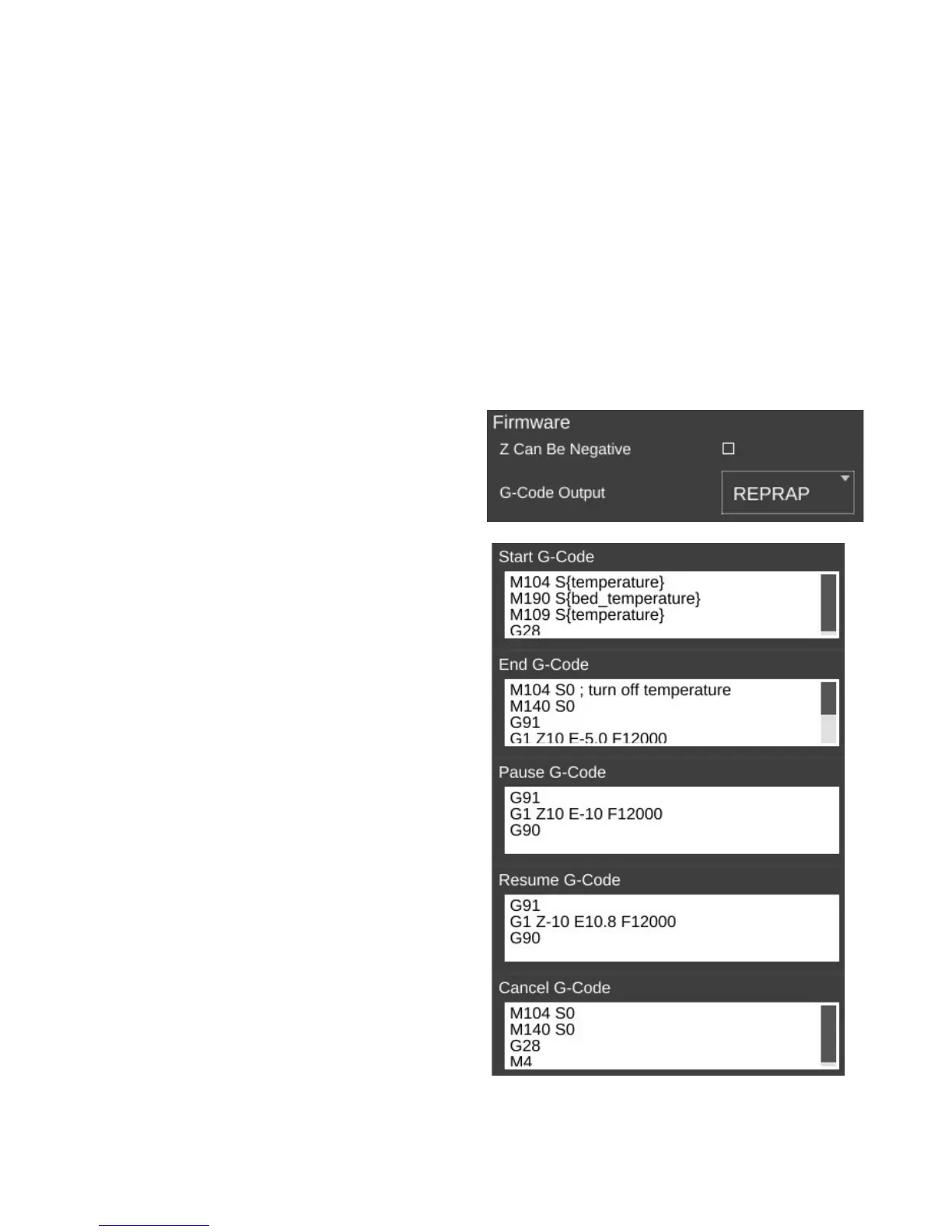
The Firmware section allows you to tell the
slicing engine about the firmware you're using with
your Rostock MAX.
Z Can Be Negative can be checked if the
firmware you're using on your Rostock MAX will
accept Z positions below zero. Leave this unchecked
if you're using the stock Rostock MAX firmware.
G-Code Output specifies what “flavor” of G-
Code should be created by the slicing engine. For the
Rostock MAX, this should be set to REPRAP.
The next page is called Custom G-Code and
allows you to customize the code sent for five
different print events. Unless you're familiar with
what the listed G and M codes do, please don't
modify the defaults shown.
Start G-Code is inserted into the G-Code
output right after the temperature setting. If you have
the commands to set the temperatures in this section,
they won't be generated outside of this section. You
can also include values from other sections such as
“first_layer_temperature”
End G-Code is inserted into the output at the
very end, after all print operations have been
completed.
Pause G-Code is sent when the Rostock
MAX is paused during a print.
10 – Advanced MatterControl: Settings – Printer - 86
Firmware type.
Custom G-Code settings.



 To Next Page