Rostock MAX v2 User's Guide
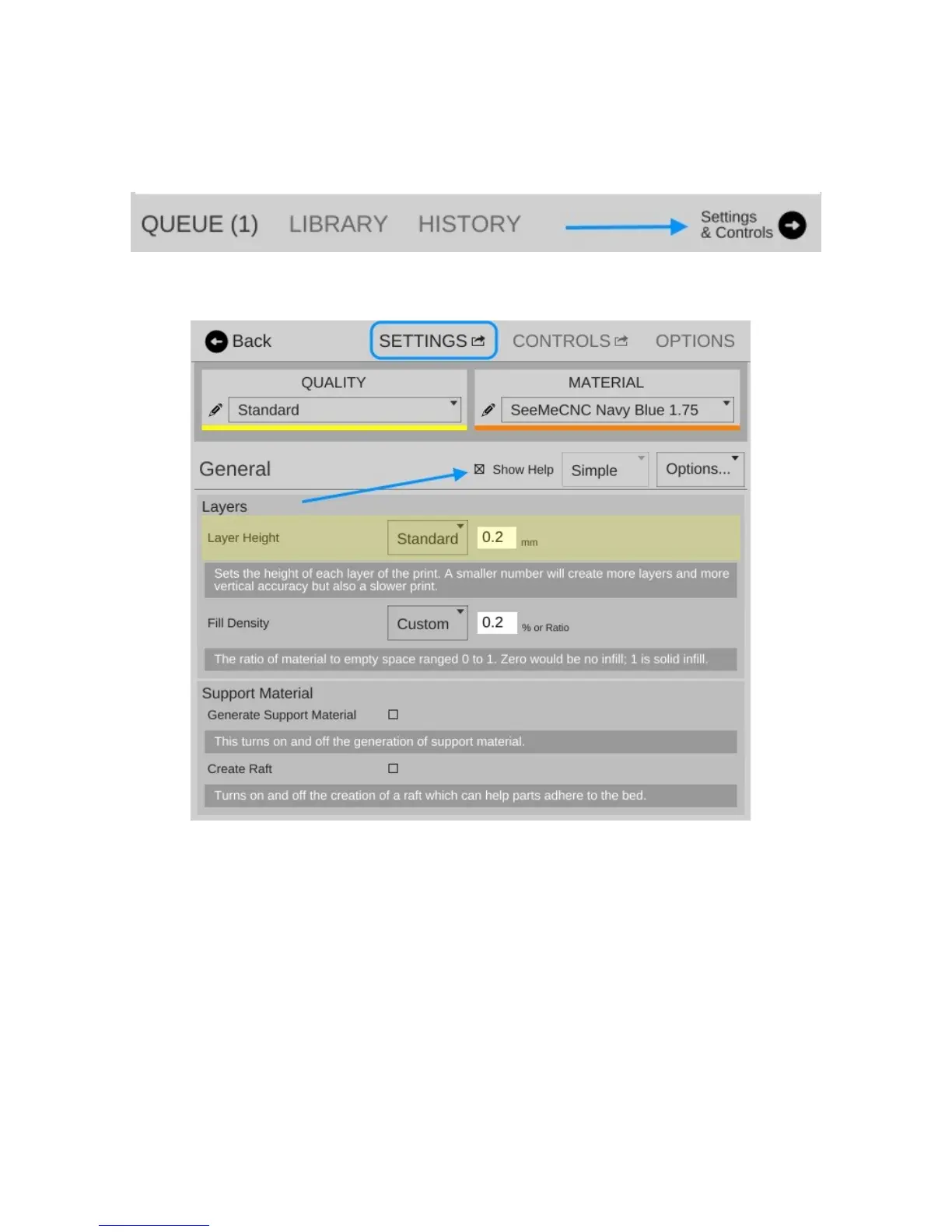
I want you to click on the Settings & Controls button to bring up the Settings, Controls, and
Options pane.
Click on the SETTINGS link to make sure your display follows (by and large) what you see
below.
The first thing I want you to do is click on the Show Help check box that's highlighted by the
arrow in the image above. This will turn on verbose descriptions of each one of the parameters
available in the Settings page.
I'm going to only cover the “Basic” configuration settings for right now. There's a LOT that
goes on to configuring your slicer and the Simple configuration setting allows many of those to be
hidden until you're more comfortable with how your printer works.
5 – Matter Control Basics: Slicing - 48
Fig. 5.1-1: Menu Bar.
Fig. 5.1-2: Settings Pane.



 To Next Page